Bromcom: Producing Dinner Debt Letters
How do I produce dinner debt letters?
The easiest way to produce dinner debt letters is through the Student List screen.
- Go to Students > Student List.
- Filter the list as required (for example, students with outstanding dinner balances).
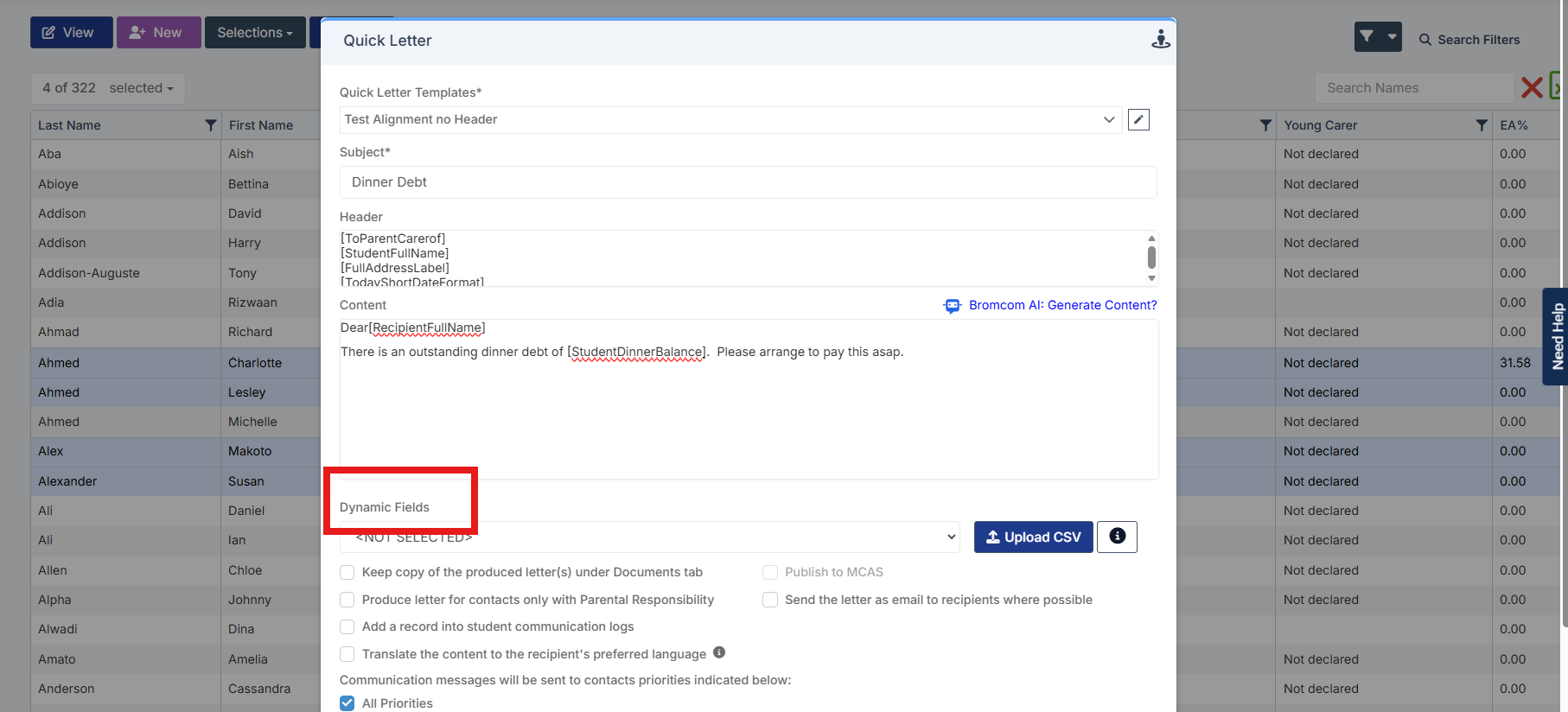
- Select Actions > Quick Letter.
- When creating your letter, insert the dynamic field Student Dinner Balance to automatically display each student’s current dinner balance.
- Generate and send the letters as required.
For step-by-step guidance on using Quick Letters, please refer to the Bromcom article below:
How to use Quick Letter – Bromcom – Documentation Centre
Tip: Using the Student Dinner Balance dynamic field allows you to create personalised debt letters for multiple students at once, without manually entering balances.