What’s new on Bromcom MIS
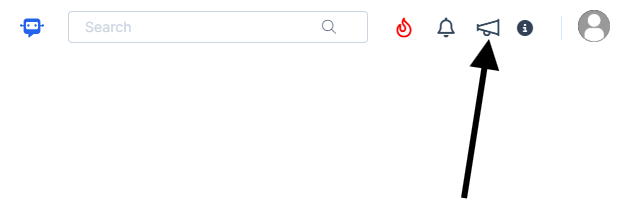
You can view what is new in the MIS by clicking on the megaphone icon as seen below. We will also update this FAQ with the latest changes, new features and improvements each time they are released.
Sprint Release 6th March 2026
| URL for further information | MIS Route | Information |
| Vision: Transfer Log Enhancements | Vision > Admin > Transfer Logs | This update enhances logging to provide clearer visibility and audit trails.
What’s new
|
| Vision: Attendance and Behaviour – Quick Profile Enhancement | The right-side student Quick Profile panel – which shows key information for all pupils – has now been enhanced to include attendance and behaviour data alongside key details. The Quick Profile panel is available on the following pathways:
|
|
| Analysis – School On A Page Enhancements | Modules > Analysis > School On A Page | For schools in England, the following improvements have been introduced to School On A Page to improves it’s usability and functionality:
All-Through Schools We are pleased to announce that School On A Page is now available to All-Through Schools (provided the Primary Tracker has been configured). |
| Dashboards – KS2 Performance Data Update for England |
Home > KS2 Performance |
KS2 Performance comparisons have been updated with the most recent DfE data from 2020-2025. Select your chosen year from the drop down menu to compare your school’s performance with the national averages from that time. |
| Census – Enhancements to Error Pages |
The census errors page for all censuses now use an enhanced grid with updated features and a revamped colour scheme for easier use. It applies to these pathways. England: Modules > Census > School > View Errors Modules > Census > School Workforce > View Errors |
Errors and queries are now highlighted in new colours to ensure easy navigation.
New Actions column puts magnifying glass (see details, where applicable) and cross/tick (mark as unresolved or resolved) in one place. Hovering on a column title will bring up three lines, allowing greater flexibility in how you view the data. |
| Exams – Colour-Code Special Candidate Requirements | Config > Examination > Special Candidate Requirements | This release introduces the ability for Exam Officers to colour code Special Candidate Requirements. The selected colours will be displayed in the Exam Seating Plans report, making it easier to identify which students have specific requirements. This enhancement will be included in the next round of releases. |
| Exams – New Free-Text field for Online Access Arrangements | Students > Student Details > Profile > Access Arrangements | A new Details free-text field (up to 500 characters) has been added to the Online Access Arrangements tab.
The Details text box is enabled when the Application Status is Pending, Referred, or Approved. |
| Exams – KS5 Grade Points Added For 2025/26 |
Modules > Examination > Routines > Manage Results |
This upgrade adds the updated DfE KS5 associated points value for the 2025/26 academic year. |
| wTimetable – Scheduling: New ‘Max one session per day’ rule in Timetable Specifications | Modules > wTimetable > Scheduling > Actions > Timetable Specifications |
A new Max one session per day rule has been added to the Blocks on days tab in Timetable Specifications, enabling users to enforce a daily scheduling limit for each block. Under this rule, a selected block period may be scheduled only once per calendar day. After clicking Add New Row, complete the following fields to create the rule:
Note: If multiple blocks are included, each block is limited to one session per day and is scheduled independently of the others.
|
| wTimetable – Conflicts (Manual Clashes): Ability to Resolve Teacher Conflicts | Modules > wTimetable > Conflicts | The latest update changes the Analyse & Resolve Conflict page for Teacher conflicts from a review-only tool into an interactive interface where you can now resolve conflicts directly, with improved layouts, clearer staff organisation, and enhanced tooltips and indicators.
Improved Layout and Indicators |
| Student App – New Version of the Student App |
We are pleased to announce the release of a new version of the Student App, featuring a refreshed user interface and an enhanced user experience. The updated design makes the app more intuitive, easier to navigate, and more efficient for students to use. As part of the release, key functionality is being aligned across platforms. Single Sign-On (SSO) with Google and Microsoft, already available in the Student Portal, will now also be supported in the Student App. Two new modules are also being introduced across both the Student App and the Student Portal:
|
|
| Seating Plan: Student Tile and Canvas Enhancements | My Dashboard > Seating Plan |
Default Seating Plans have been introduced, student tiles have been enhanced to make key information clearer and new functionality has been added to the Seating Plan canvas. Default Seating Plan If a class or tutor group has only one seating plan, that plan will now open automatically when Seating Plan is launched from the Teacher Dashboard. |
| Student Portal – Introducing Detentions and Important Documents |
This release introduces two new modules to the Student Portal, which are also being launched simultaneously in the Student App. Full details of the app updates are available in the linked release note.
|
|