|

BROMCOM: How to create a Key Stage DFE assessment CTF

How to create a Key Stage DFE assessment CTF’s

EYFS – Please check with your LA. If you are a Devon school-Upload to Devon Transfer

Phonics – Please check with your LA. If you are a Devon school- Upload to Devon Transfer (Please note: For Devon this is a combined CTF with all Year 1’s and Year 2 retake pupils in ONE CTF. ONLY INCLUDE YEAR 2’S WHO HAVE RETAKEN PHONICS THIS YEAR)

Year 4 MTC – Upload to DFE MTC website

KS2 TA – Upload to National Assessment agency website

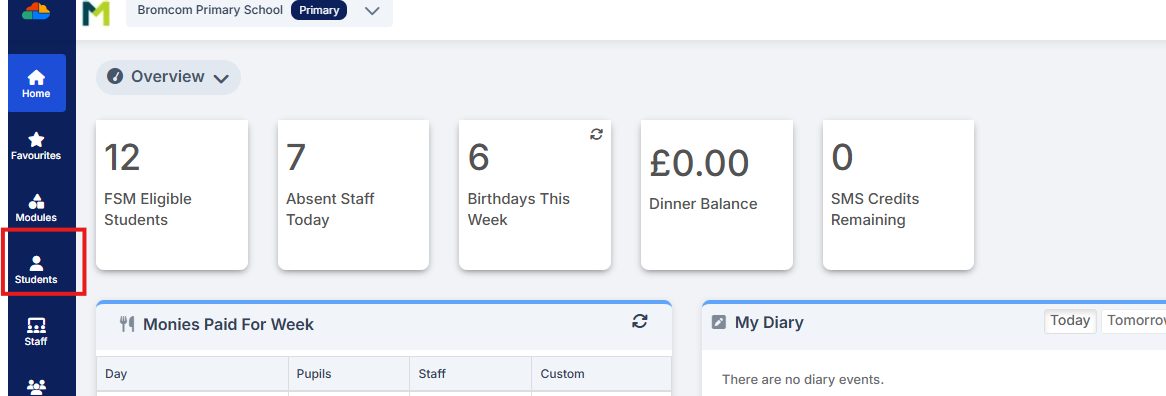
To create a CTF in Bromcom click Students  from the left hand side menu
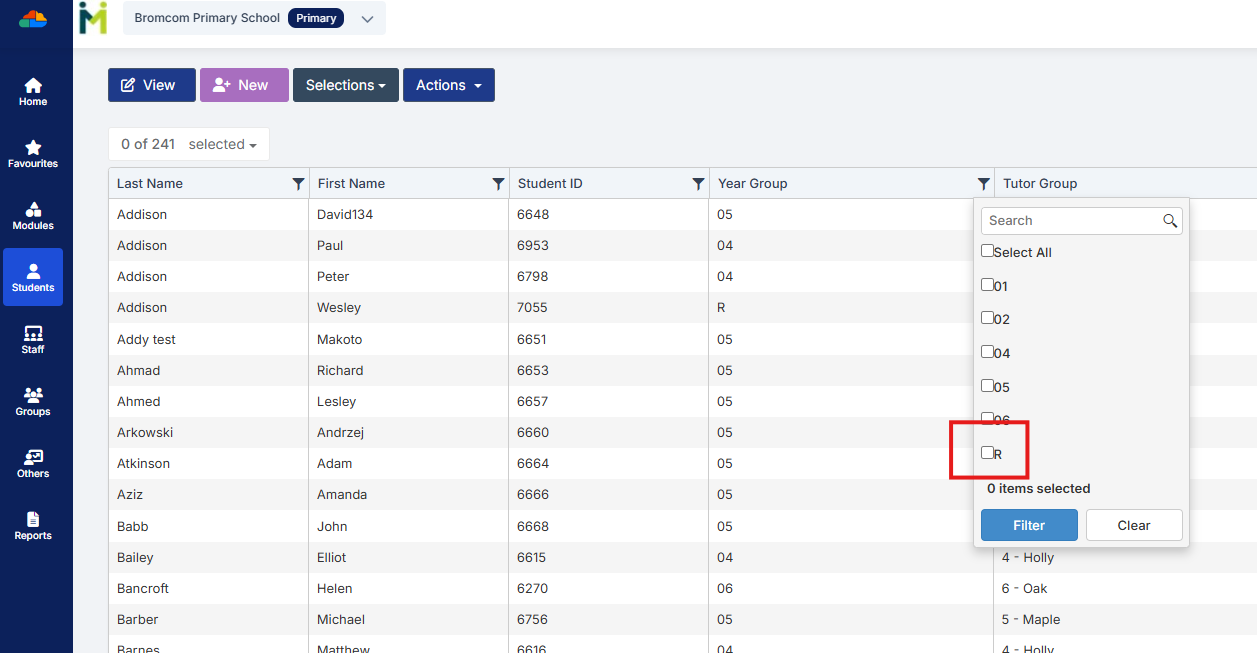
Select the Year Group filter and tick the required Year Group/Groups and click Filter
From the Selections button click ‘Select All’. This should then highlight all your required pupils in blue.
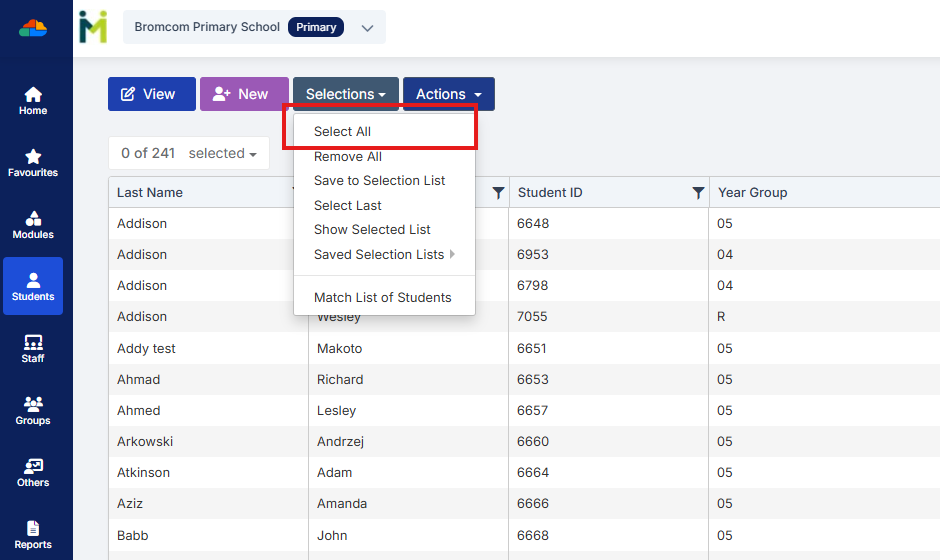
You should see a total pupil number in the top left to confirm the correct number.

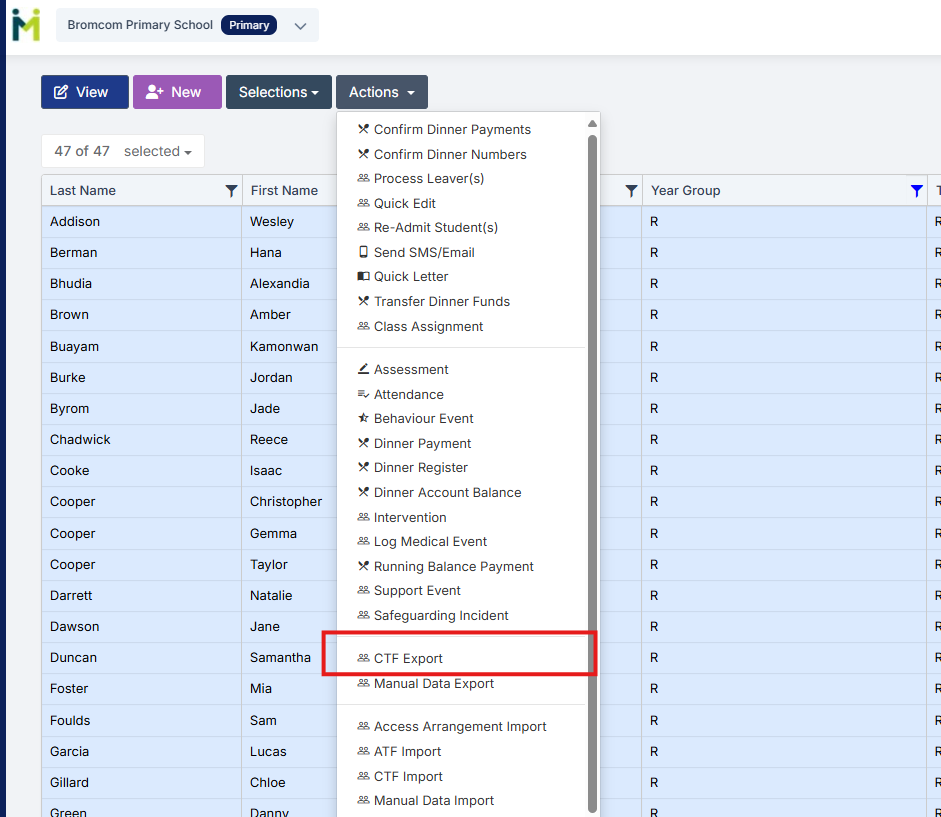
Once you have all your students selected click the Actions button and select CTF Export
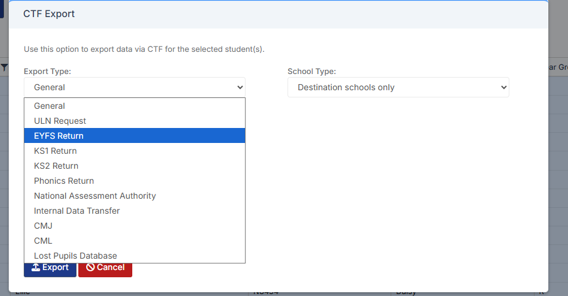
Select the required Export Type

(Please confirm below with your LA)

For EYFS the export type is- EYFS Return

For Year 1 and Year 2 phonics the export type is- Phonics Return

For Year 4 MTC the export type is- Either National assessment authority or Internal Data transfer

For Year 6 KS2 TA  the export type is- National assessment Authority
For EYFS and Phonics tick the LA return box and select your LA.
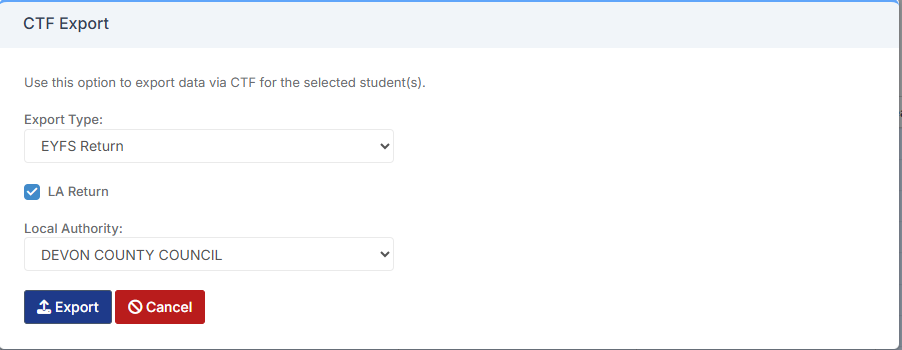
Click Export

This file will then go to your Downloads ready for you to upload.

How useful was this article?

Click on a star to rate it!

Average rating / 5. Vote count:

No votes so far! Be the first to rate this post.

Similar Posts

  • My Monitor won’t turn on at all.

    A quick guide to diagnosing a monitor or display that won’t power on. Check the power switches, cables, and wall socket, then test with known‑working equipment to pinpoint whether the issue lies with the monitor, the computer, or the connection between them.

  • Bromcom: How to view Year 2’s Phonics results from when they were in Year 1

    If you need to view your current Year 2’s Phonics results from the previous year, you can do so using a report. Go to Reports on the left hand side menu, then Assessment and then Results by Pupil Use the find button to select all of your current Year 2 pupils Now select KS1 from…

  • Bromcom Finance: Year End Payroll clearance from FC01 ** Local payments – Devon LA**

    Local payments need to carry out a payroll clearance in order to set the Fund Control 01 to zero , prior to preliminary close down. Please see the following steps: Step 1 – Modules > Finance> Homepage>General Ledger>Journals.  Select “Year End journal” if you have already run  preliminary close or standard journal if you have…

  • Bromcom Finance: Base Pay mapping FAQs

    Please see this guide for commonly asked questions around “Base Pay Mapping” If you need assistance with setting up mapping please see the following FAQ How to add Base Pay Mapping Scenario 1 – I have staff with the role of “Teaching assistants ” that need to be mapped to multiple cost centres In Bromcom…

  • DTSApps/UNIT4 – DEVON ONLY

    DTSApps/UNIT4 Important – From Monday 7th April UNIT4 went live, there are some changes in DTSApps  in the process of uploading/downloading dt files (dt files are invoices passed for payment, petty cash and auto rec files) Please note – these are the changes we are aware of for day 1. We may be made aware…