|

BROMCOM: How to import Year 4 MTC Results CTF

You will revive a CTF file with the MTC results that you can import into your Bromcom

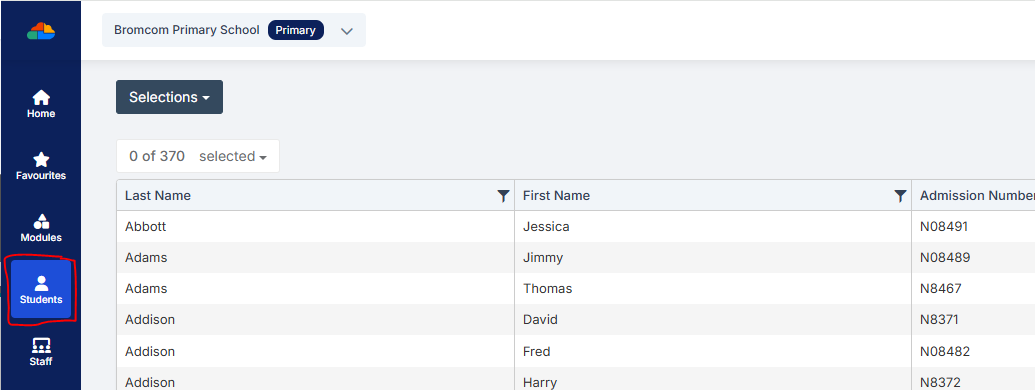
Go to Students from the left hand side menu
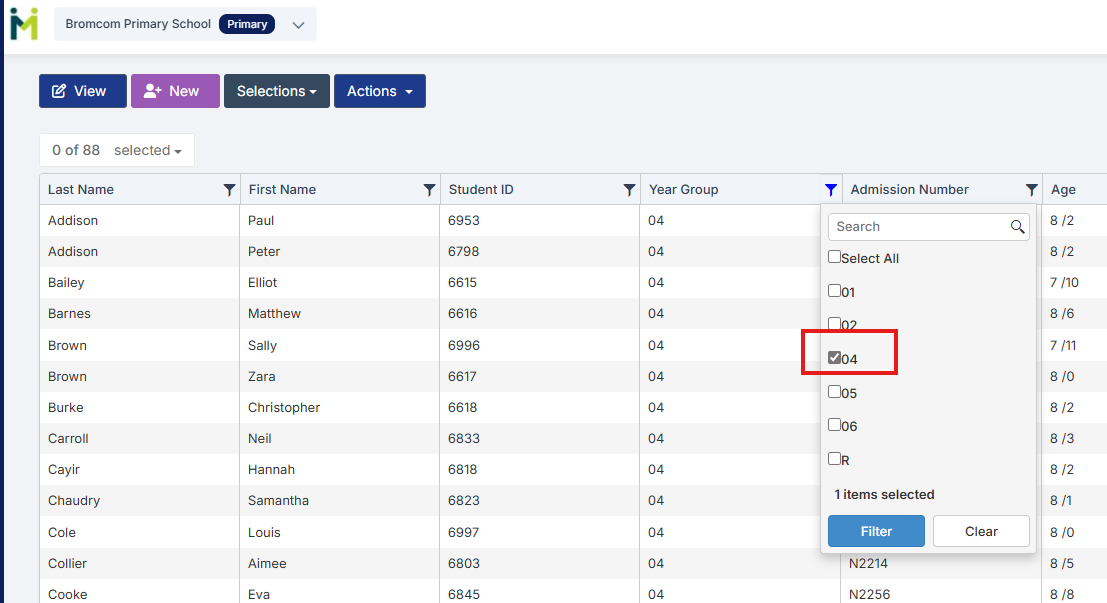
From the Year group filter select Year 4
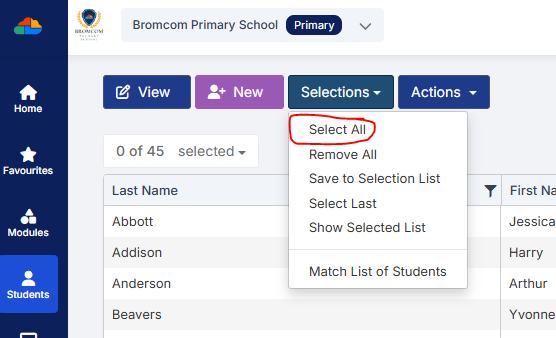
From the Selections button click ‘Select All‘. This should then highlight all your required pupils in blue.
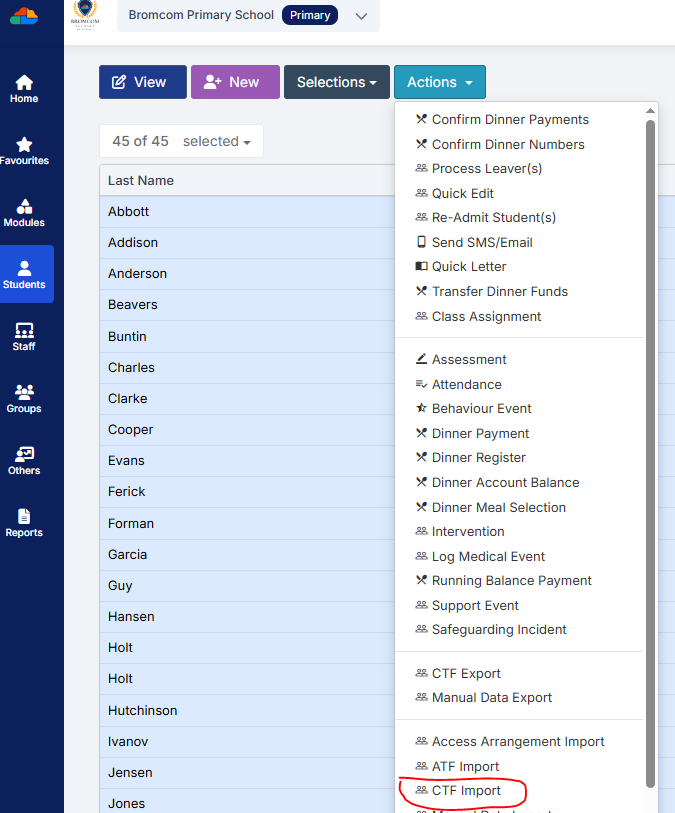
Once you have all your students selected click the Actions button and select CTF Import
Click Browse and find your CTF
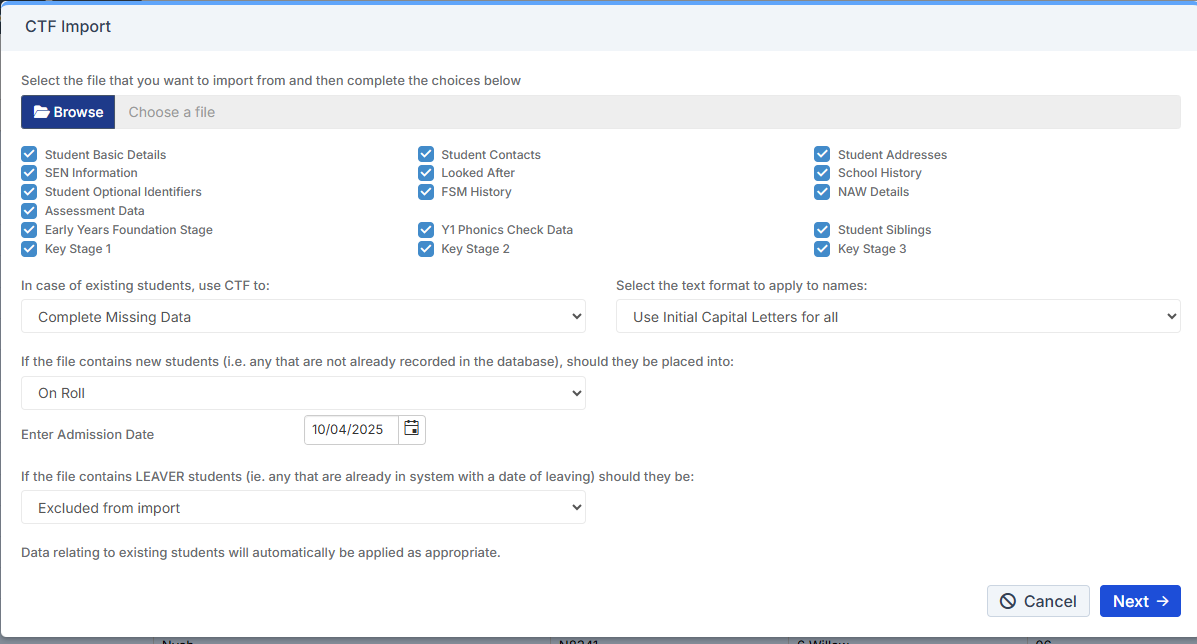
Click which items you wish to Import and Click Next.
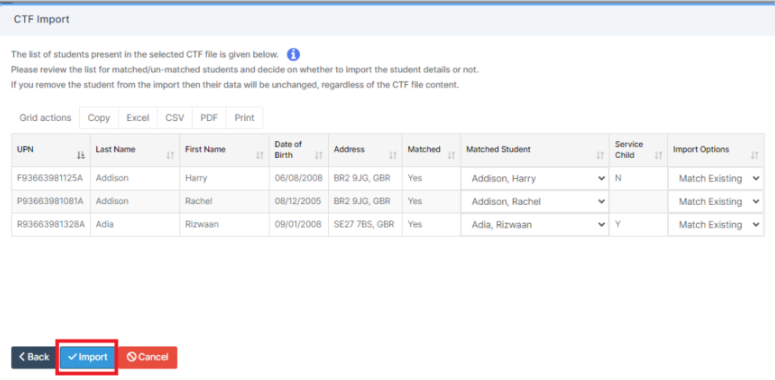
Check the data and the pupils and then click Import 

How useful was this article?

Click on a star to rate it!

Average rating / 5. Vote count:

No votes so far! Be the first to rate this post.

Similar Posts

  • Bromcom Finance: How do I add a Fund code?

    Modules> Finance> Homepage> Maintenance>Fund Codes Click New as shown in the below screen shot to create your chosen fund code Please also see guidance on Fund allocation How to allocate Funds How useful was this article? Click on a star to rate it! Submit Rating Average rating / 5. Vote count: No votes so far! Be…

  • Bromcom Finance: Base Pay mapping FAQs

    Please see this guide for commonly asked questions around “Base Pay Mapping” If you need assistance with setting up mapping please see the following FAQ How to add Base Pay Mapping Scenario 1 – I have staff with the role of “Teaching assistants ” that need to be mapped to multiple cost centres In Bromcom…

  • Bromcom: Asking for “PIN” when deleting a student record

    You may be trying to delete a pupil and are being asked for your PIN? How do you find out what your user PIN is? Request for a PIN usually means you’re an SSO user logging in with O365 or Google, and you were prompted to set your PIN number the first time you logged…

  • BROMCOM: KS2 Key Stage Return

    This FAQ is for the users in school who need to carry out the  KS2 TA Key Stage return For more information please see the following DFE guide- Key stage 2 teacher assessment guidance 2025 – GOV.UK To view further guides please see the following Scomis Bulletin- Key Stage Bulletin 2025 – Frequently Asked Questions…

  • BROMCOM – Quick Summary Guide – Pre-checks and Generating School Census

    This FAQ is a quick check list for updating information before Census.  For Schools wanting the latest documentation for Census and using Bromcom – Click here  to jump to the relevant section. Census Date:  Thursday 2nd October 2025           DfE return date Wednesday 29th October 2025 PRE-CHECKS BEFORE YOU START YOUR CENSUS School…

  • Bromcom Finance: How to add Base Pay Mapping?

    Please see the following guide on how to map your base pay: Modules> Finance> Homepage> Staff> Base Pay mapping Base Pay Mapping How useful was this article? Click on a star to rate it! Submit Rating Average rating / 5. Vote count: No votes so far! Be the first to rate this post.