DTSApps – Bromcom Integration
This is a short guide explaining how to enable the DTSApps integrations with Bromcom. It covers how to check that the integration is enabled, what you will see in Petty Cash and Invoice Payments screens. The work flow for using DTSApps is largely the same, with the only change being that you no longer need to upload files into DTSApps.
To Enable or Check that the Integration has been enabled
- In DTSApps, Go to School Settings > Integrations (tab)
- If you see the tick box “Integration Enabled” and this is ticked, then you don’t need to do anything
- If you see the button Validate Credentials and Enable and the other fields are populated, click this button to enable.
Using the Integration
In Petty Cash and Invoice Payments, you will now see two options available for getting Bromcom files into DTSApps. The regular Upload File and Import from Bromcom. We recommend that you stick to one method. Future updates to DTSApps may remove the Upload File option or give schools the option to hide it.
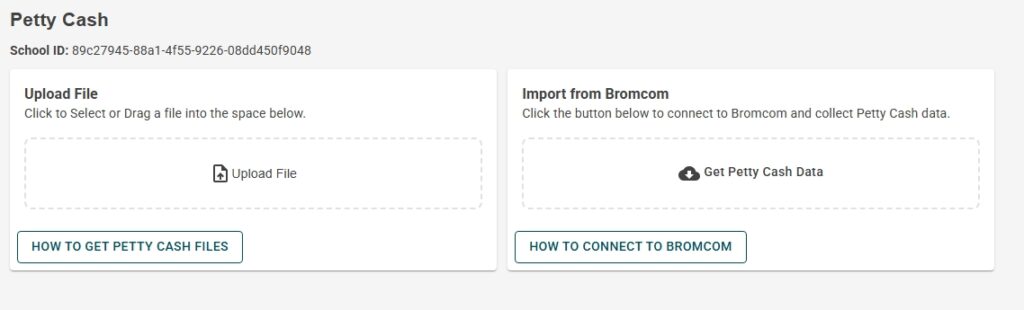
When clicking the Import from Bromcom button, DTSApps will display a spinning circle to indicate that it is retrieving data in the background. This is the same for both Petty Cash and Invoice Payments.
Petty Cash
The DTSApps integration is able to retrieve all for the petty cash details including the Fund and Ledger codes from Bromcom. However, if the VAT Codes in DTSApps don’t match those setup in Bromcom, DTSApps will not correctly match the VAT to Petty Cash Items. Ledger Codes and Fund codes should match those originally entered in Bromcom, although you can edit them in DTSApps. As with the CSV method, if you are happy with the transactions, you can commit the transactions.
Note: DO NOT continue if you see transactions that you know have already been claimed. The DTSApps database keeps track of Petty Cash transactions that have previously been uploaded using the old CSV report method. It is possible that some items were not correctly matched. Scomis will need to add these to the DTSApps database so that they can be excluded.
If you see the BLUE message below, as per the message, you need to tick the transactions that have been previously processed and do NOT need to be exported again, this will let DTSApps know what has been handled previously. Leave any NEW claims un-ticked.

Invoice Payments
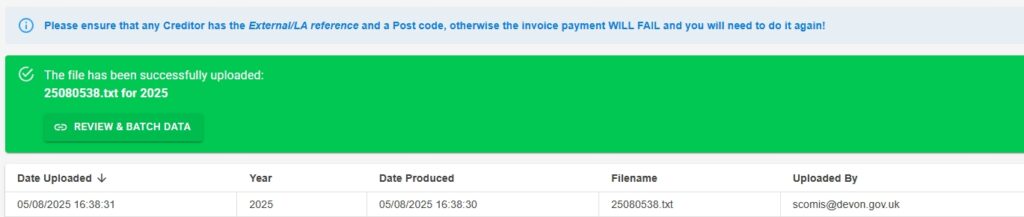
Similar to Petty Cash DTSApps will retrieve ALL outstanding invoices that have been passed for payment from Bromcom. DTSApps keeps track of previous invoices that were sent for payment, it does this by creating a key by combining the Local Authority External Reference and Invoice Number and checking those against Bromcom. If all is successful, a new file is generated (you won’t actually get a file – it is internal to DTSApps), you will see the familiar green alert box with link to take you to Review and Batch. The rest of the process has not been changed.