Bromcom: How do I partially refund a “Paid” club pupil order
If you need to partially refund a pupils club order, please take the following steps:
- Please browse to Modules> MCAS> Online Payment> View Orders
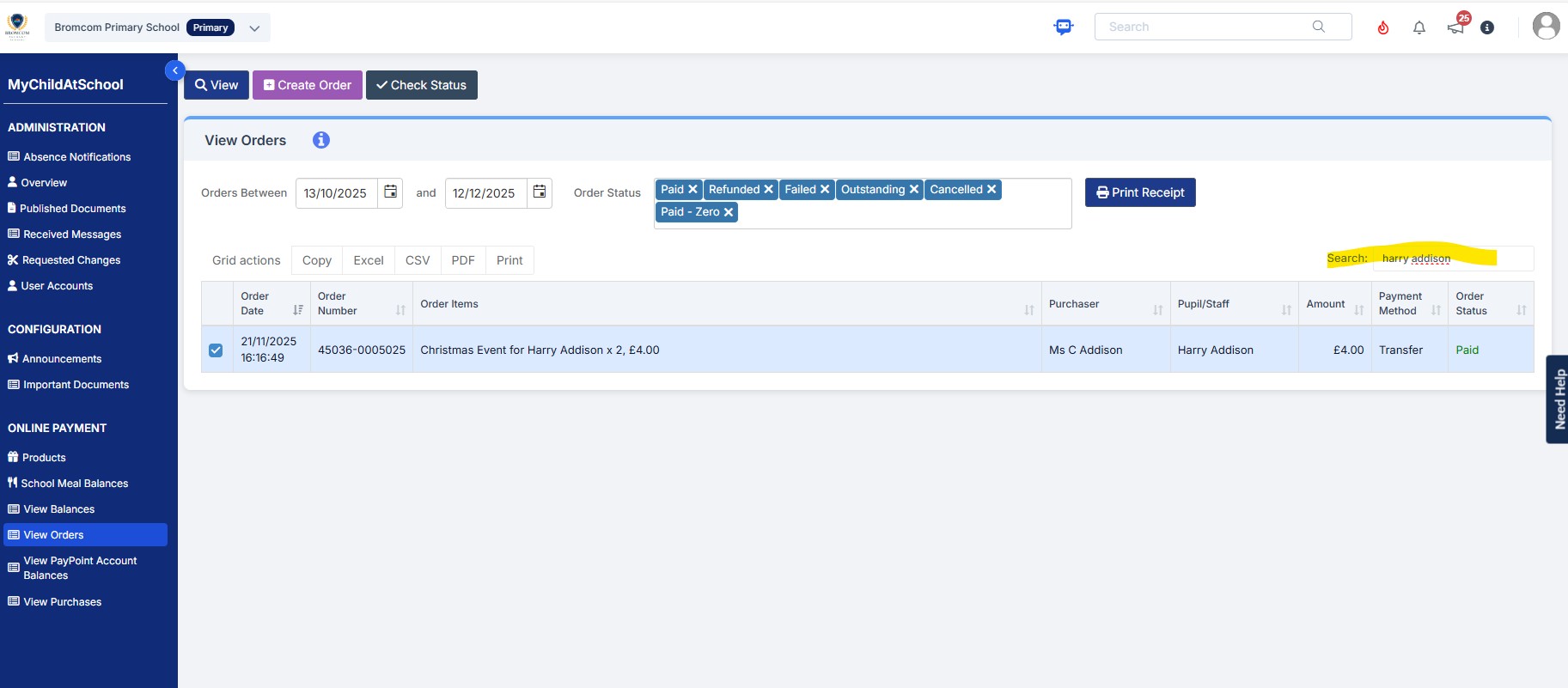
- Amend the dates if required and type the pupils name into the search bar as shown in the example screen shot below and double click the order.
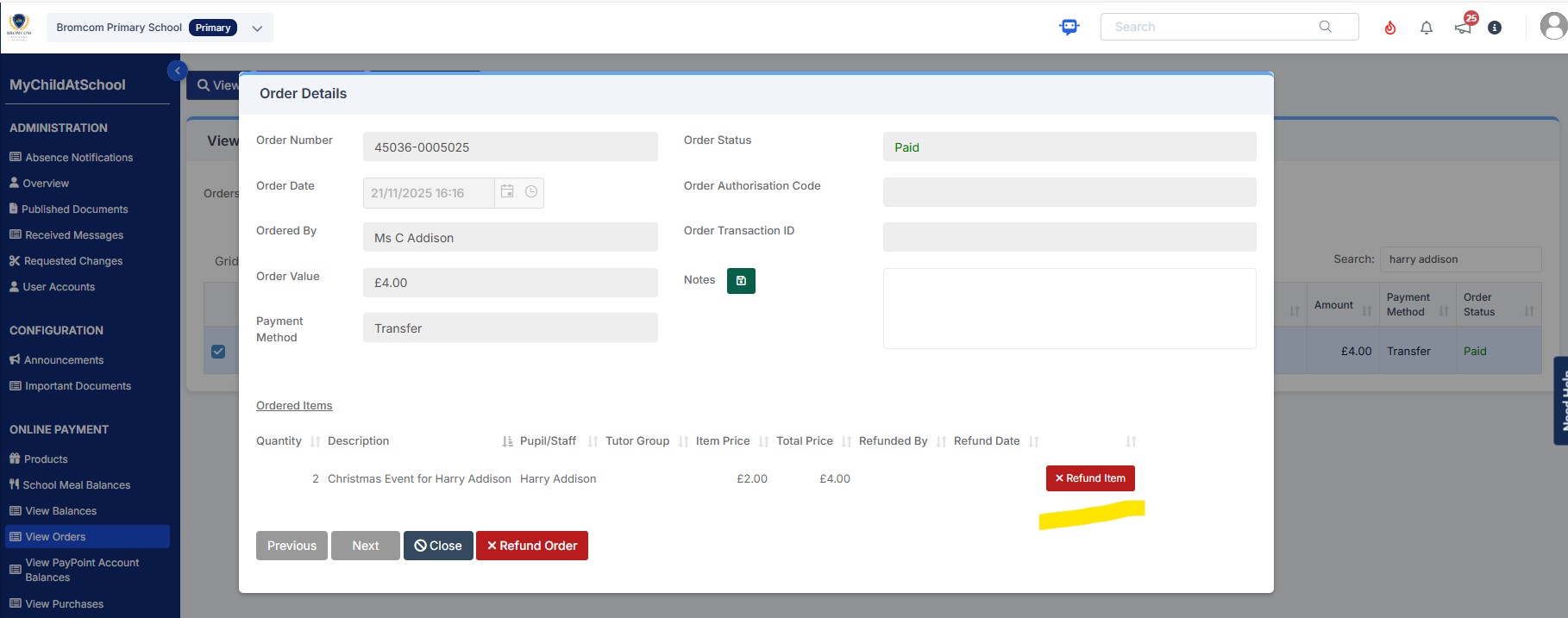
- After clicking the order your screen will look like the example screen shot below. For a partial refund, please click the “Refund Item” red button
4)Type the amount to be refunded into the “Amount to be refunded box” and click the green “Confirm” button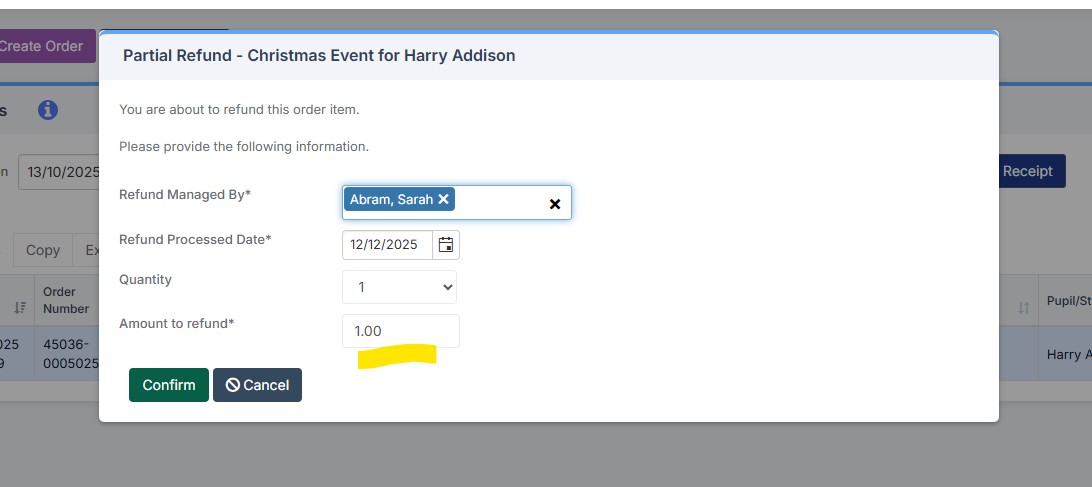
5) After clicking “Confirm” you will the see the below popup to confirm the partial refund was a success.

6) Please refresh your Bromcom screen and you will then see the order has reduced as in this example below from £4.00 to £3.00
