|

Creating a Wraparound Care club to collect Nursery Payments

All 3 to 4-year-olds in England can get 570 free hours per year. It’s usually taken as 15 hours a week for 38 weeks of the year.

You can choose to take fewer hours over more weeks, if your childcare provider offers this option. Some parents wish their child to have extra hours and will pay the school for extra provision.

In Bromcom this can be charged through a Club with a running balance.

Create a club called Nursery Payments as a Running Balance Club with the Buying Option of Indicate Preferences:
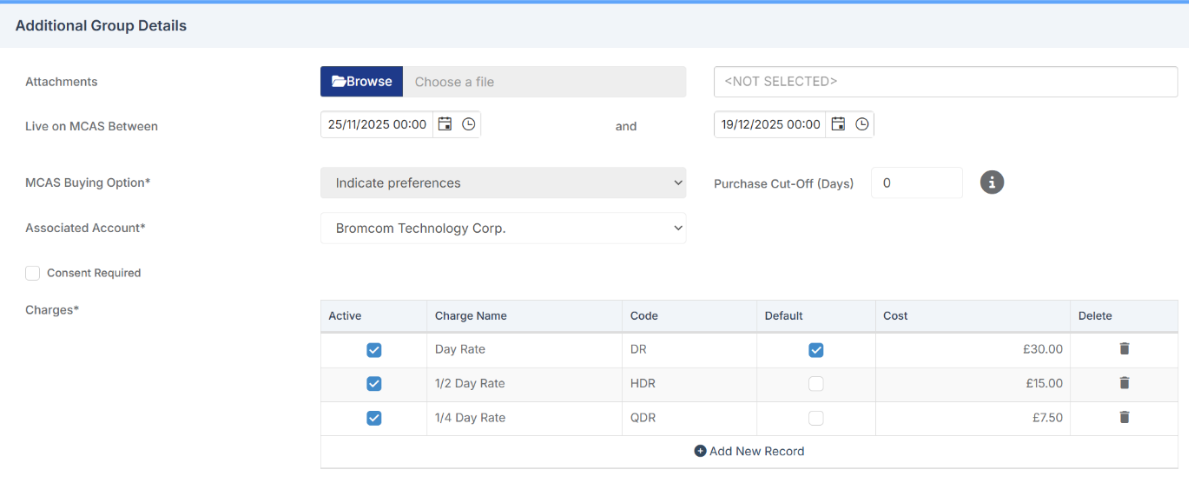
Set up different charges for the amount you wish to charge each day. 

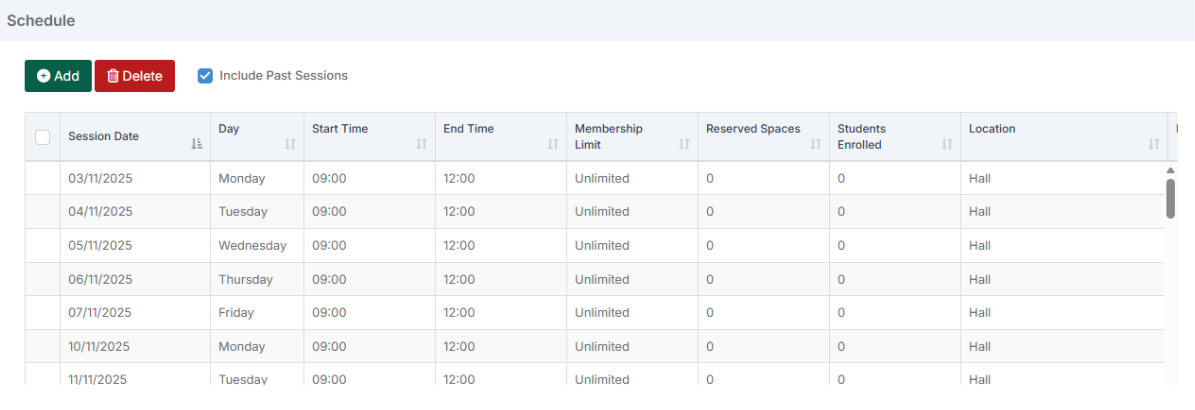
Set up all possible days when Nursery care may be charged for: 
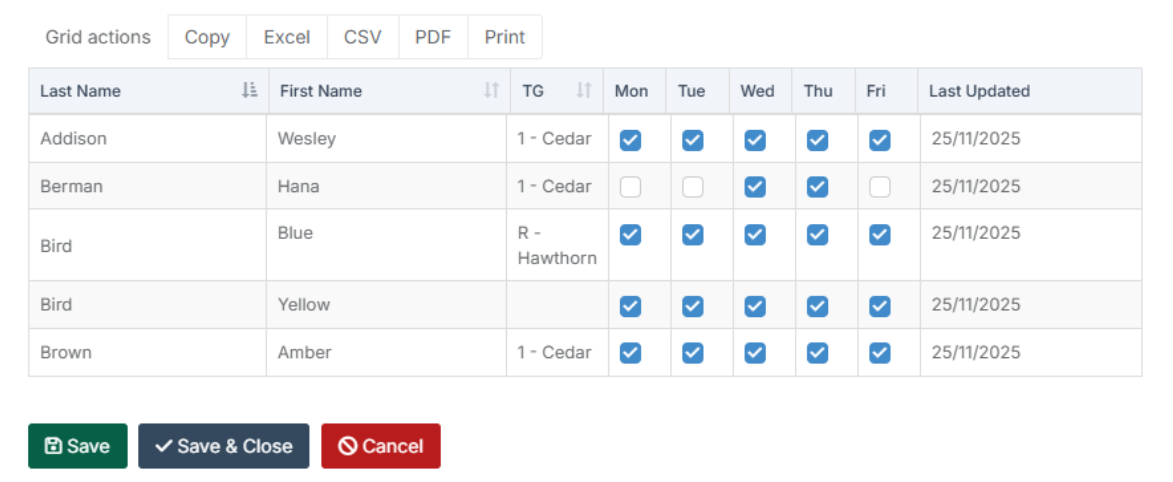
Then add in all children who might need to pay for additional hours and set their preferences for attendance.
The school can then record the attended sessions for this week for the pupils as either a Full Day, Half-Day or Quarter Day.  This then works out a total based on the Rates set up at the first stage. 
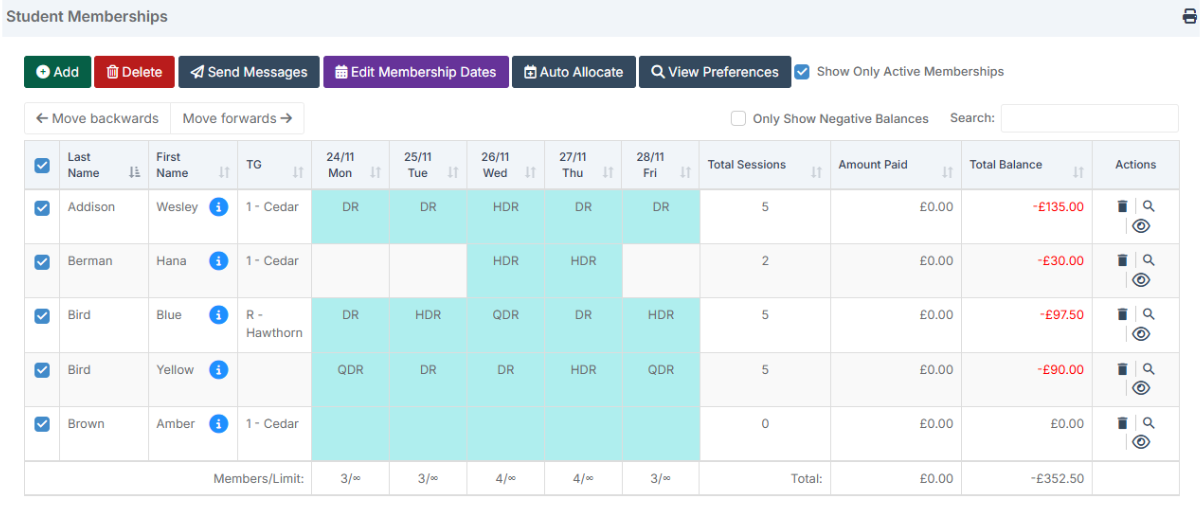
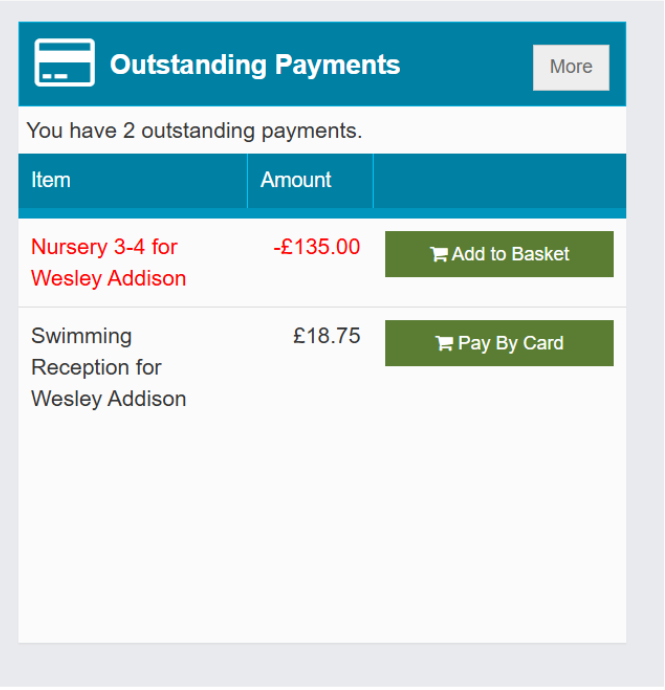
Looking at one of the children in MCAS we can see the money charged: 
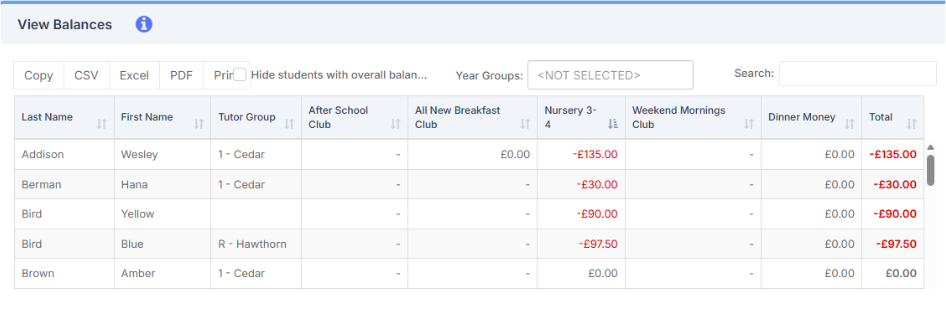
In View Balances you will be able to see any outstanding amounts for each club. 
 

How useful was this article?

Click on a star to rate it!

Average rating / 5. Vote count:

No votes so far! Be the first to rate this post.

Similar Posts

  • Bromcom Finance: How to add Base Pay Mapping?

    Please see the following guide on how to map your base pay: Modules> Finance> Homepage> Staff> Base Pay mapping Base Pay Mapping How useful was this article? Click on a star to rate it! Submit Rating Average rating / 5. Vote count: No votes so far! Be the first to rate this post.

  • Key Stage 2 Comparative report- BROMCOM

    The national statistics for the Bromcom Comparative report found under Reports>Assessment>Comparative Report is not currently available Scomis has created a Word web merge template for you to use for KS2 results See the below that Scomis has made for you You can edit the wording, header and footer as well as the columns to suit…

  • Configure the Notification Settings for MyChildAtSchool

    In this KB we’ll guide you through the notification settings for MyChildAtSchool (MCAS) Navigating to the Notification Settings Area The Notification Settings area can be located under Config>MyChildAtSchool>Notification Settings Exploring the Notification Settings As you enter the Notification Settings area the first option you’ll see is the setting to give parents/guardians access to contact the…