|

BROMCOM: How to Add Staff to Edit/View Marksheets

For Key Stage Assessments after you have access via BROMCOM: How to add ‘Configurations’ to a Role for Key Stage – Frequently Asked Questions

Go to Config > Assessment > Configurations and put the tick in Enable Sheet Users.
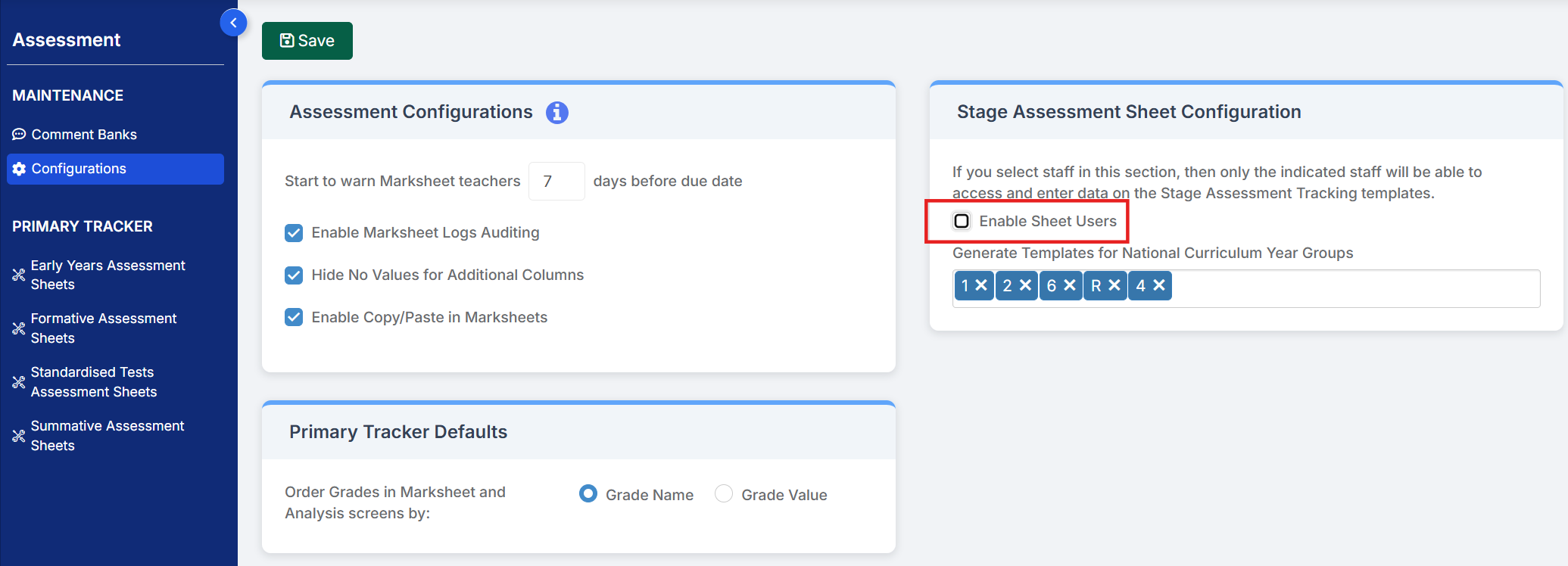


You can then tick which Staff Roles will require access to the marksheets (this will need to be decided in school) or use the staff search to individually select the staff to have access. This will need to be any users who need to input or view the data.
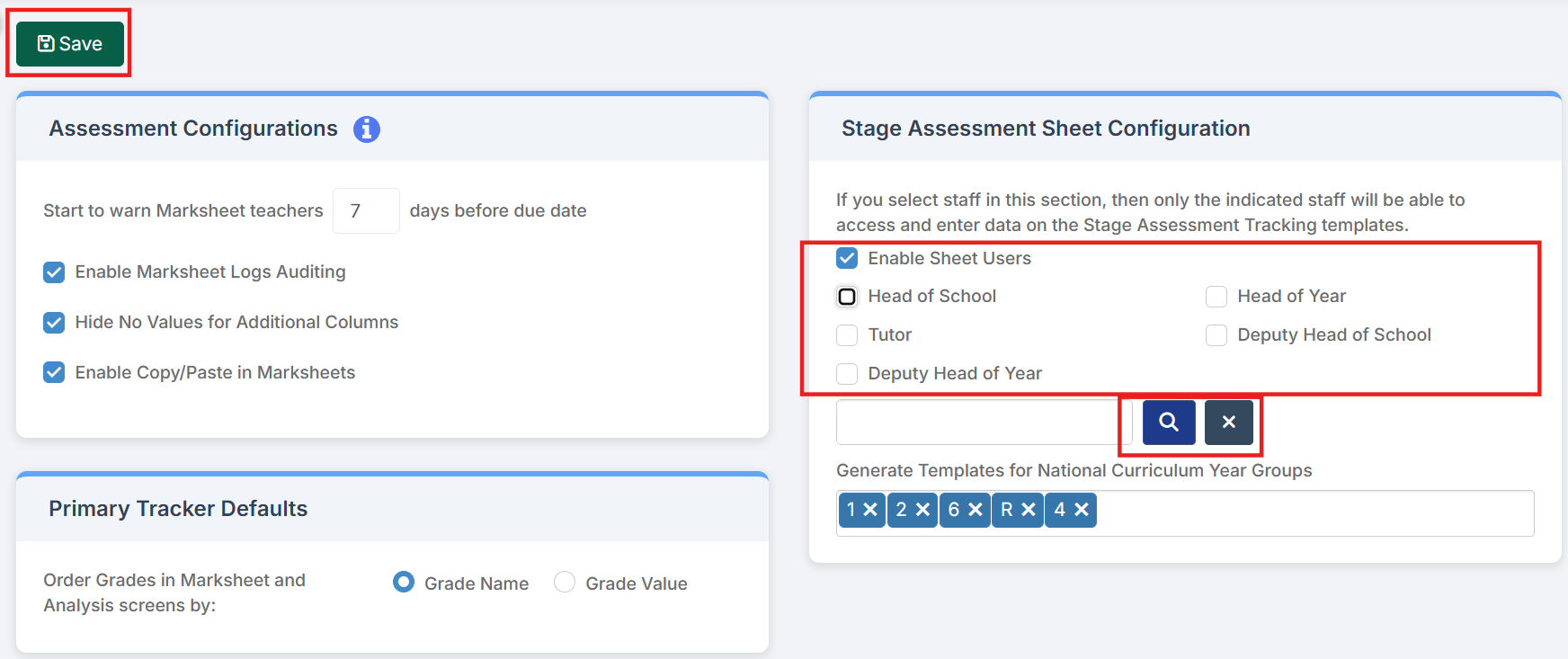
  • Enable Sheet Users – selecting this option will only allow the selected Roles and selected Staff in the Selection List to access and input data in the Stage Assessment Sheets.
  • Select individual users – use the blue magnifying glass to open the Staff selector page and select the members of Staff who are not defined in the Roles who also need access to the Stage Assessment Sheets. Alternatively type the Staff name into the box, if selecting a single member of Staff. The selected Staff will appear in the Selection List

Generate Templates for National Curriculum Year Groups Select all the NC Year groups for Key Stage are from the Drop Down, Reception, Year 1,2,4 and 6.

Then press Save.

This will now set up the marksheets for Key Stage to be viewed by those staff via Modules > Assessment > Assessment Sheets List


How useful was this article?

Click on a star to rate it!

Average rating / 5. Vote count:

No votes so far! Be the first to rate this post.

Similar Posts

  • Bromcom: How to create a Phonics CTF for Year 1 and Year 2

    Please check with your LA for CTF requirements. If you are a Devon school- Upload to Devon Transfer (Please note: For Devon this is a combined CTF with all Year 1’s and Year 2 retake pupils in ONE CTF. ONLY INCLUDE YEAR 2’S WHO HAVE RETAKEN PHONICS THIS YEAR) To create a CTF that includes…

  • Bromcom – Readmit student

    To begin, go to the Student List page. From there, press Search Filters on the top right and change the Status to Leaver. Now select the student/s that you wish to Re-admit and press Actions>Re-admit Student(s). If you are Re-admitting multiple students, the Re-admit Date you select is going to apply to each student so please double check the dates you need before proceeding. Further and full information can be found here: How to…

  • Key Stage Bulletin 2025

    This FAQ contains the latest information and guides regarding the Key Stage Return 2025.  Please see below for further guidance DFE information can be found here- School curriculum – GOV.UK KS1 is still Optional. Please see the following article from the DFE –  Changes to KS1 Important Dates Phonics Threshold mark release date- 23rd June…

  • Bromcom: How do I add part time schedules for nursery students

    To add Part Time schedules for Nursery students go to Modules > Attendance > Routines > Bulk Attendance Update. You can then select whether you would like to update attendance for individual Students, Class/Groups or Teachers. Then select the Student/s, Class/Group/s or Teacher/s to update by either typing the name in the box or using the Search option by clicking on the Magnifying Glass icon. The Selection List will then…