BROMCOM: How to View Marksheets as a Teacher or Admin
How to view the Marksheets for Key Stage Assessments in Bromcom, once the configurations has been complete: BROMCOM: How to add ‘Configurations’ to a Role for Key Stage – Frequently Asked Questions
There are a few ways the Marksheets can be viewed in Bromcom for a Teacher:
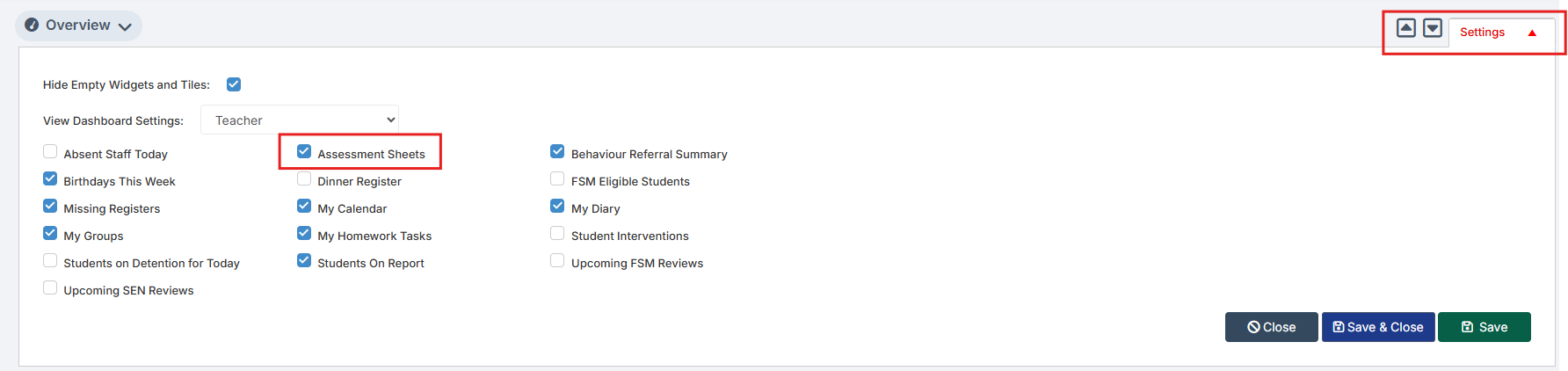
From the Homepage, go to Settings on the Right Hand side and open up these tick options, and tick Assessment Sheets and Save
The Assessment Sheet will now show as a tile: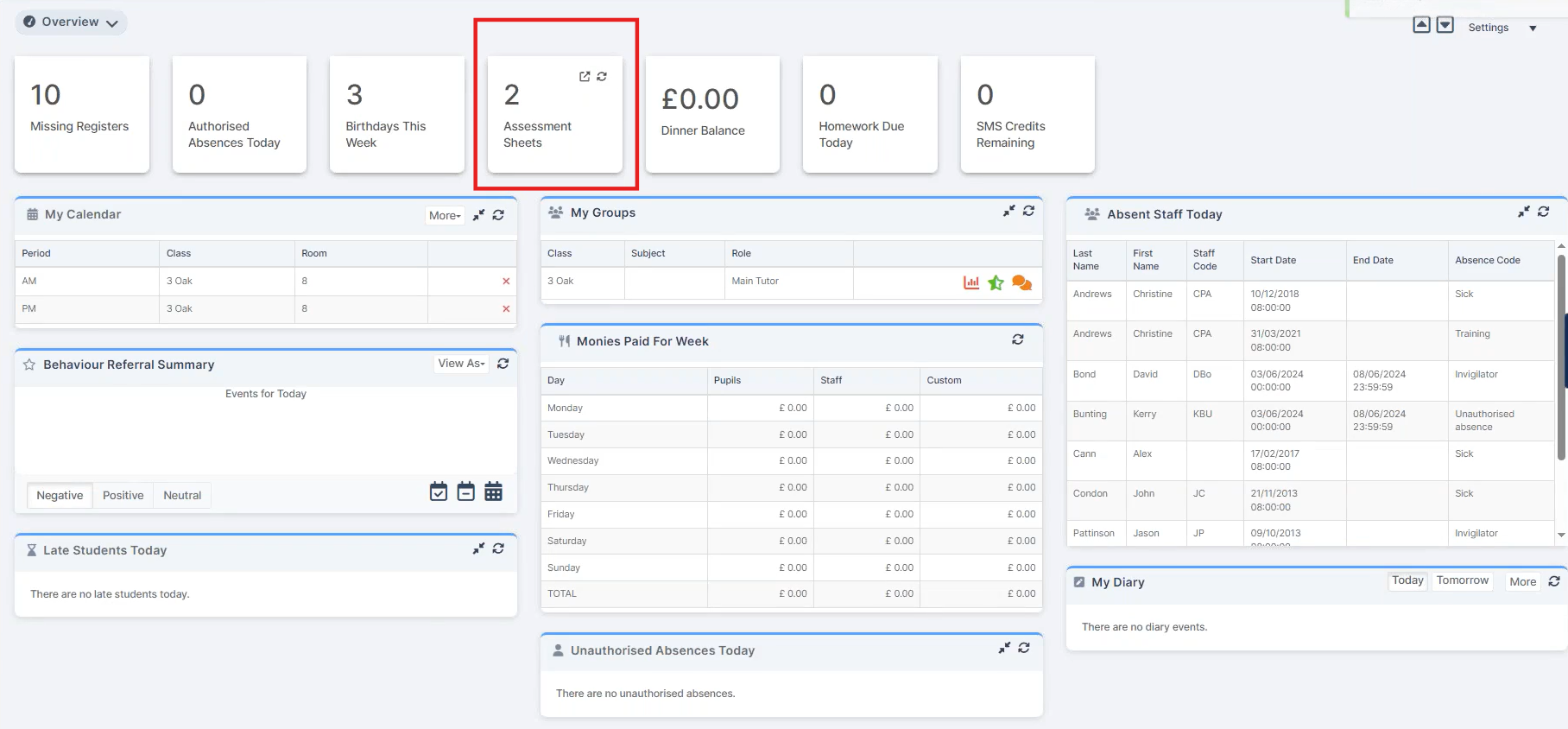
If you double click on the tile it opens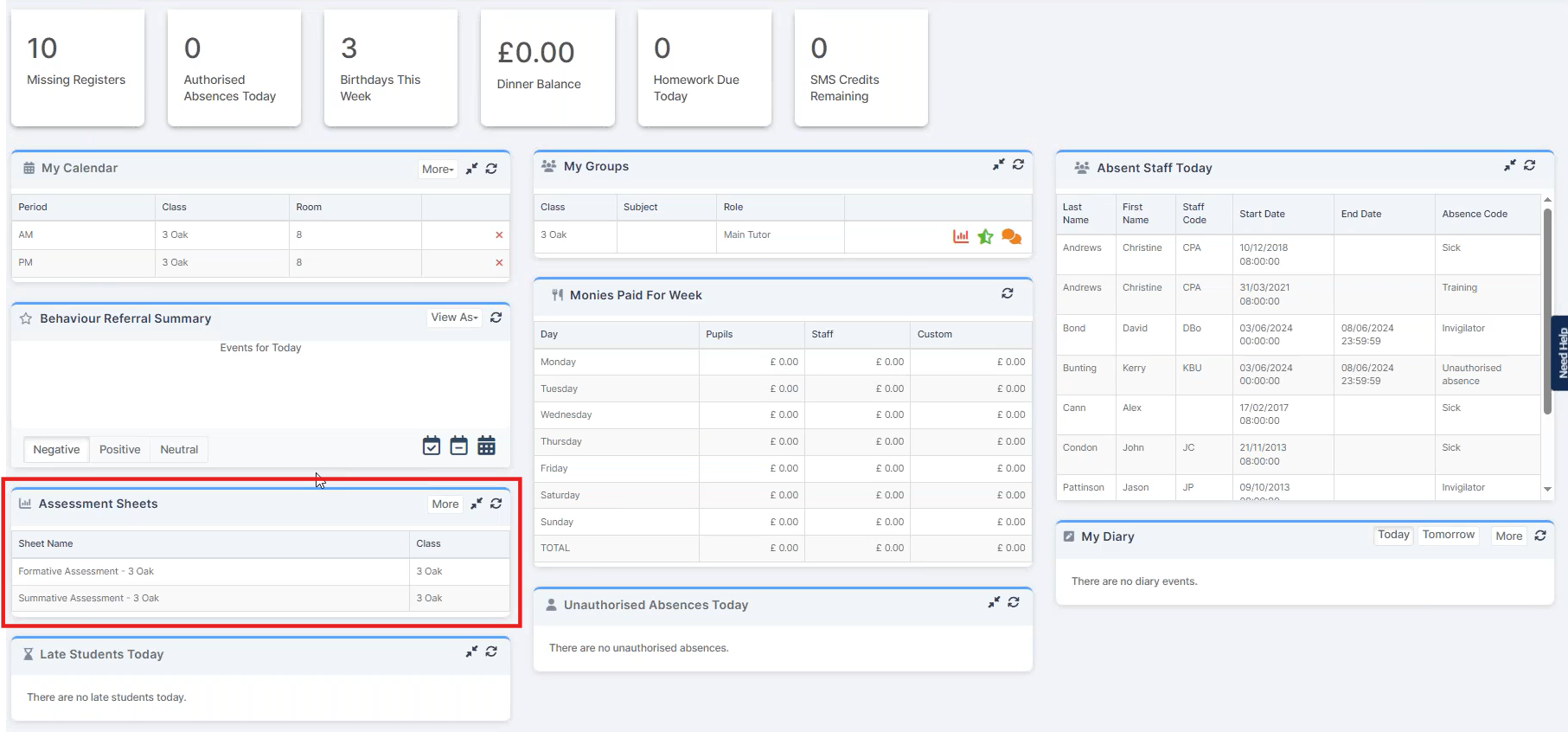
You can left click on the listed marksheets to open them.
Marksheets can also be viewed via Modules > Assessment > Marksheet View List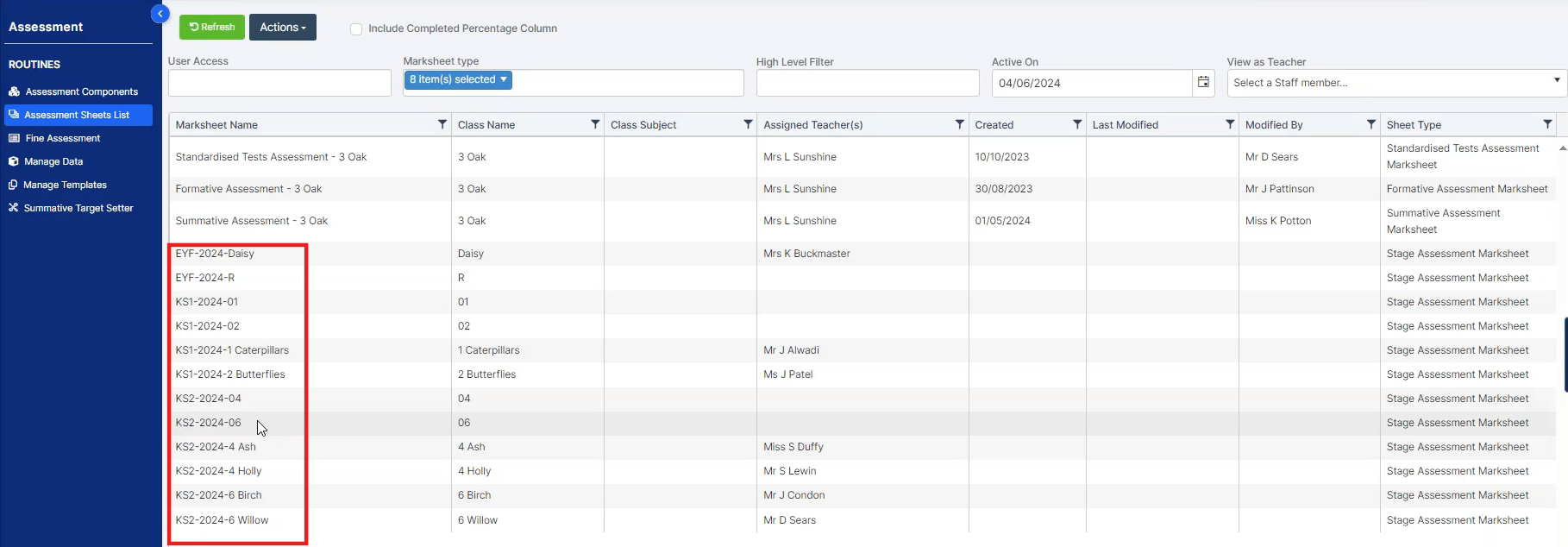
For Key Stage Assessments they are listed for the year groups and classes setup in the Configurations step.
Click on the required marksheet to open.
If you’re unsure if a Teacher can view the marksheet you can see what they can view following this FAQ: Bromcom: Admin – Login as Another Staff Member (often referred to “Green” eye or “View as Other” ) – Frequently Asked Questions