Bromcom – Error when trying to log in to Bromcom “No linked Bromcom Account found”
This error can appear when you are already logged into a different account within your Web Browser. Eg, if you have logged into Office 365 within Edge using an email that isn’t your school account. Bromcom may attempt to use the last logged in account within Edge to login. Obviously, only your school email address is registered with Bromcom.
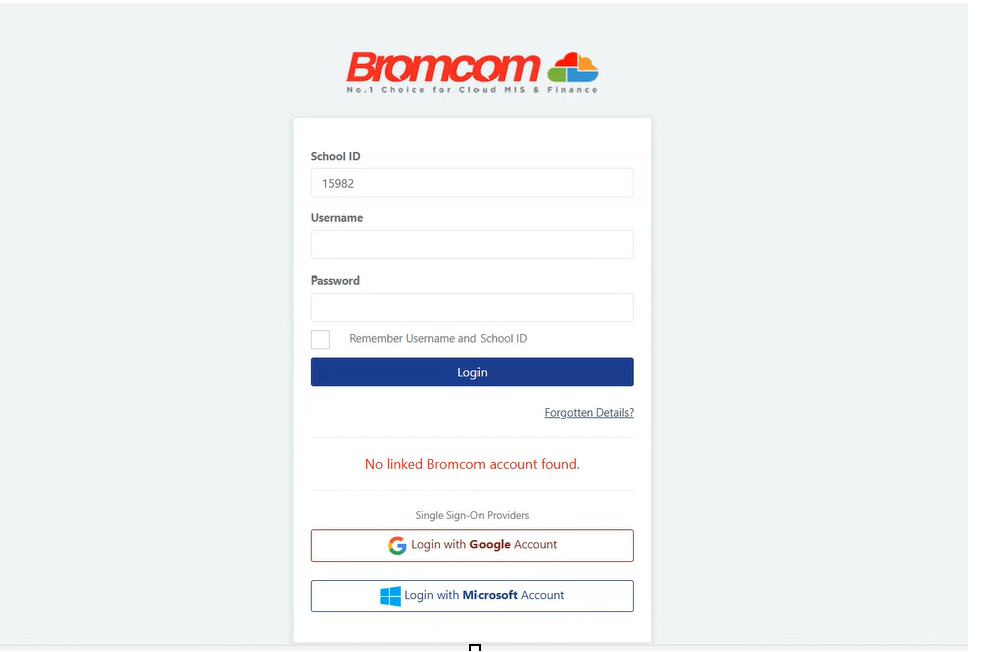
You can fix this by ;
Go to www.office.com and log out of your current session (in Edge)
Use an incognito browser (Edge or Chrome) You can do this by using CTRL + Shift+ N
Copy the Bromcom login URL into Chrome
Check in the settings for your browser under “Profile Preferences” on the main tab and change the setting for the default profile to use – it will normally be set to use the last one you connected with, but you can specify one to always use by default otherwise.
If you don’t need the other account connected, we highly recommend removing it , especially if it is a personal account.