|

Configure the Notification Settings for MyChildAtSchool

In this KB we’ll guide you through the notification settings for MyChildAtSchool (MCAS)

Navigating to the Notification Settings Area

The Notification Settings area can be located under Config>MyChildAtSchool>Notification Settings
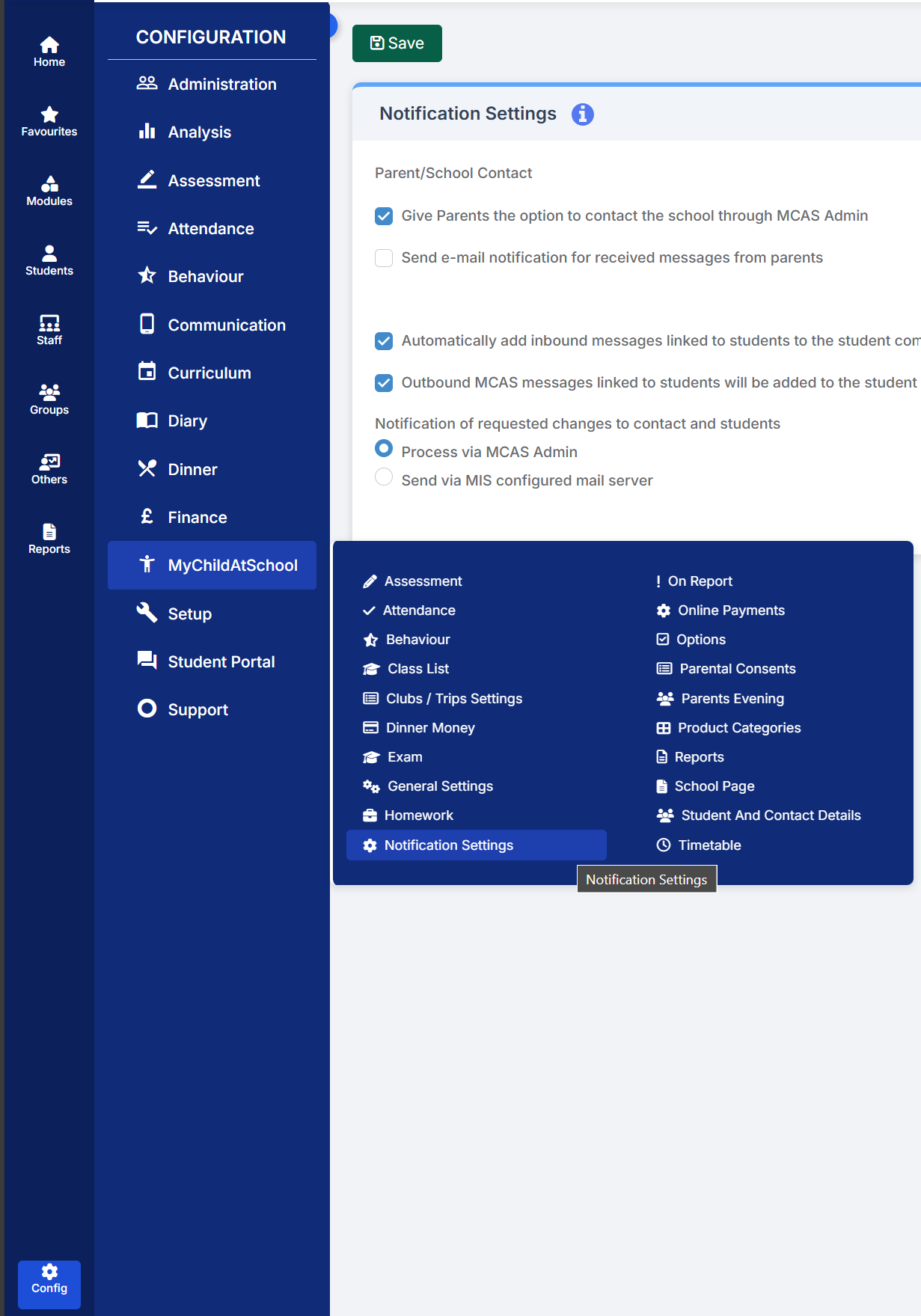
Exploring the Notification Settings

As you enter the Notification Settings area the first option you’ll see is the setting to give parents/guardians access to contact the school through MCAS. Alongside this permission you’ll also see the option to send email notifications to a separate school email address when a message is received via MCAS.

Next you’ll see the settings for attaching messages to the communication log of the Student(s) linked to the MCAS user who sent the message. These settings will also allow outbound messages sent by the school to the parent/guardian to be linked to the communication log.

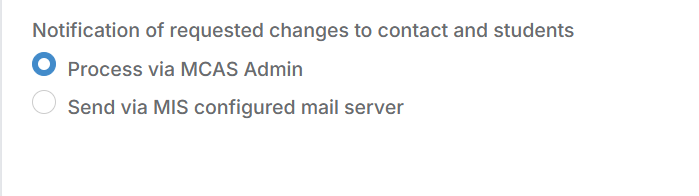
The final option within the Notifications Settings area is the option to enable a notification email to be send to a school email account when data collection changes have been submitted.
How useful was this article?

Click on a star to rate it!

Average rating / 5. Vote count:

No votes so far! Be the first to rate this post.

Similar Posts

  • School Workforce Census Bulletin 2025

    This FAQ lists the latest information regarding the School Workforce Census. It contains links to relevant documentation for Arbor and Bromcom. School Workforce Census Date: Thursday 6th November 2025 School Workforce Census Deadline Date to DfE: Friday 21st November 2025 (If you are a maintained school please consult your LA) Latest Census Information KNOWN ISSUES…

  • Bromcom Finance: Year End Payroll clearance from FC01 ** Local payments – Devon LA**

    Local payments need to carry out a payroll clearance in order to set the Fund Control 01 to zero , prior to preliminary close down. Please see the following steps: Step 1 – Modules > Finance> Homepage>General Ledger>Journals.  Select “Year End journal” if you have already run  preliminary close or standard journal if you have…

  • MCAS – Dinney money widget is missing to add payments

    Parents are unable to see the “Dinner money” widget to add payments for their children. Please check the following: Please ensure online payments is enabled via Config> MCAS> Online payments – Please also see How do I enable Bromcom Online payments in MCAS – SCHOOLS – Frequently Asked Questions Ensure the Dinner settings are setup …

  • Bromcom: MCAS menu not showing

    If your MCAS menu is not showing for certain pupils go to Config > Dinner  > Dinner Menus and open the current menu. If any Medical Conditions/Dietary Needs have been added the menu will then only show for students with those Medial Conditions/Dietary Needs. To resolve this remove the links. How useful was this article?…

  • Bromcom: How to see who has received MCAS push notifications

    To see who has received push notifications you can use Modules > Communication > Overview to see who push notifications have been sent to:         You can use Modules > MyChildAtSchool > Overview to review app installations:     Additionally there is an MCAS domain in Quick Reports for the school to…