|

BROMCOM: Key Stage Year 6 CTF

How to create a Year 6 KS2 TA CTF

Once you have entered in all your marks you need to create a CTF file to send to the National Assessment Agency

Please check with your LA to confirm the destination.

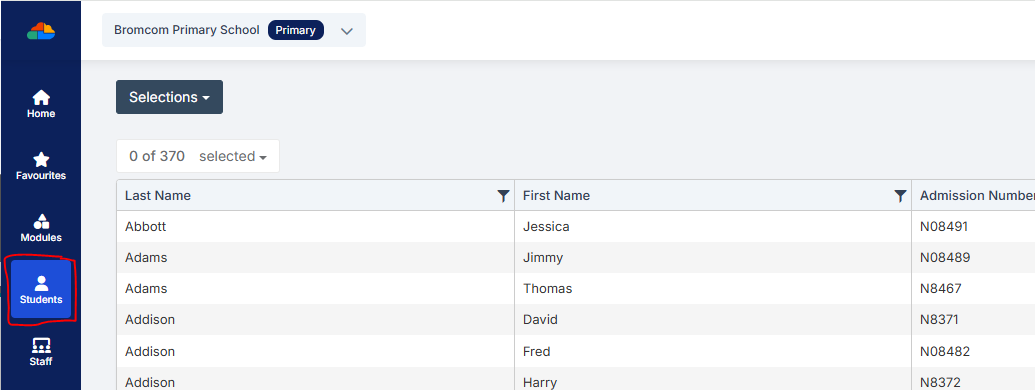
To create a CTF in Bromcom click Students  from the left hand side menu
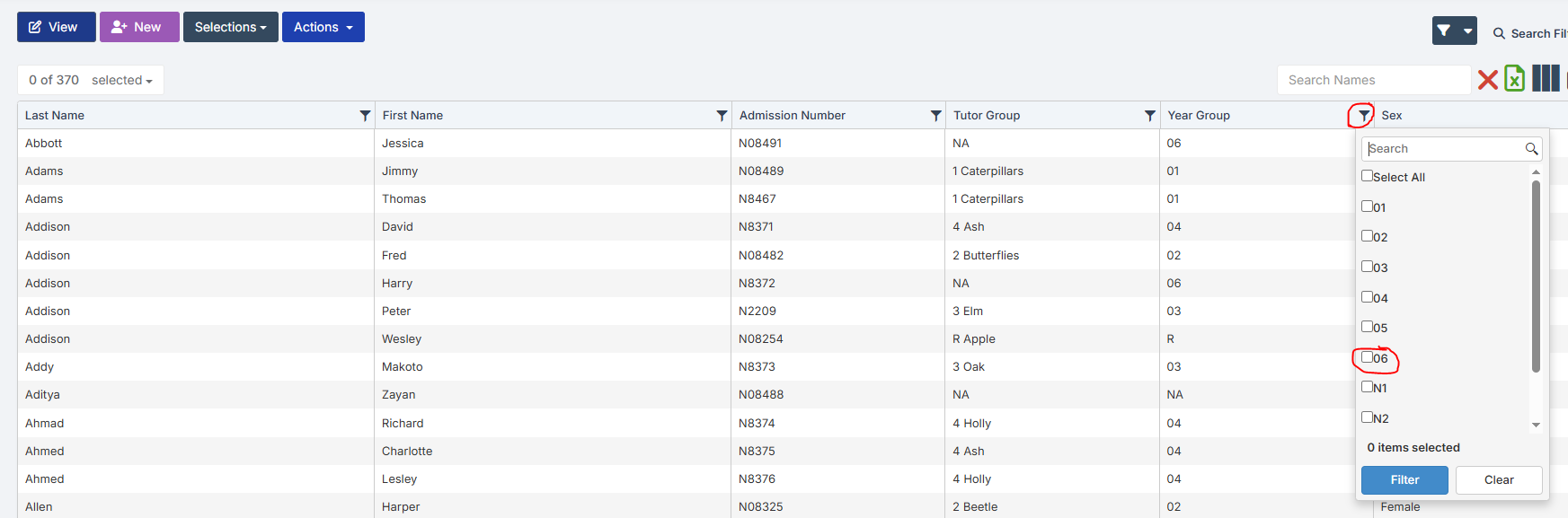
Select the Year Group filter and tick Year 6
From the Selections button click Select All

This should then highlight all your required pupils in blue.
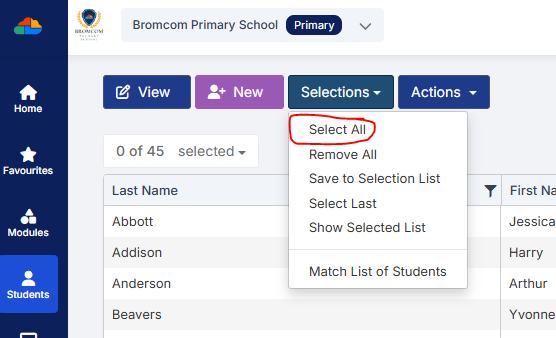
You should see a total pupil number in the top left to confirm the correct number.

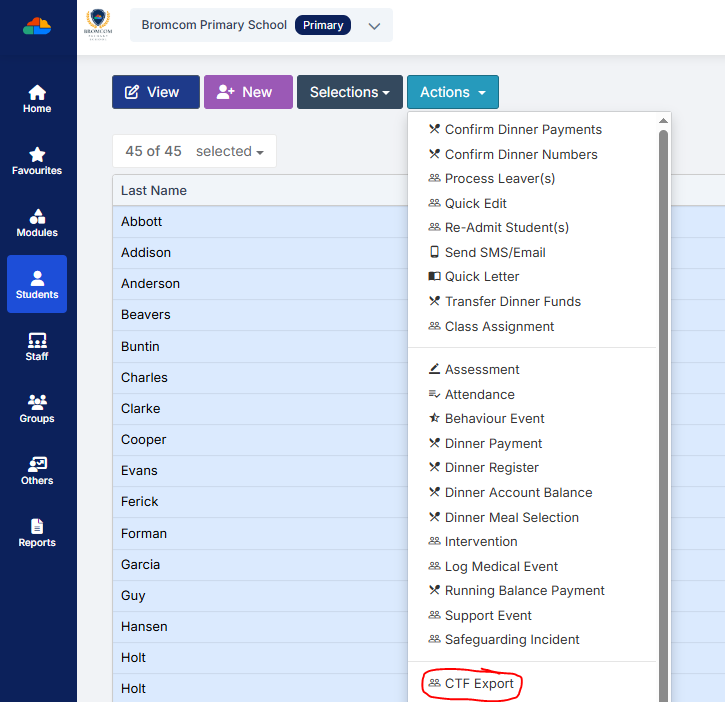
Once you have all your students selected click the Actions button and select CTF Export
Select KS2 Return as the Export Type
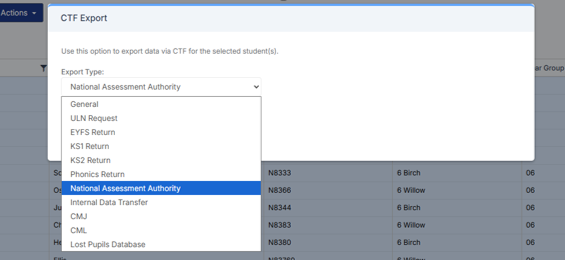
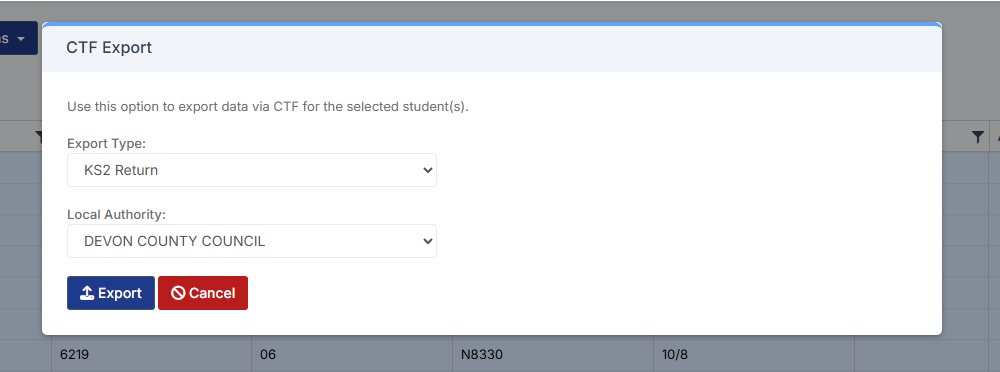
Select your Local Authority

Click Export

Your CTF will now be in your downloads folder ready for you to upload to the NAA website.


How useful was this article?

Click on a star to rate it!

Average rating / 5. Vote count:

No votes so far! Be the first to rate this post.

Similar Posts

  • Bromcom Finance & DTSApps – PLYMOUTH SCHOOLS

    Bromcom Finance: How to process your invoices, in Central Authorisation and “Print & Export” Bromcom Finance: Raising orders on suppliers websites for example: YPO & Amazon Bromcom Finance: How to cancel “Passed for Pay” Invoices Bromcom Finance: I have clicked print and not print and export Bromcom Finance and DTSApps: How to process your invoice…

  • School Workforce Census Bulletin 2025

    This FAQ lists the latest information regarding the School Workforce Census. It contains links to relevant documentation for Arbor and Bromcom. School Workforce Census Date: Thursday 6th November 2025 School Workforce Census Deadline Date to DfE: Friday 21st November 2025 (If you are a maintained school please consult your LA) Latest Census Information KNOWN ISSUES…

  • Bromcom: Unable to register SSO

    When trying to Register SSO for a user within Modules > Setup > System Users an error may occur stating “Action Needed: Email address has already been registered”. This happens when an SSO User is deleted prior to the user being removed as SSO. Please ask the users to log into the below link and…

  • Bromcom Finance: How to add Base Pay Mapping?

    Please see the following guide on how to map your base pay: Modules> Finance> Homepage> Staff> Base Pay mapping Base Pay Mapping How useful was this article? Click on a star to rate it! Submit Rating Average rating / 5. Vote count: No votes so far! Be the first to rate this post.