Bromcom: MCAS User Activity

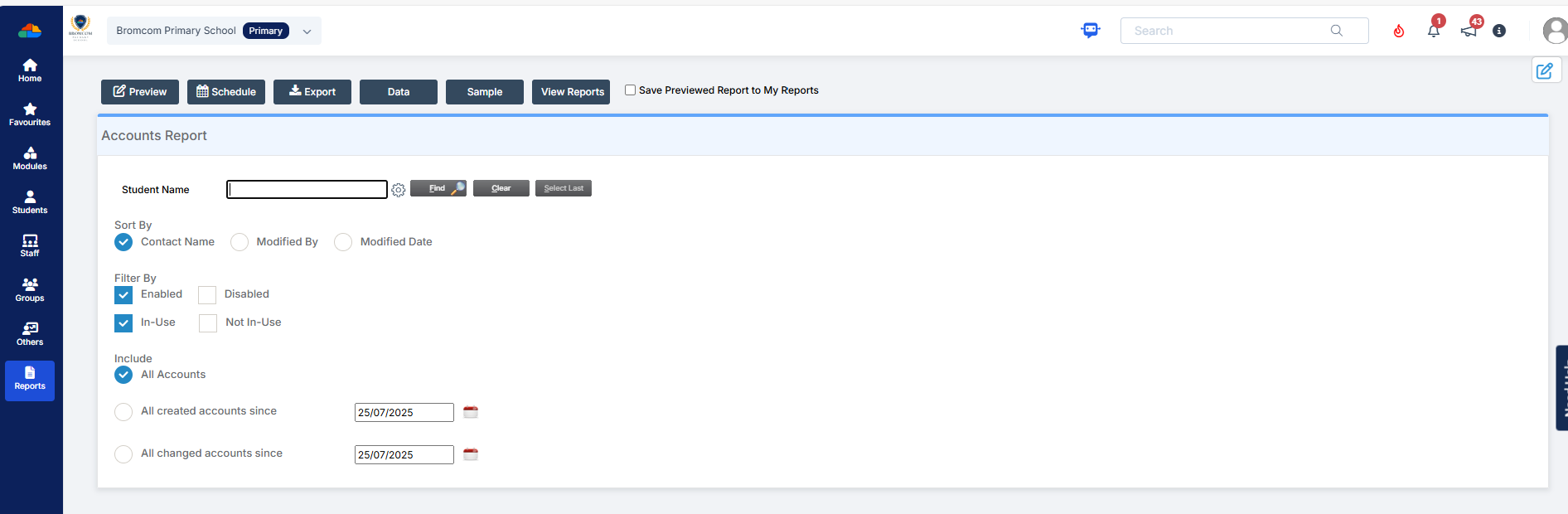
You may be starting to roll out MCAS and have been sending links out to parents. In Bromcom, you can run a report that shows you which students parents have not activated their account.

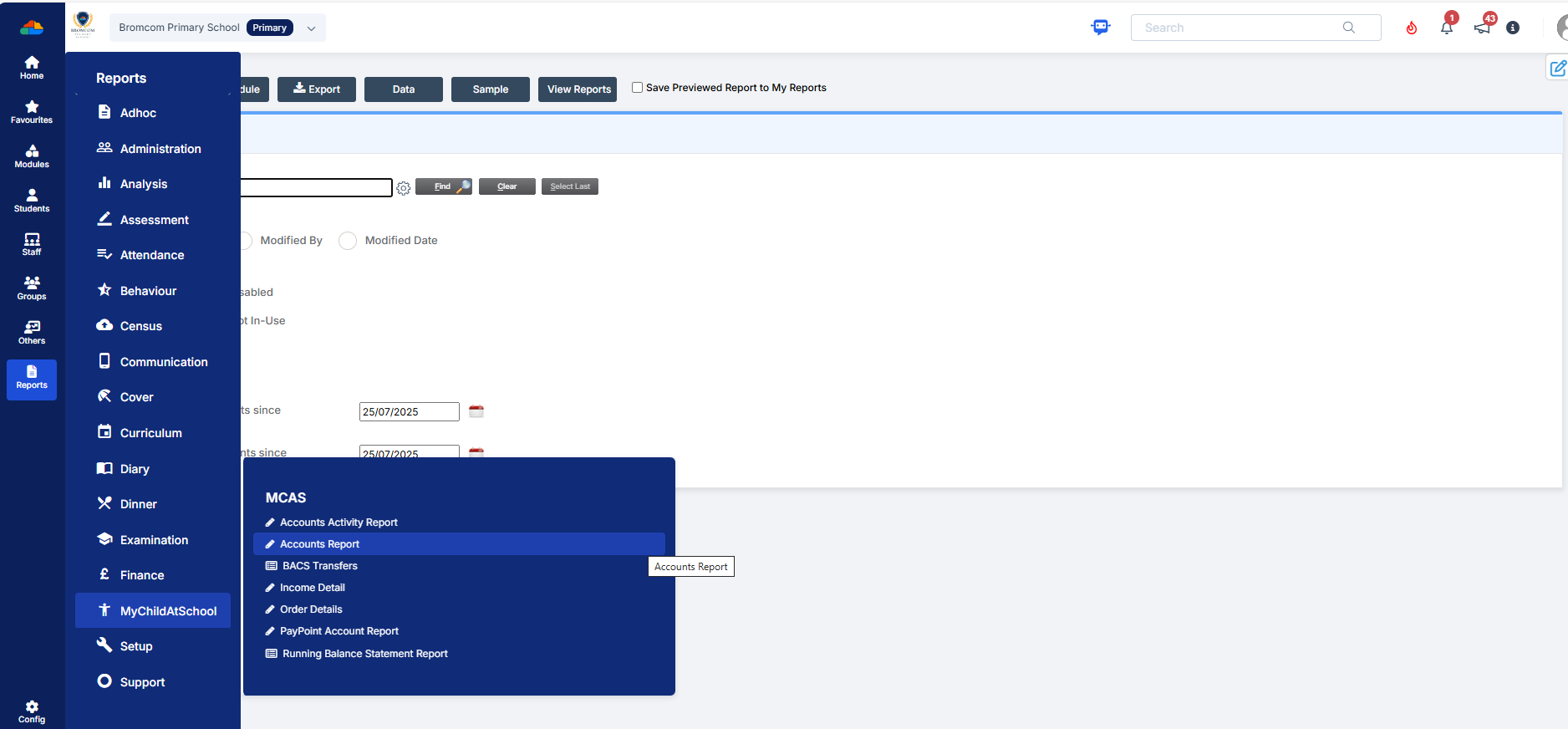
You can run the User Accounts Report under Reports>MCAS>Account Report.  Here you will be able to run a report of all active MCAS users.


How useful was this article?

Click on a star to rate it!

Average rating / 5. Vote count:

No votes so far! Be the first to rate this post.

Similar Posts

  • Disabling Data Collection Sheet for contact in MCAS app

    The ability to view and/or edit a student’s data collection sheet in the MCAS (MyChildAtSchool) can be disabled on a case by case basis for specific contacts. The following also applies during the inviting contacts to MCAS process. To do so, please browse to Modules > MyChildAtSchool > Administration > User Accounts to open the…

  • Key Stage Bulletin 2025

    This FAQ contains the latest information and guides regarding the Key Stage Return 2025.  Please see below for further guidance DFE information can be found here- School curriculum – GOV.UK KS1 is still Optional. Please see the following article from the DFE –  Changes to KS1 Important Dates Phonics Threshold mark release date- 23rd June…

  • BROMCOM: Where would you amend the cost of a school meal?

    You can do this in: Config>Dinner>Meal Definitions         How useful was this article? Click on a star to rate it! Submit Rating Average rating / 5. Vote count: No votes so far! Be the first to rate this post.