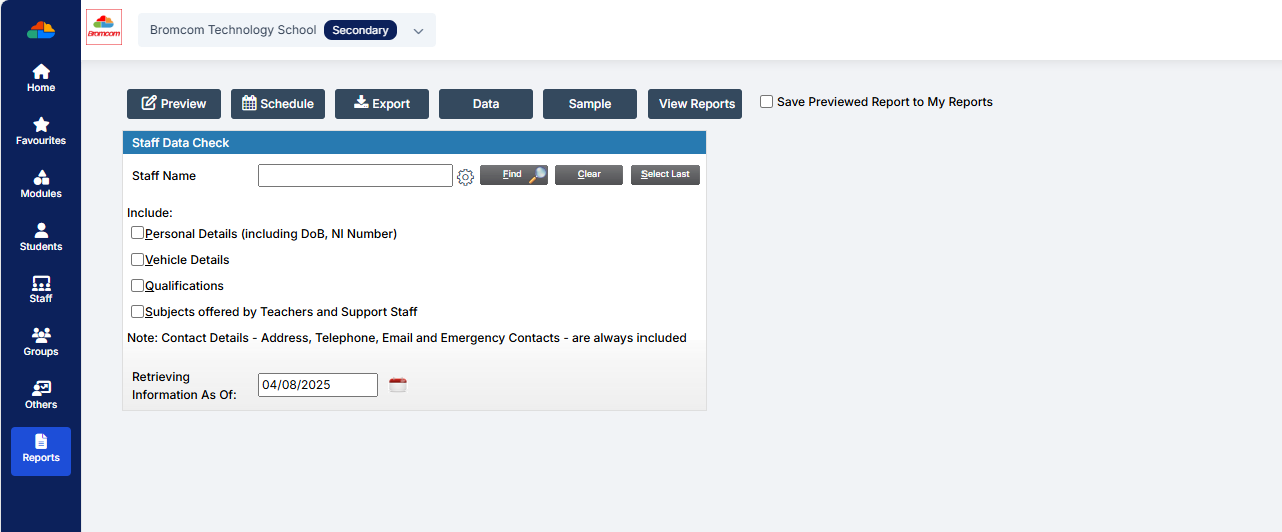
Bromcom Staff Data Collection Report

This report can be found via Reports – Administration – Staff data check report. You can export, print, and hand-out to teachers to check.  Alternatively you could create a quick report with the information you want to check, include staff email, and then mailmerge it to staff.

Also, staff should (permissions allowing) be able to update their own data via their Profile in Bromcom How To Use My Profile As A Staff Member – Bromcom – Documentation Centre
How useful was this article?

Click on a star to rate it!

Average rating / 5. Vote count:

No votes so far! Be the first to rate this post.

Similar Posts

  • Bromcom: How do I add part time schedules for nursery students

    To add Part Time schedules for Nursery students go to Modules > Attendance > Routines > Bulk Attendance Update. You can then select whether you would like to update attendance for individual Students, Class/Groups or Teachers. Then select the Student/s, Class/Group/s or Teacher/s to update by either typing the name in the box or using the Search option by clicking on the Magnifying Glass icon. The Selection List will then…

  • BROMCOM: How to add ‘Configurations’ to a Role for Key Stage

    To set the configurations to access the setup of the Key Stage Assessment Marksheets in Bromcom you need to go to Config > Setup > Roles and Permissions. Select the role of the user carrying out these steps (Teacher/ SchoolAdmin – This will need to be decided in school for who is carrying out the…

  • BROMCOM: Assessment – How to give access to Assessment Sheets (Marksheets) for a Head of Department/Head of School/ Teachers

    When creating your Assessment Template, (via Modules>Assessment>Manage Templates>New) as per How to Create an Assessment Sheet – Bromcom – Documentation Centre – you will have the options to associate your Teachers/HoD’s/HoY’s by using the flowchart below.  This has been designed to help you understand how to use Assessment Template Associations to generate/create Assessment Sheets. Please note, It is…