Bromcom: How to update Parental Responsibility
To update Parental Responsibility click on the pencil icon for the Contact in the Linked Students tab
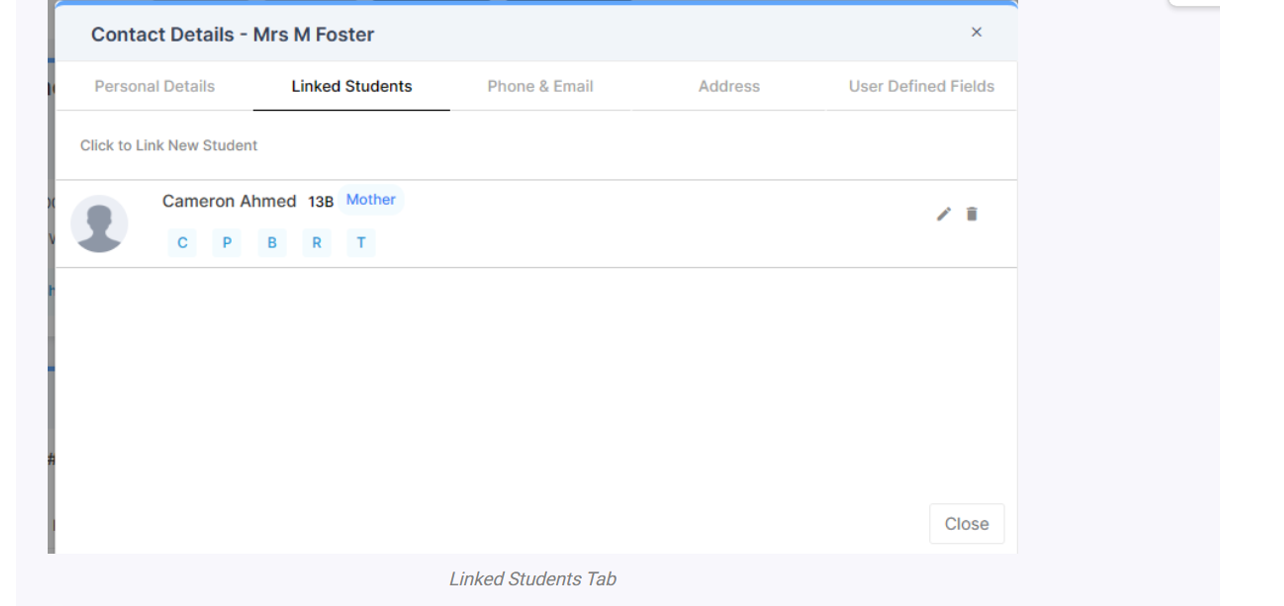
Then you can choose Parental Responsibility
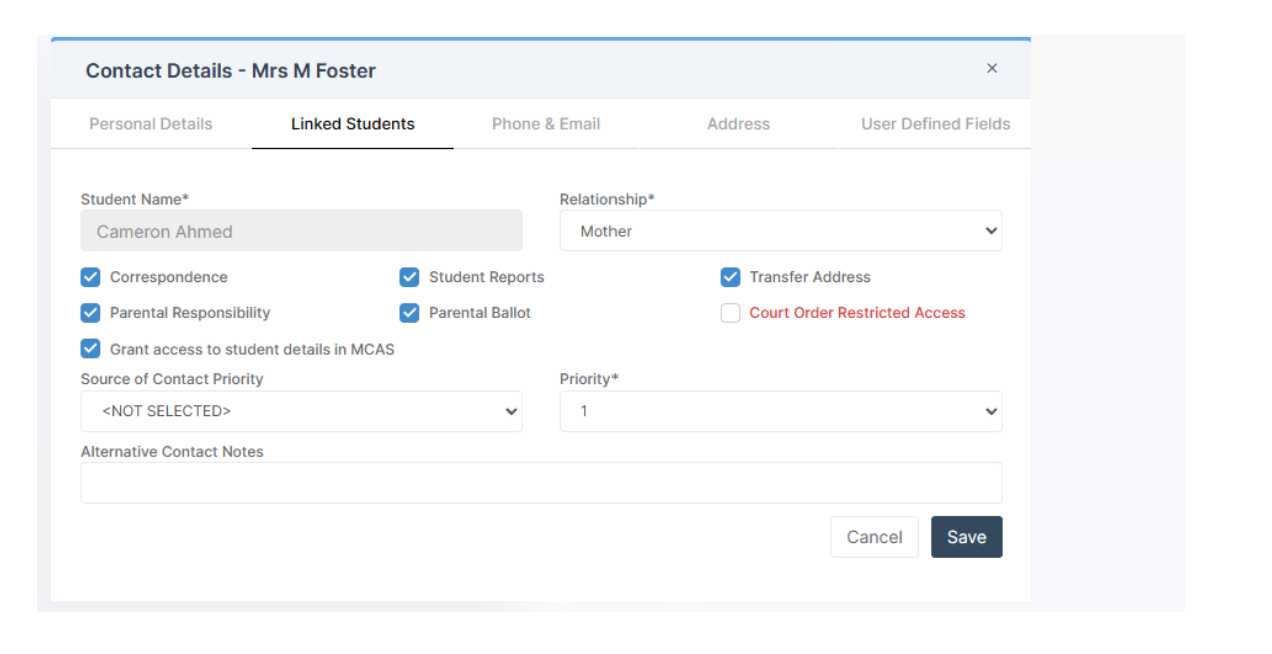
If you make any changes, make sure to press Save.
To update Parental Responsibility click on the pencil icon for the Contact in the Linked Students tab
Then you can choose Parental Responsibility
If you make any changes, make sure to press Save.
How useful was this article?
Click on a star to rate it!
Average rating / 5. Vote count:
No votes so far! Be the first to rate this post.
To add Part Time schedules for Nursery students go to Modules > Attendance > Routines > Bulk Attendance Update. You can then select whether you would like to update attendance for individual Students, Class/Groups or Teachers. Then select the Student/s, Class/Group/s or Teacher/s to update by either typing the name in the box or using the Search option by clicking on the Magnifying Glass icon. The Selection List will then…
Modules> Finance> Homepage>Budgeting> Cost Centre allocation. Top tip: When in Cost centre allocation, you can click “Edit Mode” located top right of screen, which opens all cost centres and ledger codes in one area for you to add your budget allocations. Please also see the following guide:Bromcom Finance guide – How to Enter Budgets …
Arbor ‘Pupil Premium Eligible’ in Arbor is an indicator of whether a student may be eligible for Pupil Premium based on their background, such as being in receipt of Free School Meals. The Pupil Premium tag may not be a true representation of who actually receives Pupil Premium funding in the school (shown by the…
This FAQ is a quick check list for updating information before Census. For Schools wanting the latest documentation for Census and using Arbor – Click here to jump to the relevant section. Thursday 15th January 2026 is census day Spring Census Dry Run opens 2 weeks before Census Day 11th of February 2026 is your census submission…
My Child at School is a useful communication tool for schools to use with parents which can be configured to give applicable in the following areas: Assessment Attendance Behaviour Class Lists Clubs and Trips Dinner Money Online payments Exams and exam timetables Homework On Report Parents Evening Reports Timetable Academic calendar School shop Parental…
There is no excerpt because this is a protected post.