|

Bromcom: Why can’t I add a new room to Exams?

In order for a room to appear within Exams it must first be added in Config > Administration > Rooms
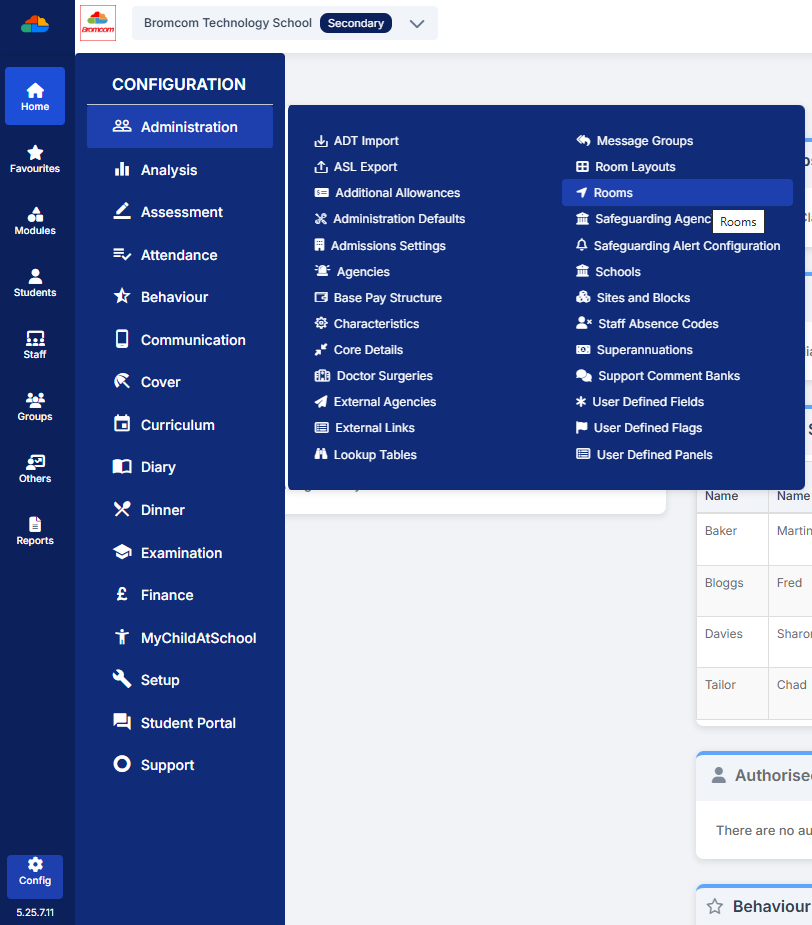
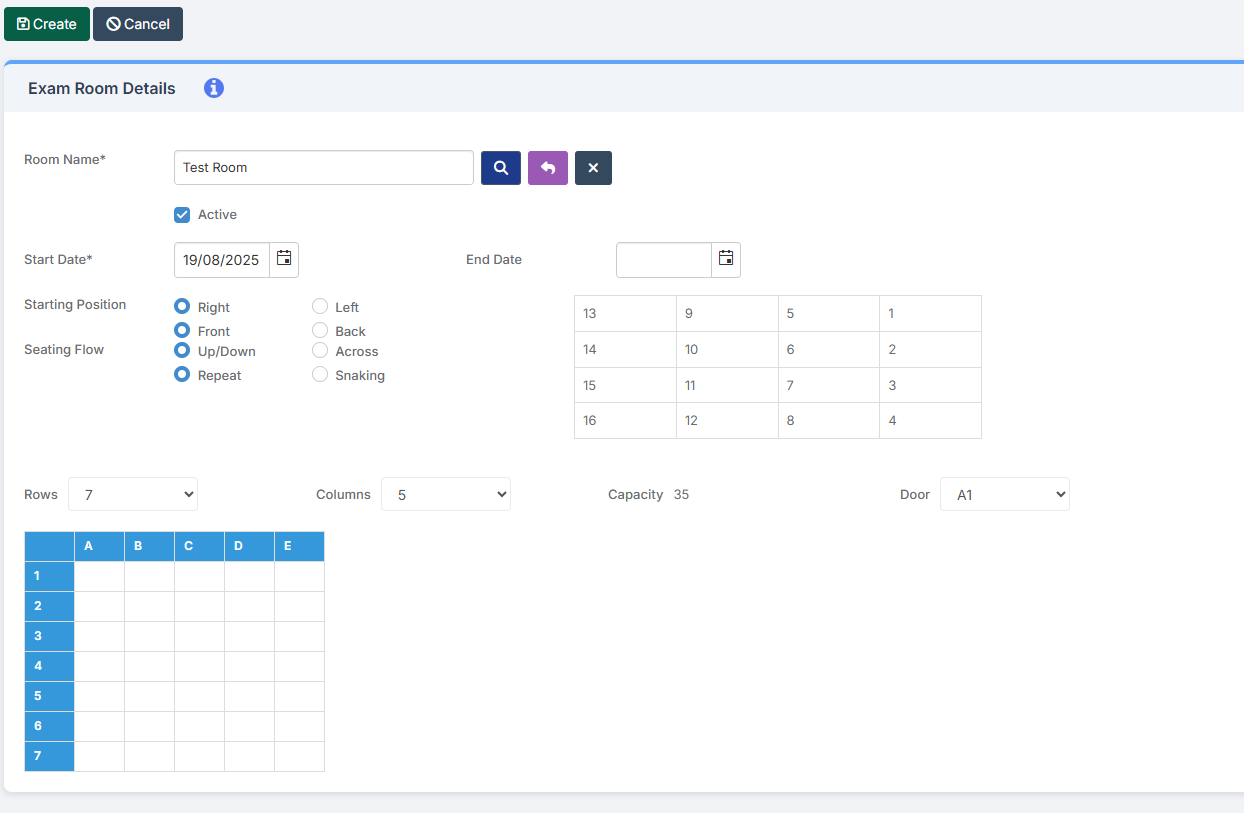
Once it has been added here you will then need to go to Config > Examination > Exam Rooms and click New.

You will then need to click on the magnifying glass icon which will display a list of all rooms that have been added in Config > Administration > Rooms. Once you have picked up your room you will then be able to setup the room as you wish for Exams purposes.
 

How useful was this article?

Click on a star to rate it!

Average rating / 5. Vote count:

No votes so far! Be the first to rate this post.

Similar Posts

  • Bromcom Finance: Year End Payroll clearance from FC01 ** Local payments – Devon LA**

    Local payments need to carry out a payroll clearance in order to set the Fund Control 01 to zero , prior to preliminary close down. Please see the following steps: Step 1 – Modules > Finance> Homepage>General Ledger>Journals.  Select “Year End journal” if you have already run  preliminary close or standard journal if you have…

  • Bromcom: Audit Report

    If there are changes to Bromcom data and clarification is needed on who/how or why this has changed you can run a detailed audit report on student and staff data. You can run this report via Reports>Administration>Audit Report This will confirm if this was a system or user change   How useful was this article?…

  • Bromcom: How to create a Phonics CTF for Year 1 and Year 2

    Please check with your LA for CTF requirements. If you are a Devon school- Upload to Devon Transfer (Please note: For Devon this is a combined CTF with all Year 1’s and Year 2 retake pupils in ONE CTF. ONLY INCLUDE YEAR 2’S WHO HAVE RETAKEN PHONICS THIS YEAR) To create a CTF that includes…

  • Bromcom: How do I create a CTF that includes leavers?

    If you need to create a CTF that includes both current pupils and those that are leavers for Key Stage DFE Assessments, you can do this using the search filters option from within the student area. EYFS – Please check with your LA. If you are a Devon school-Upload to Devon Transfer Phonics – Please…

  • Bromcom Staff Data Collection Report

    This report can be found via Reports – Administration – Staff data check report. You can export, print, and hand-out to teachers to check.  Alternatively you could create a quick report with the information you want to check, include staff email, and then mailmerge it to staff. Also, staff should (permissions allowing) be able to…