Parental Consent is missing from the MCAS menu
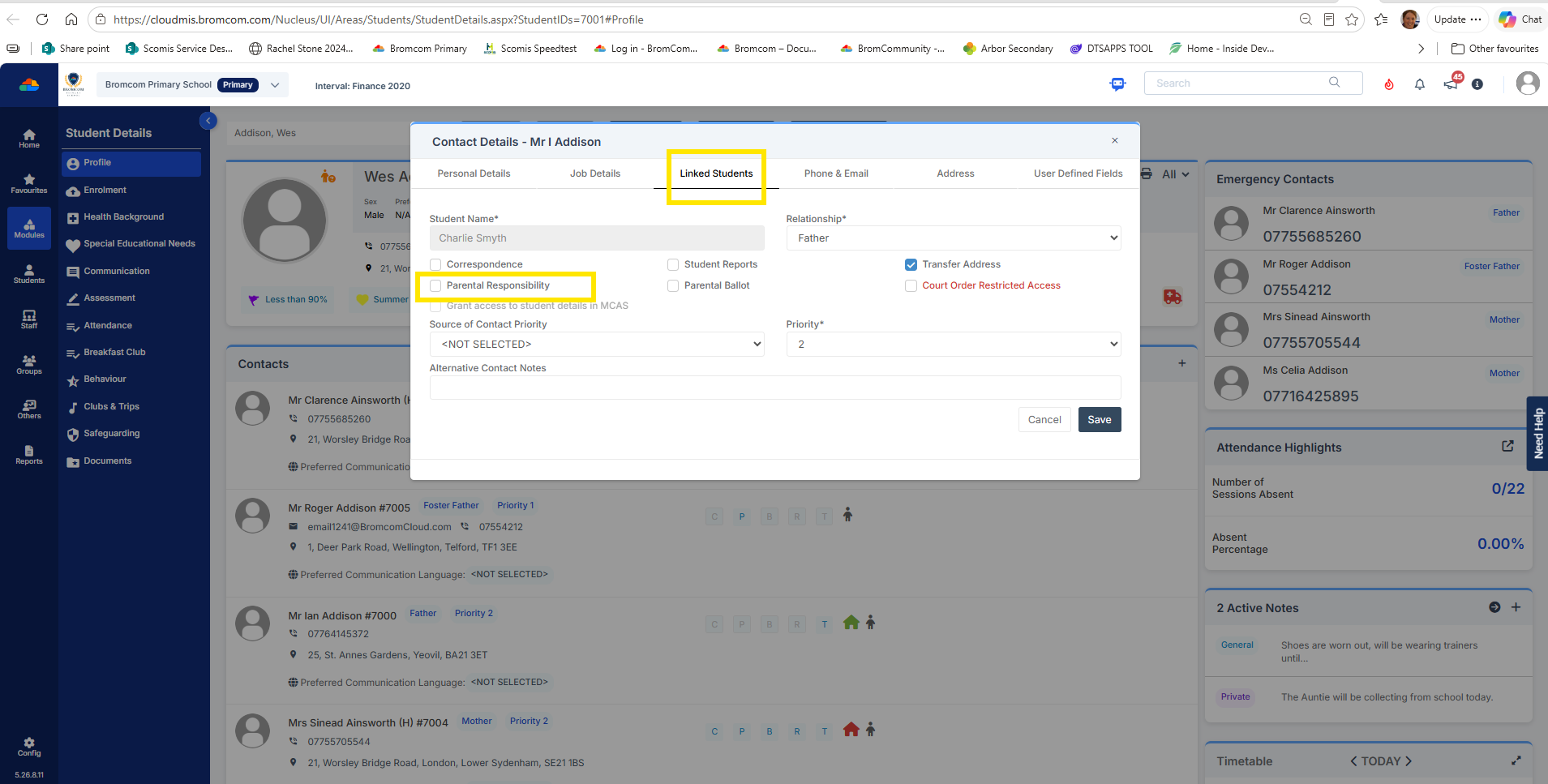
To correct, this you will need to tick “Parental responsibility” in the parent record under “Linked students”
Browse to Students> Select Student> tick pencil icon adjacent to parents name to edit the contact record
Click Linked students tab and click the pencil button as shown below to tick the “Parental responsibility”
Example test data screen shot shown below
Log back into MCAS via the “Green person” next to parents name and you will then see on the menu on the left the item for “Parental Consent”