|

Bromcom Finance & Budgets: How do I sort columns in my Budget Variance

Modules> Finance> Homepage> Budgeting> Budget Variances

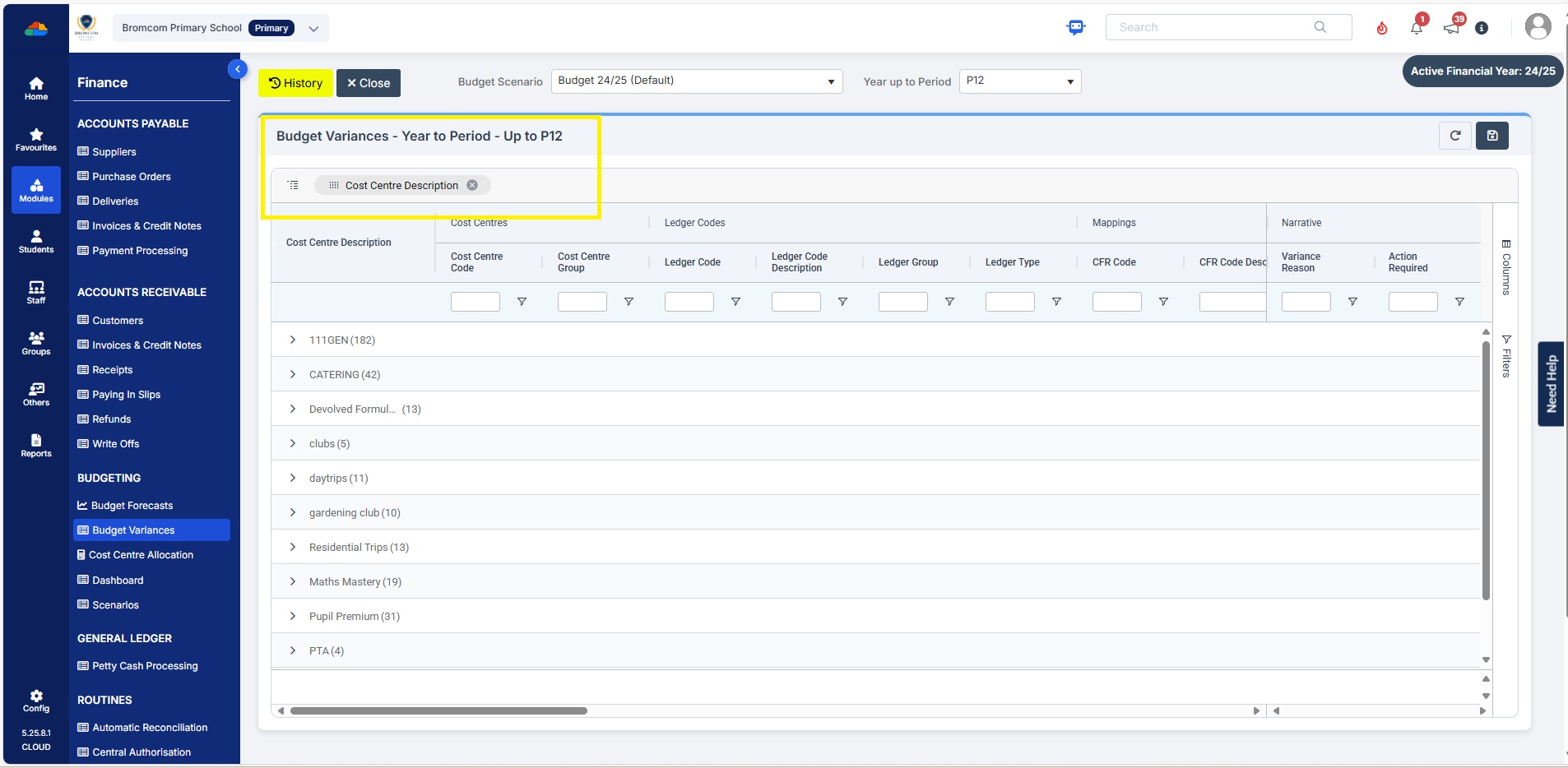
You can click on any the heading e.g  Cost Centre Description and drag to above “Drag here to set row groups”   –  see example below before sorting
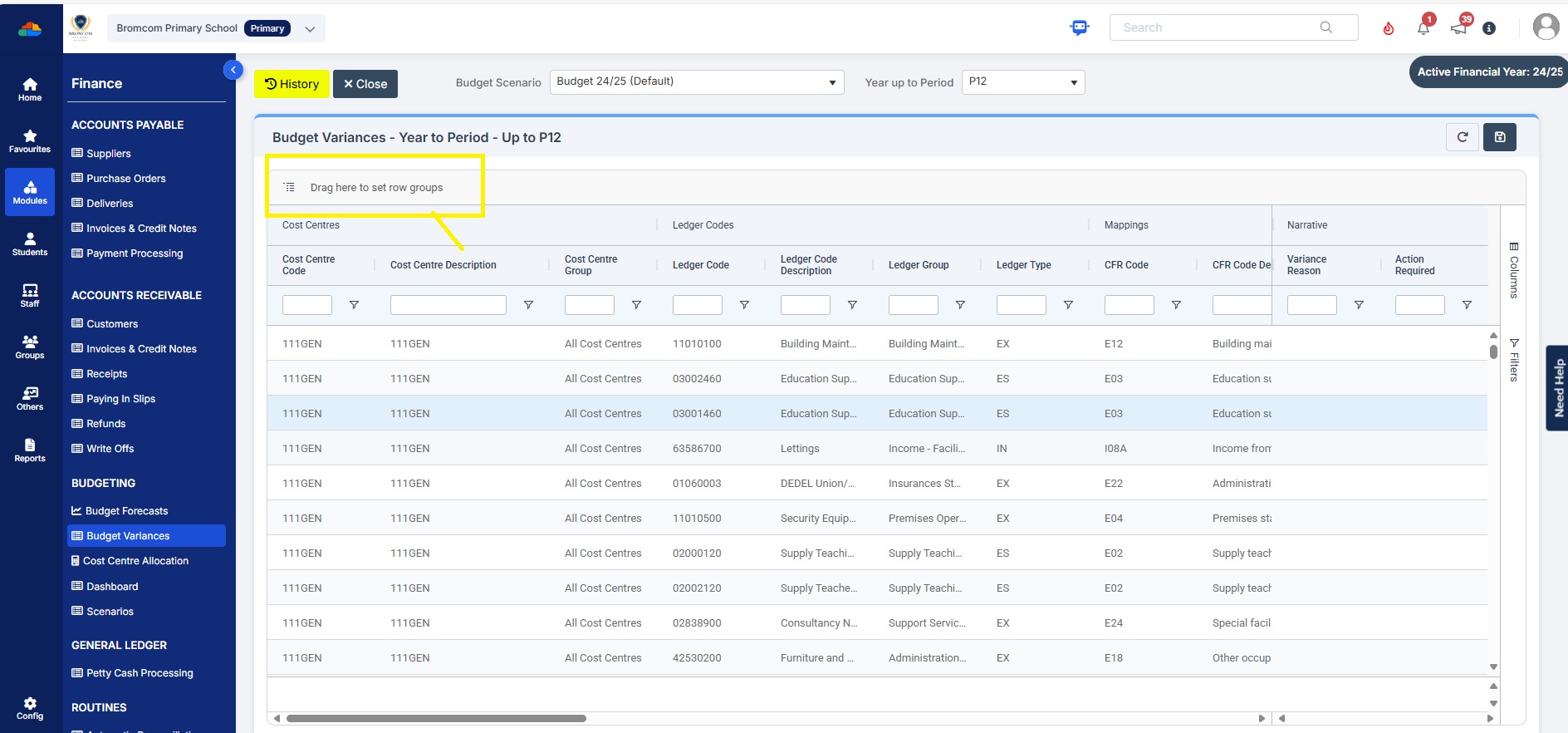
Example after sorting to Cost Centre description
Please also see Budget planning user guide


How useful was this article?

Click on a star to rate it!

Average rating / 5. Vote count:

No votes so far! Be the first to rate this post.

Similar Posts

  • Bromcom Finance & DTSApps – DEVON SCHOOLS

    Bromcom Finance: How to process your invoices, in Central Authorisation and “Print & Export” Bromcom Finance: Raising orders on suppliers websites for example: YPO & Amazon Bromcom Finance: How to cancel “Passed for Pay” Invoices Bromcom Finance: I have clicked print and not print and export Bromcom Finance and DTSApps: How to process your invoice…

  • Bromcom Finance: I have clicked print and not print and export

    When processing your payments file in central processing for county, you need to click “Print & Export” only. This is because it produces two files a text file and PDF file.  You will need the text file to process through DTSAPPS. If you have clicked print, this will produce a PDF file in central authorisation…

  • Bromcom Finance: What do the different status’s mean when processing invoices

    Authorised – This means the Invoice has been “Authorised” and the user would have clicked “Authorise” within the invoice, ready to centrally authorised. Passed for Pay – This means the Invoice has been processed through “Central Authorisation” and print and exported the batch to create a file to upload to the “Local Authority” Paid – This…

  • Bromcom Finance & DTSApps – PLYMOUTH SCHOOLS

    Bromcom Finance: How to process your invoices, in Central Authorisation and “Print & Export” Bromcom Finance: Raising orders on suppliers websites for example: YPO & Amazon Bromcom Finance: How to cancel “Passed for Pay” Invoices Bromcom Finance: I have clicked print and not print and export Bromcom Finance and DTSApps: How to process your invoice…

  • Bromcom Finance: Configuring Bromcom to send purchase orders by email

    Prerequisites – Please ensure you have configured email for the Bromcom MIS system as per instructions in the following guide. Sending emails from your school email address in Bromcom – Frequently Asked Questions To enable Bromcom Finance module to send emails for BACS and purchase orders, you need to complete the following steps: Browse to…