Disabling Data Collection Sheet for contact in MCAS app
The ability to view and/or edit a student’s data collection sheet in the MCAS (MyChildAtSchool) can be disabled on a case by case basis for specific contacts. The following also applies during the inviting contacts to MCAS process.
To do so, please browse to Modules > MyChildAtSchool > Administration > User Accounts to open the User Account Maintenance tool. This screen will show you the parents who have been invited to MCAS.
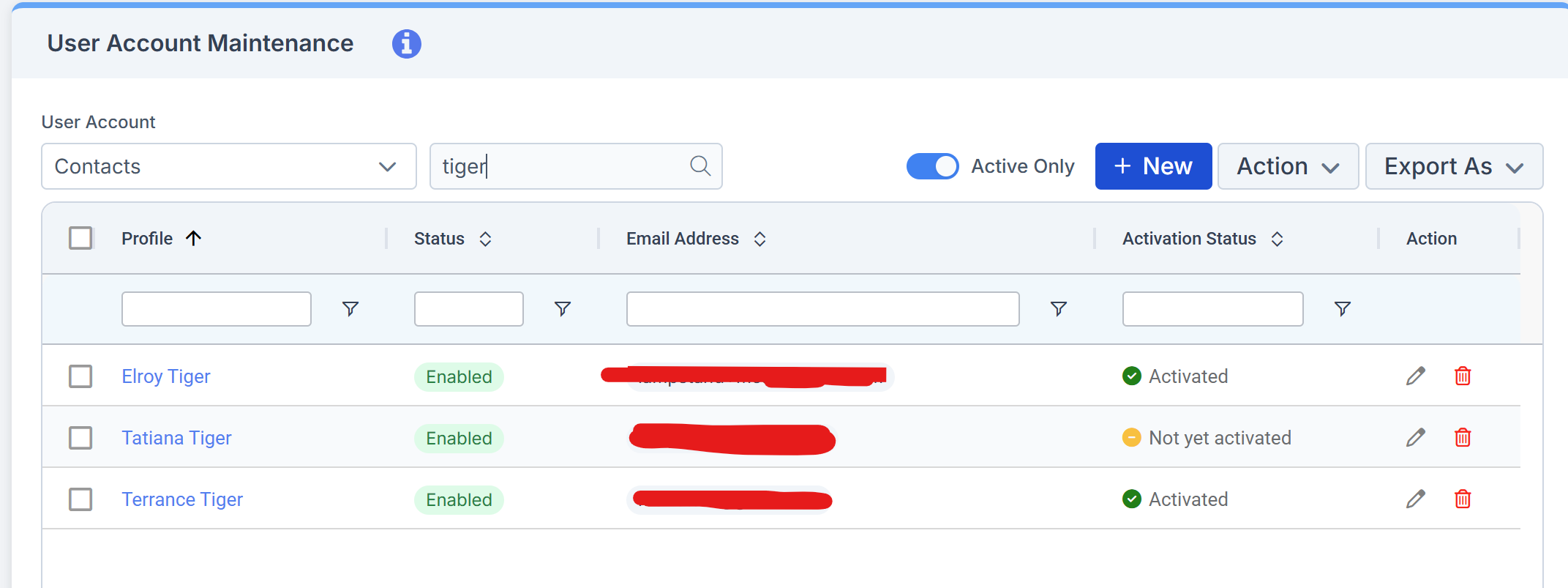
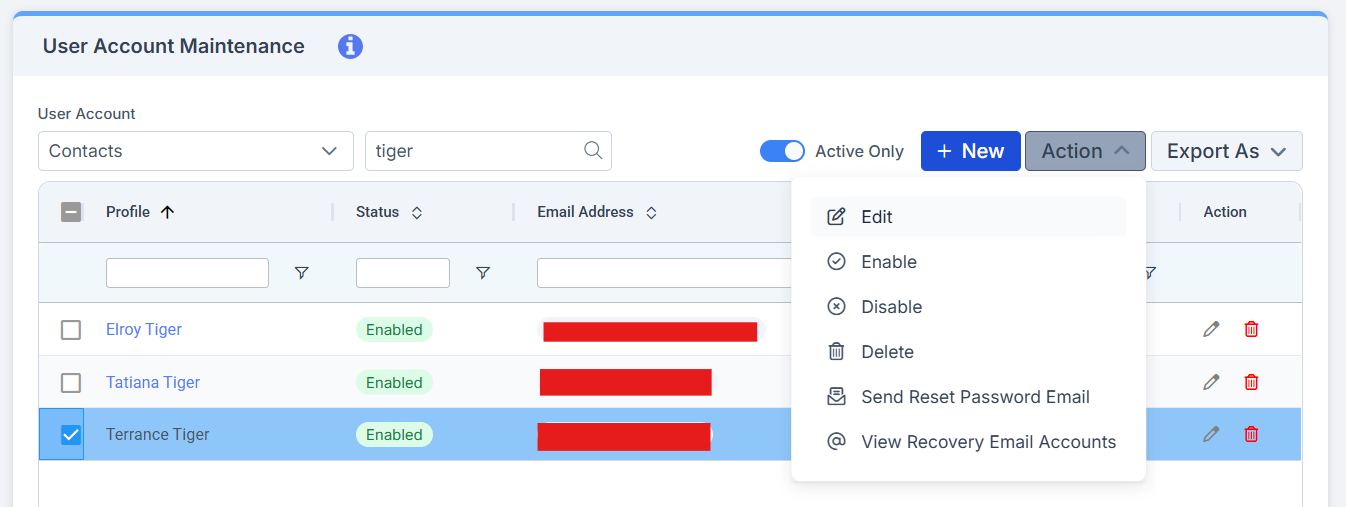
Put a tick in the box on the left of the contact you wish to amend access for, and click the Action button and select Edit.
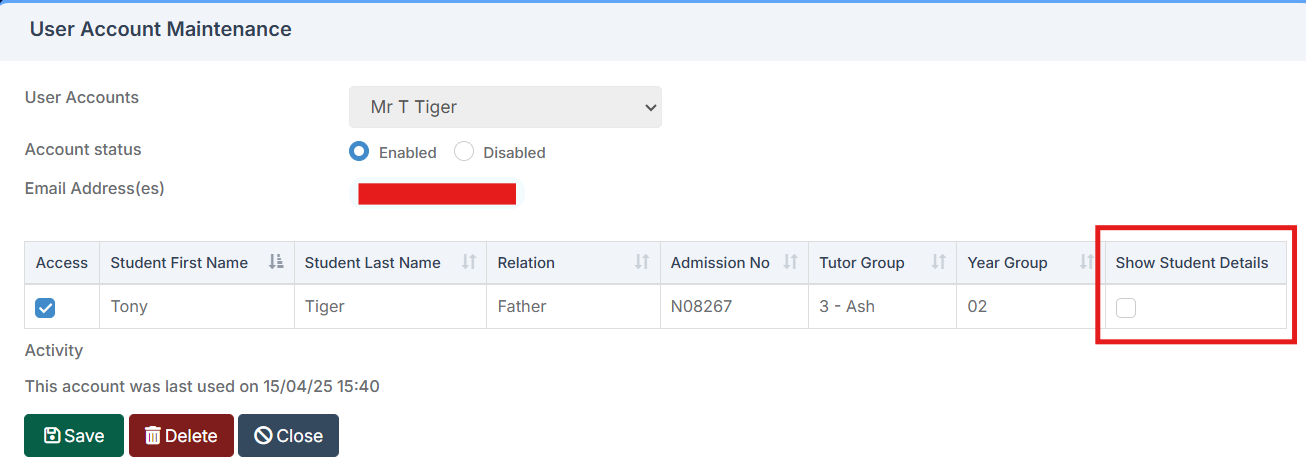
This will open up a screen where you will see the students linked to the contact record. For those you wish to restrict access to, you can either disable MCAS entirely by removing the tick from the Access box, or you can restrict access to the student’s data collection area by unticking the Show Student Details box and clicking save.
To confirm the changes have had the desired effect, open the linked Student Record and click the green person icon next to the relevant contact name. On the Data Collection Sheet option, only the contact’s personal information will be seen.