|

Creating a Wraparound Care club to collect Nursery Payments

All 3 to 4-year-olds in England can get 570 free hours per year. It’s usually taken as 15 hours a week for 38 weeks of the year.

You can choose to take fewer hours over more weeks, if your childcare provider offers this option. Some parents wish their child to have extra hours and will pay the school for extra provision.

In Bromcom this can be charged through a Club with a running balance.

Create a club called Nursery Payments as a Running Balance Club with the Buying Option of Indicate Preferences:
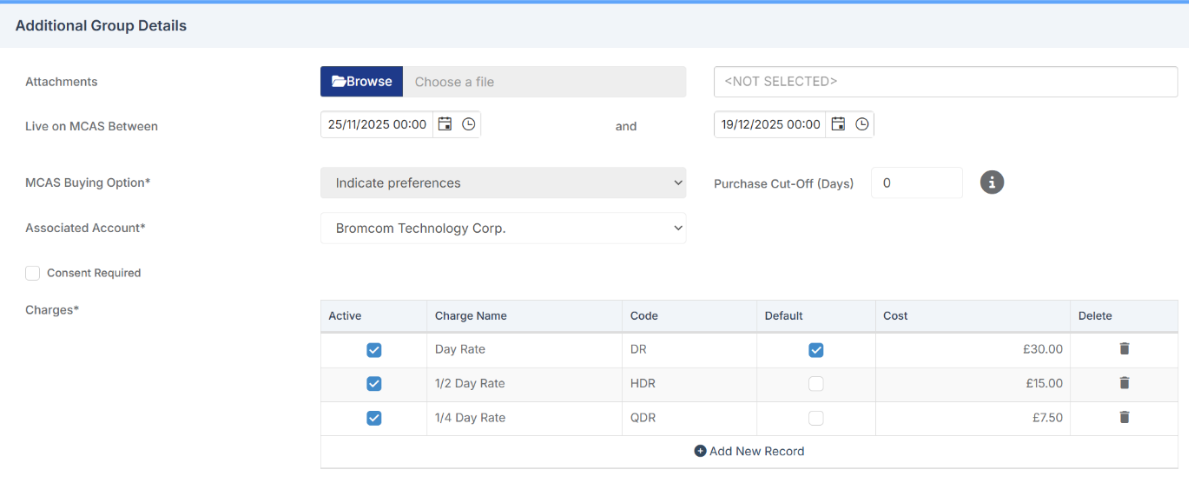
Set up different charges for the amount you wish to charge each day. 

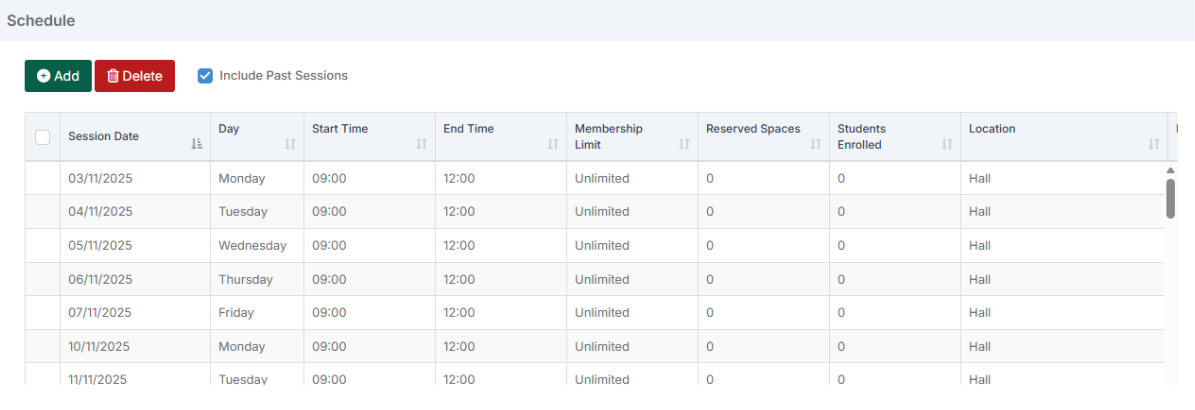
Set up all possible days when Nursery care may be charged for: 
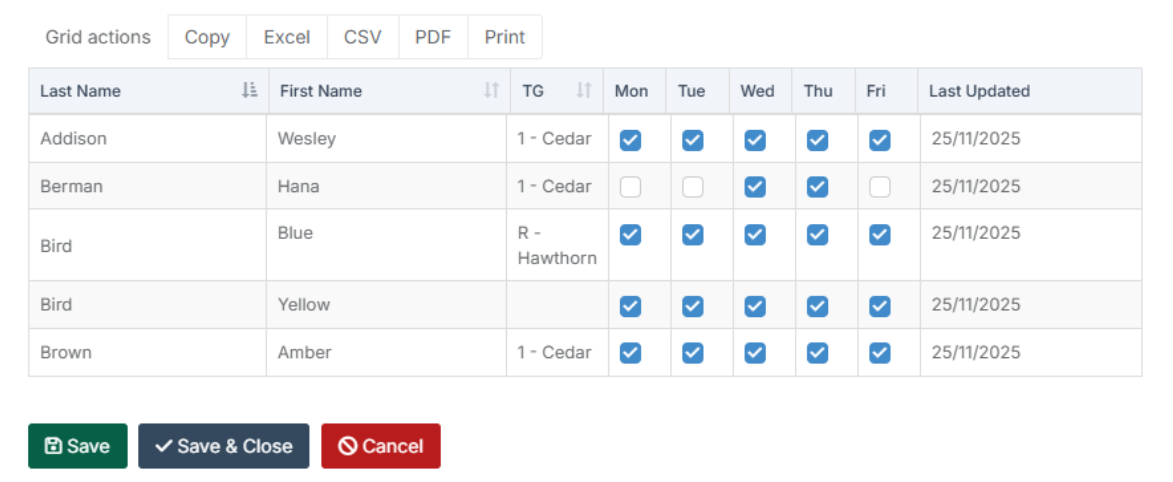
Then add in all children who might need to pay for additional hours and set their preferences for attendance.
The school can then record the attended sessions for this week for the pupils as either a Full Day, Half-Day or Quarter Day.  This then works out a total based on the Rates set up at the first stage. 
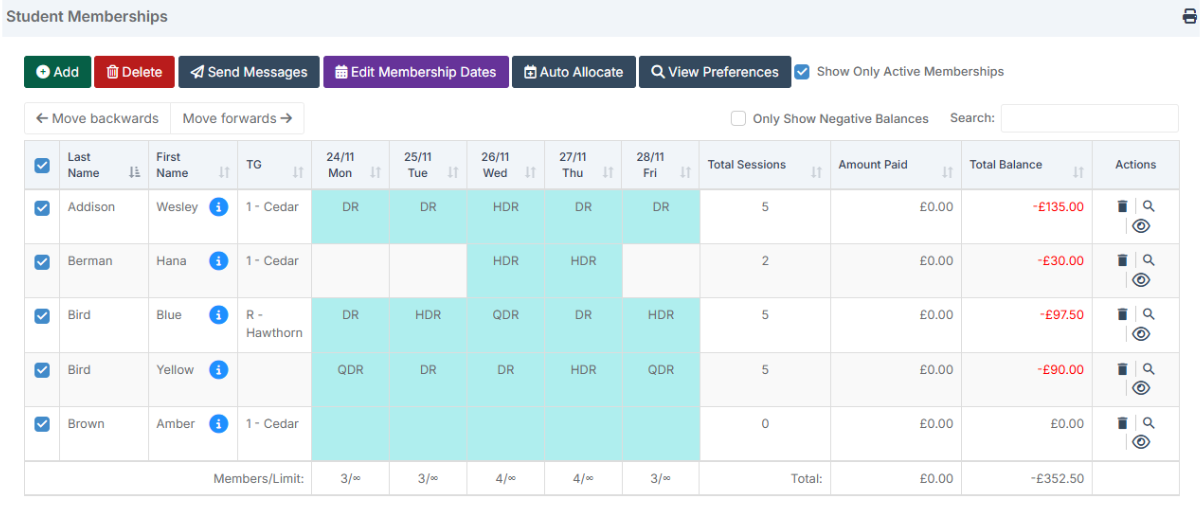
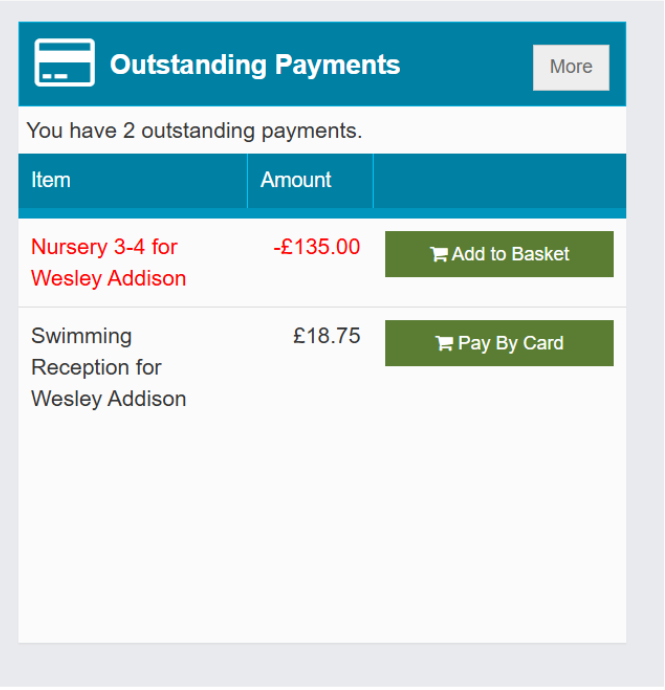
Looking at one of the children in MCAS we can see the money charged: 
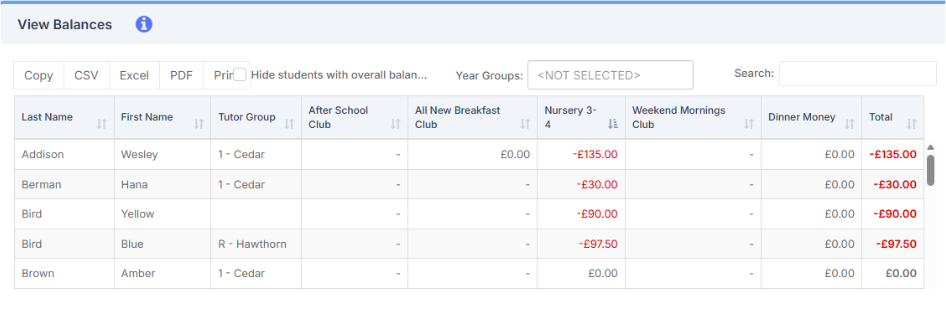
In View Balances you will be able to see any outstanding amounts for each club. 
 

How useful was this article?

Click on a star to rate it!

Average rating / 5. Vote count:

No votes so far! Be the first to rate this post.

Similar Posts

  • BROMCOM – Quick Summary Guide – Pre-checks and Generating School Census

    This FAQ is a quick check list for updating information before Census.  For Schools wanting the latest documentation for Census and using Bromcom – Click here  to jump to the relevant section. Thursday 15th January 2026 is census day 11th of February 2026 is your census submission deadline (unless otherwise advised by your Local Authority) PRE-CHECKS BEFORE YOU…

  • Bromcom: Why can’t I add a new room to Exams?

    In order for a room to appear within Exams it must first be added in Config > Administration > Rooms Once it has been added here you will then need to go to Config > Examination > Exam Rooms and click New. You will then need to click on the magnifying glass icon which will…

  • DEVON SCHOOLS ONLY – Submitting Claims through iTrent

    The employee is able to do this through self-service and you can then approve the claim once the system is available, or your administrators can input the claim on behalf of the employee via fast input, from a paper form. If you have administrators who are inputting from the paper process, please note the forms…

  • Configuring Clubs, Trips, and Wraparound Care in MyChildAtSchool

    It’s possible to display details on Clubs, Trips, and Wraparound Care in MyChildAtSchool. In giving parents/guardians access to these areas you’re enabling them to book, and pay for their children to attend these activities. The following KB will details the configuration settings available for these areas. Navigating to the Clubs/Trips Settings Page The Clubs/Trips Settings…

  • Bromcom Finance and DTSApps: Download and Reformat process – DEVON SCHOOLS

      IMPORTANT: New Process – there is no longer a requirement to log into Devon Transfer to download your reconciliation files, please see step 2 Schools using Scomis DTSApps will process available files using the DTSApps download area as follows: Log into DTSApps with your login credentials  From the menu on the left, click “Reformat”…