Bromcom: MCAS User Activity

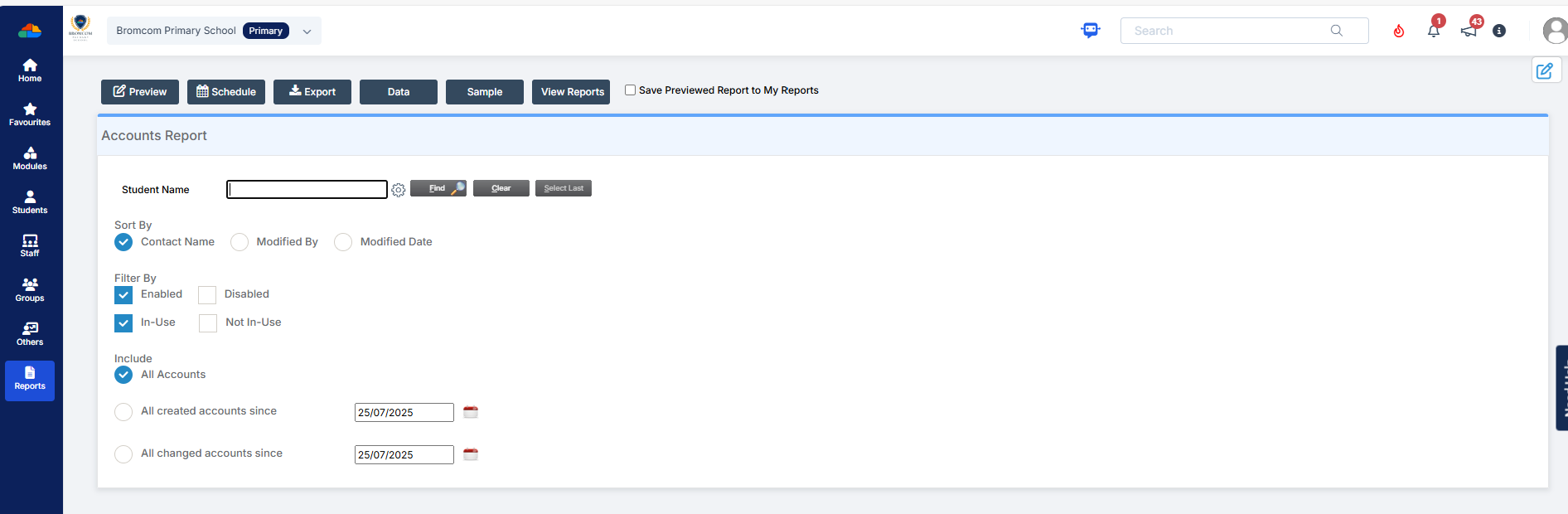
You may be starting to roll out MCAS and have been sending links out to parents. In Bromcom, you can run a report that shows you which students parents have not activated their account.

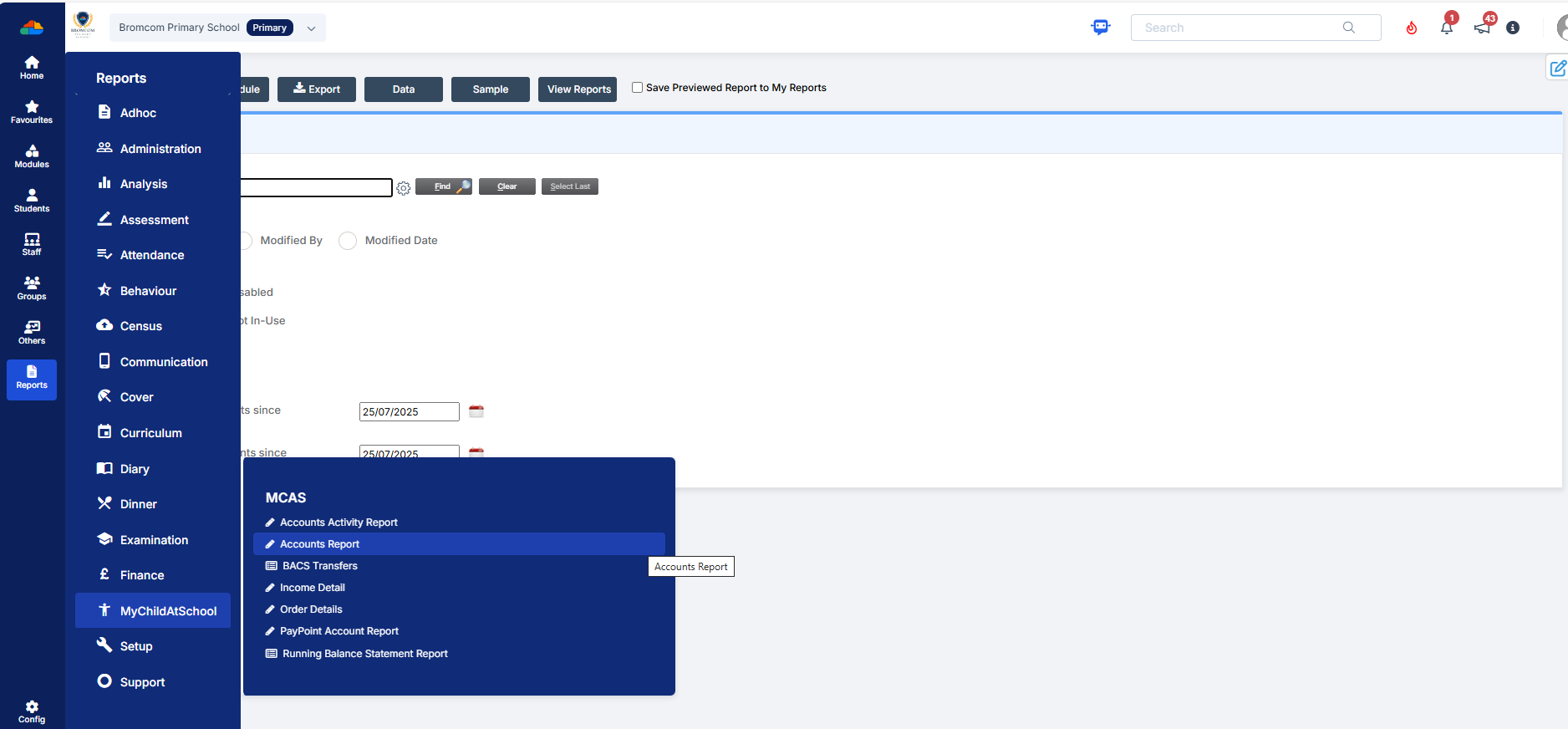
You can run the User Accounts Report under Reports>MCAS>Account Report.  Here you will be able to run a report of all active MCAS users.


How useful was this article?

Click on a star to rate it!

Average rating / 5. Vote count:

No votes so far! Be the first to rate this post.

Similar Posts

  • Bromcom Finance: How do I add a Petty Cash into the new year

    If you have not run preliminary close in the old year and need money in Petty cash  “Cash In hand” you can add a temporary reimbursement as follows: Modules> Finance> Homepage>General ledger> Petty cash processing Click “Add Reimbursement” as show below and add your details on the right of the example screen shot. Please note:…

  • How do I delete equipment in Equipment Register?

    Follow the below to remove equipment from Equipment Register. Focus > Equipment > Highlight the item > Click View/Edit. To delete the Item click the – icon on the focus bar and enter the reason for deletion. Click Save. How useful was this article? Click on a star to rate it! Submit Rating Average rating…

  • How to raise and vote for ideas within Bromcom

    Schools can raise and vote on Bromcom Development Ideas by accessing the Portal through the MIS. As they don’t have their own Support Portal account, they can instead request a passcode to raise an idea by clicking on Help & Resources next to their profile photo, then click Development Ideas. The passcode will be sent…

  • BROMCOM: How to Add Staff to Edit/View Marksheets

    For Key Stage Assessments after you have access via BROMCOM: How to add ‘Configurations’ to a Role for Key Stage – Frequently Asked Questions Go to Config > Assessment > Configurations and put the tick in Enable Sheet Users.         You can then tick which Staff Roles will require access to the marksheets…

  • Bromcom Finance: How do I process Non-Invoiced Income

    You have two options on how you record Non-Invoiced income as follows: Navigate to Modules > Finance > Accounts Receivable (Note: you will need to setup a receipt book and paying in book if not already done so for accounts receivable via Modules> Finance> Maintenance > Books) To record a receipt, click the “non-inv receipt”…

  • Bromcom: How to view Year 2’s Phonics results from when they were in Year 1

    If you need to view your current Year 2’s Phonics results from the previous year, you can do so using a report. Go to Reports on the left hand side menu, then Assessment and then Results by Pupil Use the find button to select all of your current Year 2 pupils Now select KS1 from…