Bromcom: Missing Staff Dinner Balance Widget
If your staff is missing the “Staff Dinner Balance” widget, please ensure the correct permission has been assigned to their “Teacher” role.
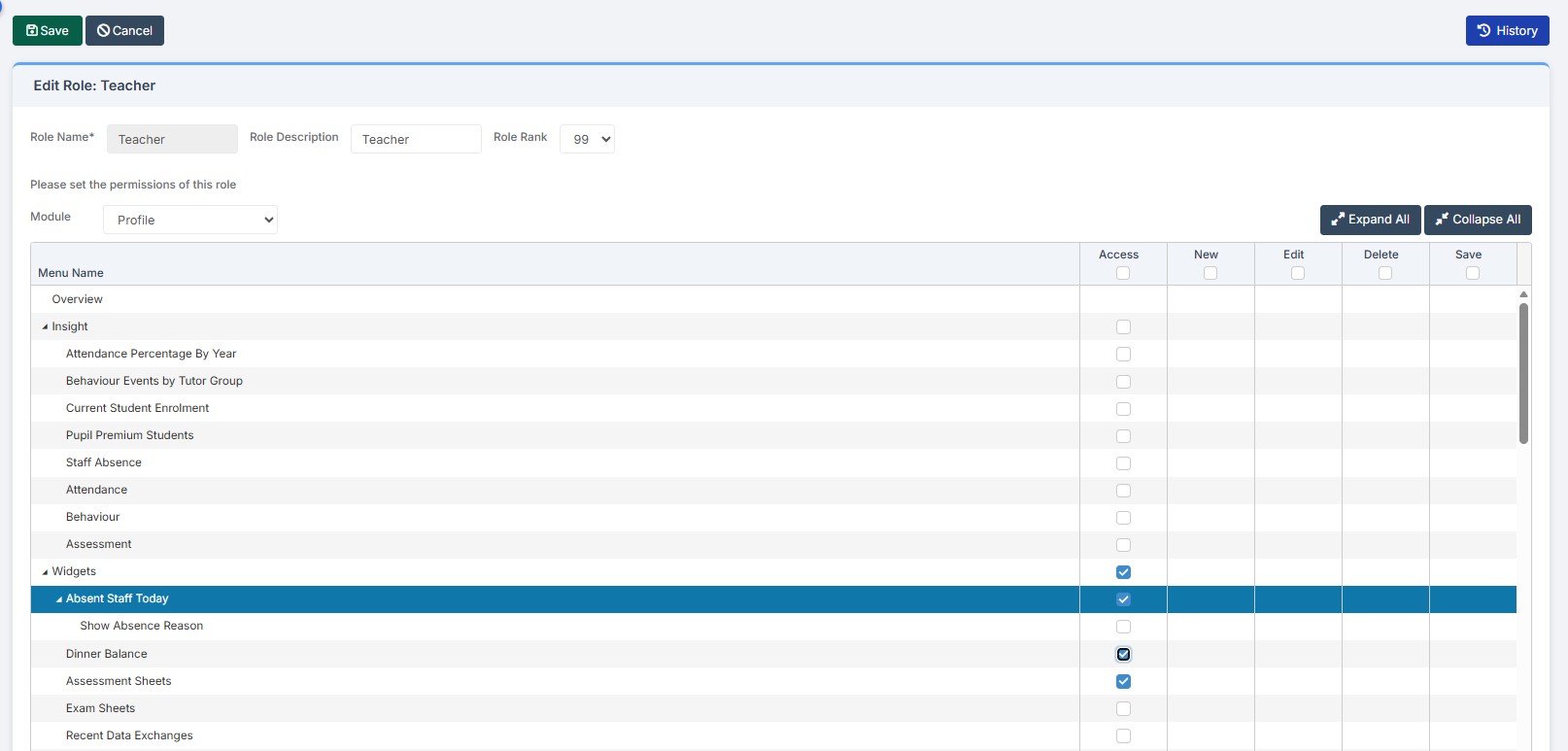
To ensure the correct permissions have been assigned, please browse to Config> Setup> Roles and permissions, choose the role e.g Teacher click edit and choose the module in the drop down of “Profile”
You will then see a list of permission including one for “Dinner Balance” as per the below screen shot. Please then tick the permission under the “Access” column and click the green save button.
Once you have done the above, please ask the teacher to check the dinner balance widget is showing on their Bromcom homepage, under the drop down tab of overview. If for any reason the widget is not showing it can be added by clicking on the settings button top right of the homepage – overview section.