|

Bromcom – How do I edit the booking deadline date in my parents evening booking

The Parents Evening deadline is greyed out when you “Enable the Parents Evening” as shown below

Modules> Diary> Parents Evening
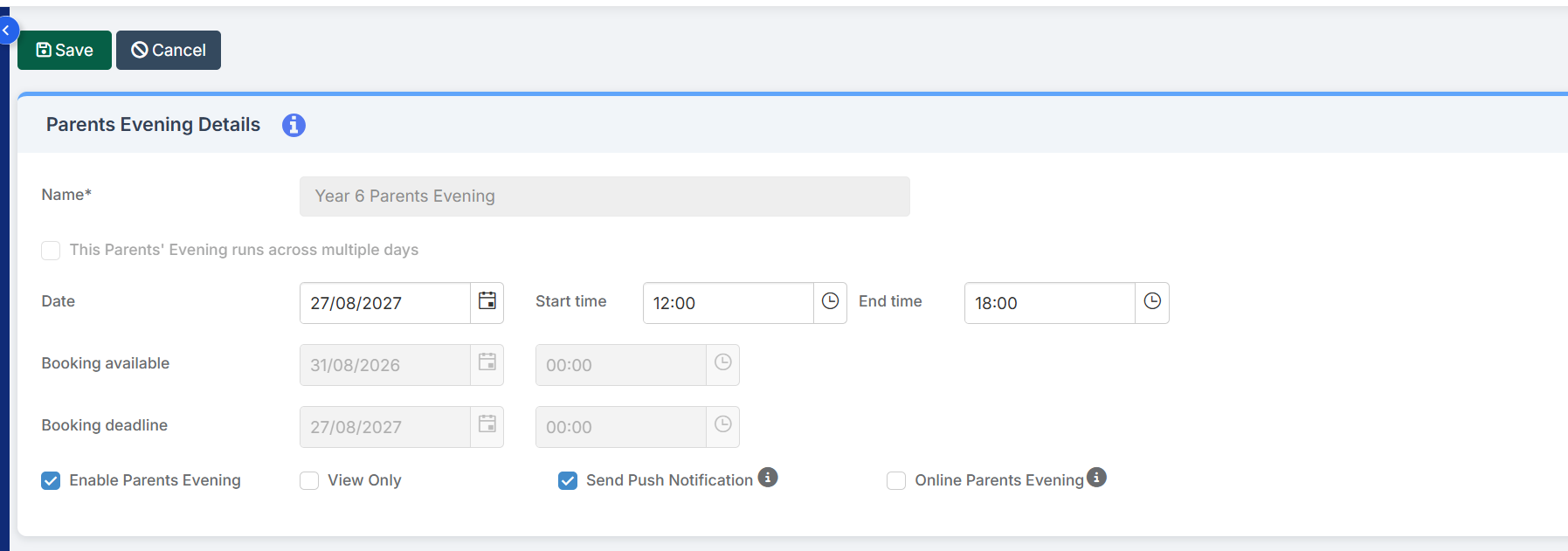
You can edit the Booking available and Booking deadline by taking the following steps:


  1. Remove tick from “Enable Parents Evening” and “Send Push Notifications” Click Save and click continue on the popup
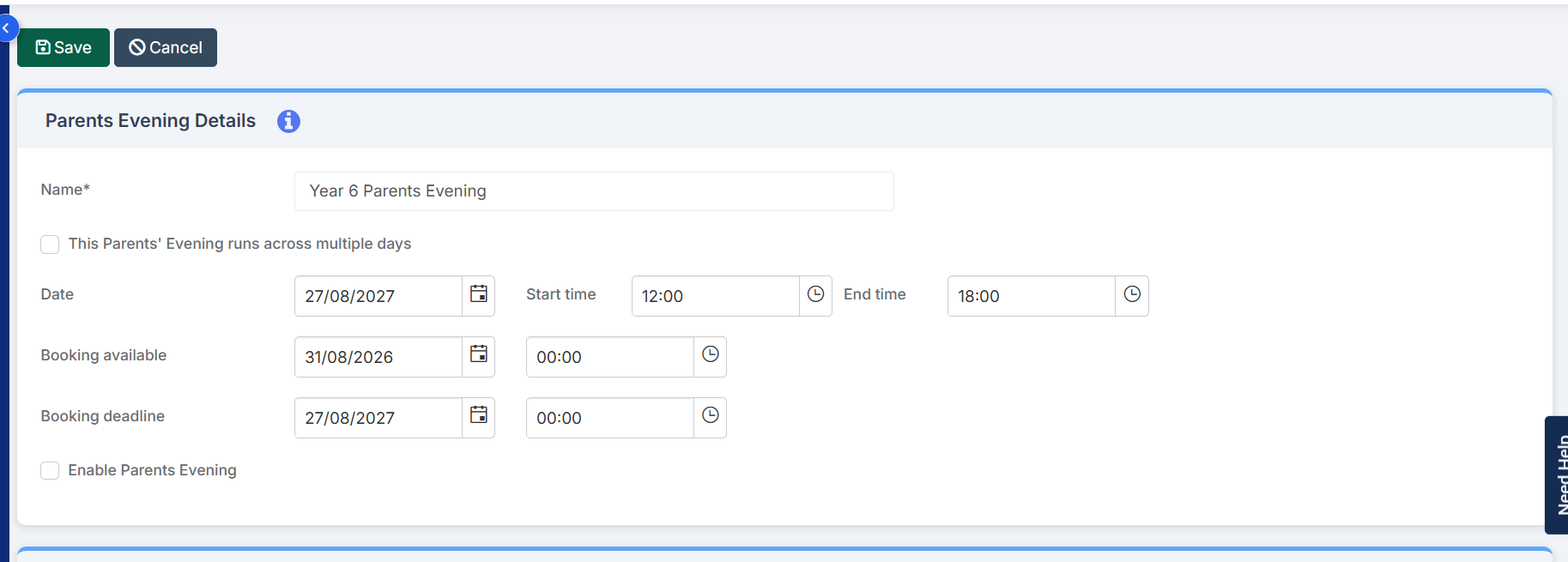
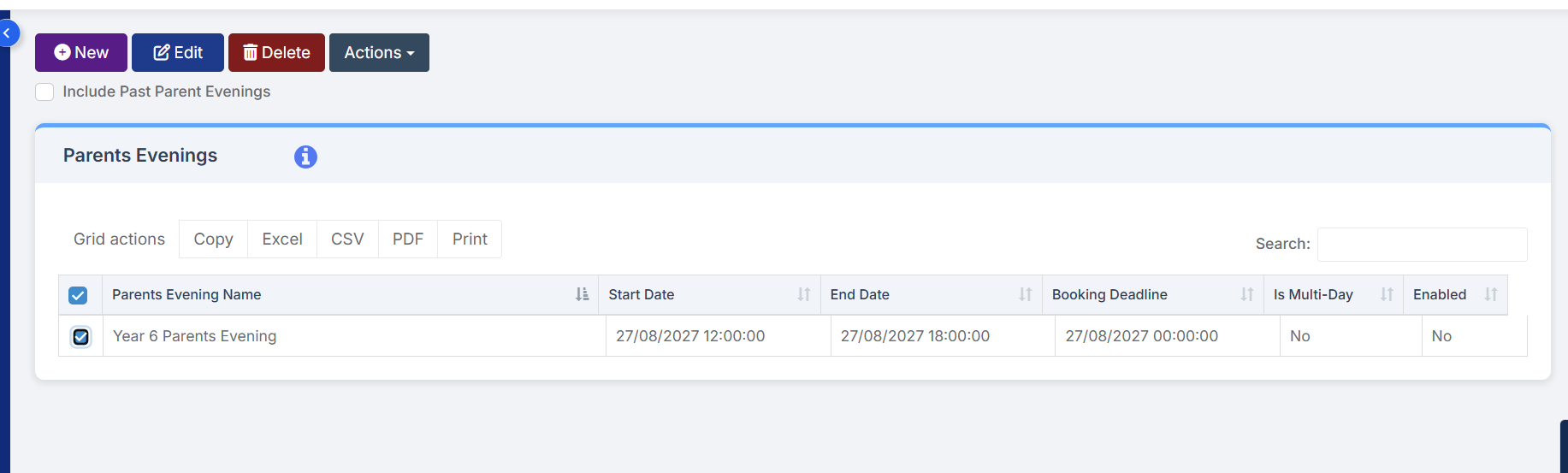
  2. Click the Parents Evening booking again and click edit as shown below to edit the Booking Available and deadline dates. 
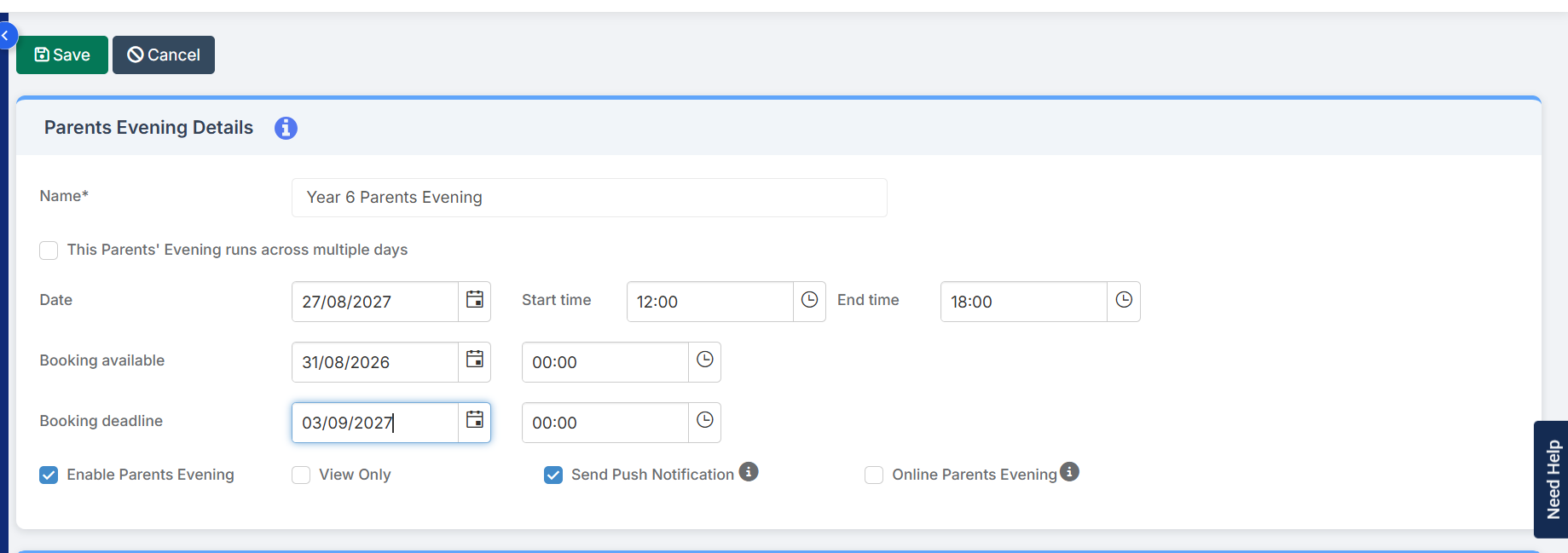
Please remember to tick “Enable Parents Evening” and “”Send Push Notifications” and click save


How useful was this article?

Click on a star to rate it!

Average rating / 5. Vote count:

No votes so far! Be the first to rate this post.

Similar Posts

  • BROMCOM: EYFS Key Stage Return

    EYFS is for every child in the final term of the year in which they reach age 5 Please contact your LA for deadline date or see here if you are a Devon County Council school- BROMCOM: Devon County Council- Key Stage Upload dates – Frequently Asked Questions For more information please read the following…

  • Summer School Census 2026 – Bulletin

    This FAQ lists the latest information regarding the School Census.  For Schools wanting the latest documentation for Census and using Bromcom – Click here  to jump to the relevant section. For Schools wanting the latest documentation for Census and using Arbor –  Click here  to jump to the relevant section. For information preparation for the upcoming Census…

  • Bromcom Finance & DTSApps – PLYMOUTH SCHOOLS

    Bromcom Finance: How to process your invoices, in Central Authorisation and “Print & Export” Bromcom Finance: Raising orders on suppliers websites for example: YPO & Amazon Bromcom Finance: How to cancel “Passed for Pay” Invoices Bromcom Finance: I have clicked print and not print and export Bromcom Finance and DTSApps: How to process your invoice…

  • Bromcom Finance : How to Add a Salary Apportionment

    Please see the following guide which explains who to add a salary apportionment and also how to transfer salary apportionment to your new financial year   How to Add a Salary Apportionment How useful was this article? Click on a star to rate it! Submit Rating Average rating / 5. Vote count: No votes so…

  • Bromcom Finance: Reports to assist with Financial Audit processes

    Please see below for suggestions of reports which can assist you with exporting data for financial audits. Budget Monitoring Modules > Finance > Budgeting > Budget Variances Add/remove columns on the right hand side, right click to Export to CSV/Excel. Staff Commitments Modules > Finance > Staffing > Salary Projections In the top right hand…