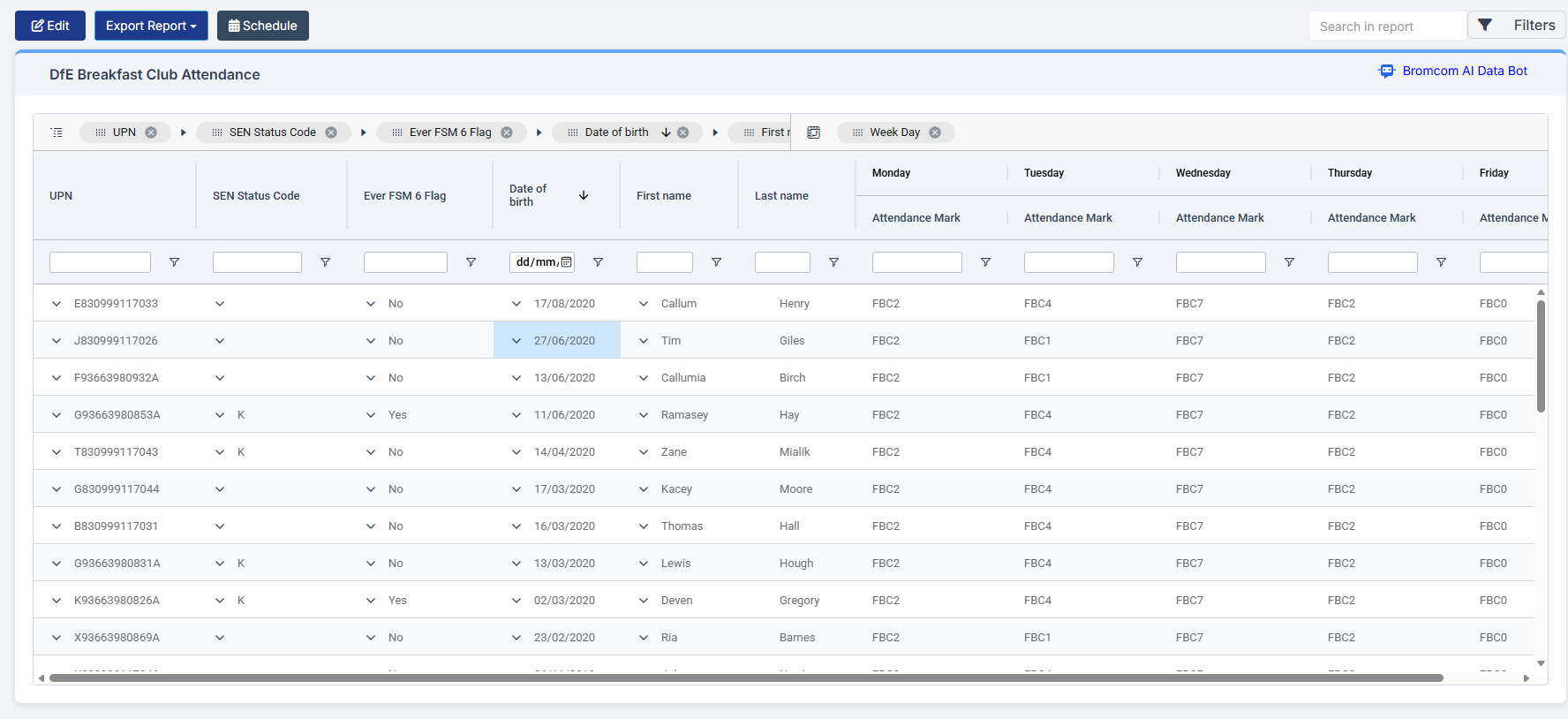
DfE Free Breakfast Club Report
DfE Funded Free Breakfast Club Programme – Bromcom – Documentation Centre
The DfE have sent out a request for a Report to be sent back to them containing the following information: 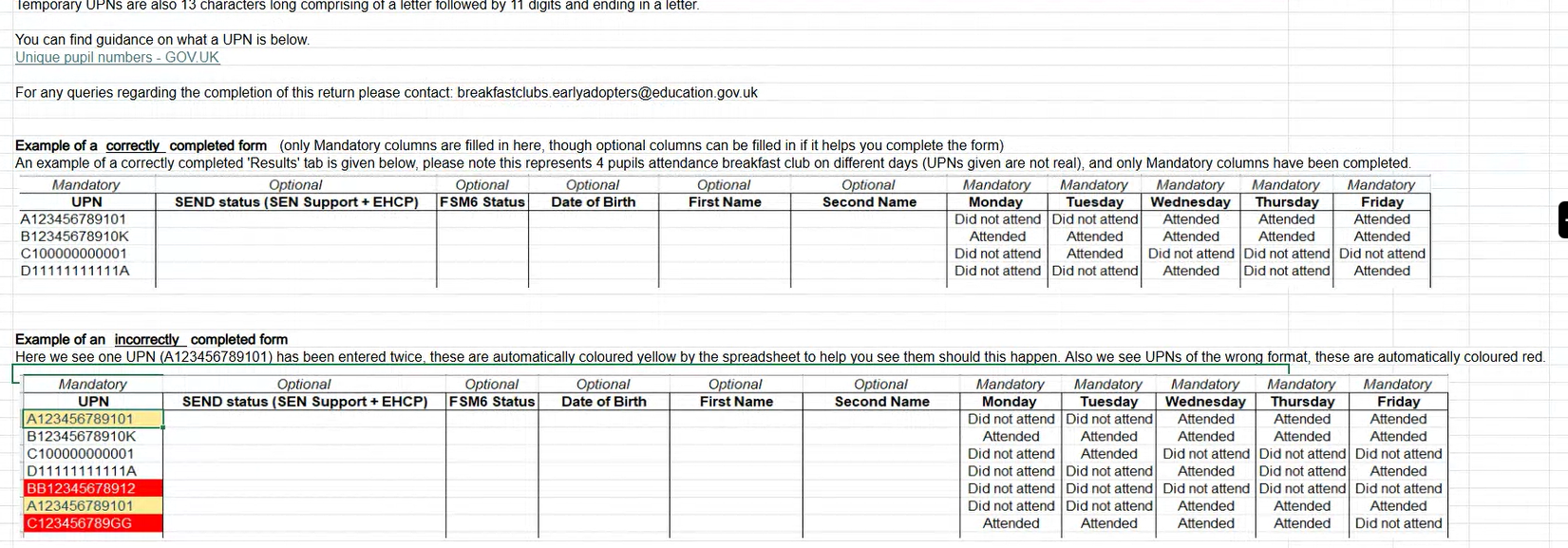
You can Download and unzip the report template here: DfE Breakfast Club Attendance
In Bromcom navigate to Reports > Quick Report > View Reports, Select a Report folder on the Right-hand side of the screen, then Actions > Import Report Definition
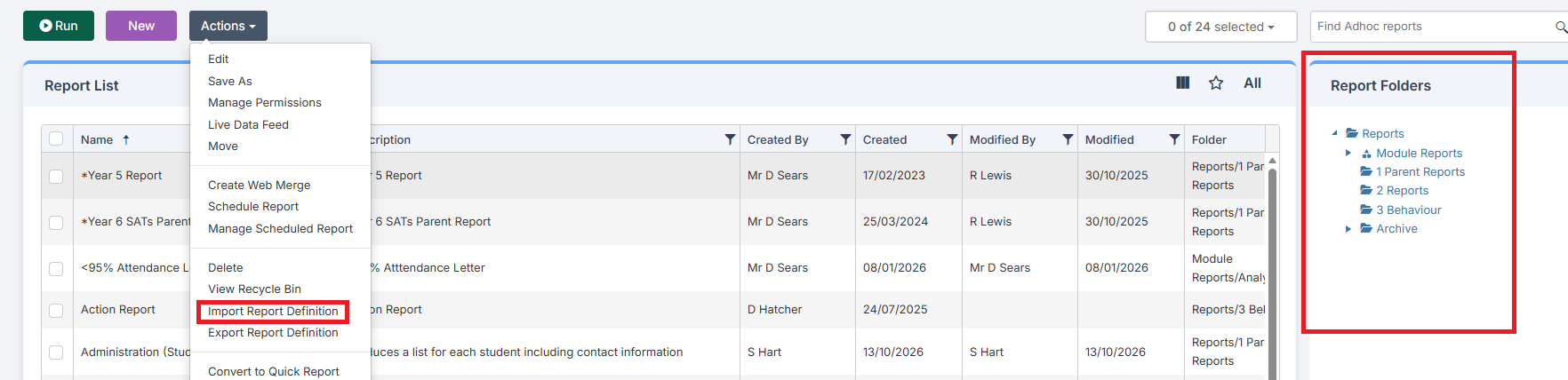
Browse for the downloaded Report Definition File and press Import
Once Imported you can highlight it in the list and press Run.
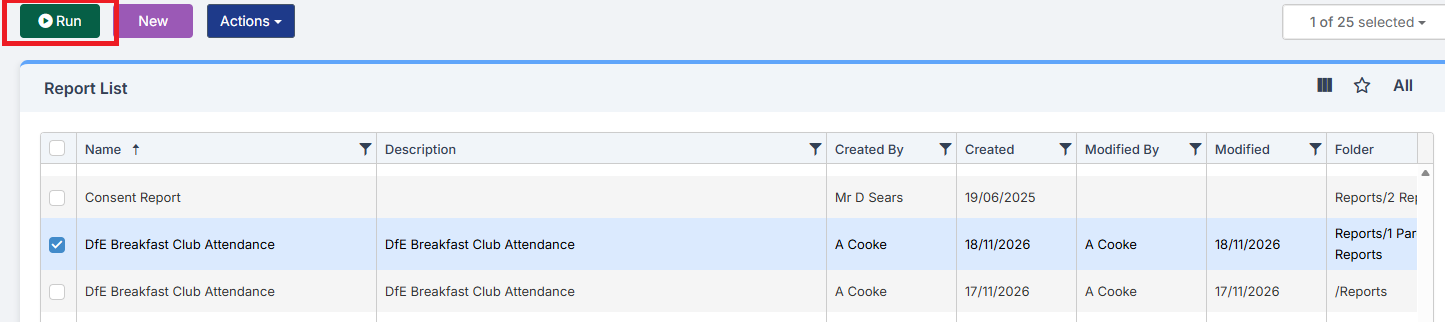
The Report will come up with the dates for you to input that have been requested by the DfE and press ‘Apply’.
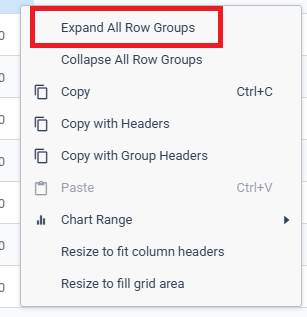
The Report should then run and pull out all the data, if some columns are showing as blank on the report, right click anywhere on the report and Click Expand All Row Groups and it should show the all the data.
The Report will then be ready to export to Excel for additional filtering to assist with gathering the figures requested.
*please note this is our training data