|

Bromcom Finance: Reports to assist with Financial Audit processes

Please see below for suggestions of reports which can assist you with exporting data for financial audits.

Budget Monitoring

Modules > Finance > Budgeting > Budget Variances

Add/remove columns on the right hand side, right click to Export to CSV/Excel.

Staff Commitments

Modules > Finance > Staffing > Salary Projections

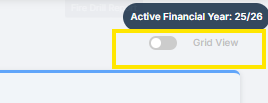
In the top right hand corner, select ‘Grid View’ and this will show individual staff and their estimated salaries, salary paid and variances. Add/remove columns on the right hand side, right click to Export to CSV/Excel.
Staff Absence

Reports > Administration > Staff Absence Report

Purchase Orders/Invoices and Outstanding Commitments

Modules > Finance > Accounts Payable > Purchase Order

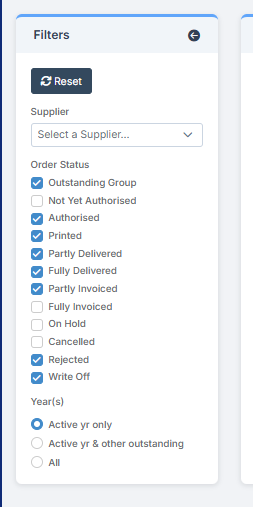
Use filters on the left to select order status.
Modules > Finance > Accounts Payable > Invoices and Credit Notes

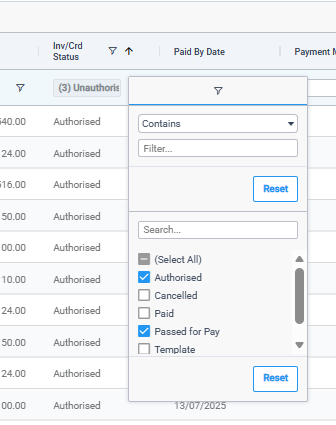
Add/remove columns on the right hand side, filter on status, right click to Export to CSV/Excel.
Staff Joiners and Leavers

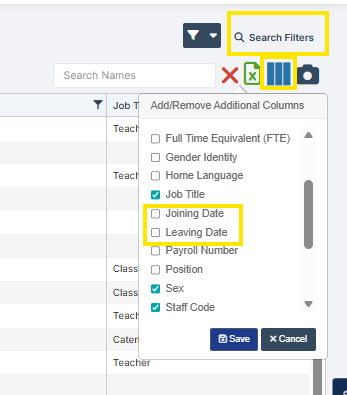
Staff List Page, add columns for Joining Date and Leaving Date, add filters to the individual columns to filter on date. Use ‘Search Filters’ to set an active date or pull through leavers.
How useful was this article?

Click on a star to rate it!

Average rating / 5. Vote count:

No votes so far! Be the first to rate this post.

Similar Posts

  • Key Stage Bulletin 2026

    This FAQ contains the latest information and guides regarding the Key Stage Return 2026. Please see below for further guidance DFE information can be found here- School curriculum – https://www.gov.uk/national-curriculum Important Dates Phonics Threshold mark release date- 22nd June 2026 – This information will be published on Phonics DFE Schools must produce CTF files containing…

  • Recording Club Attendance in Bromcom

    In Bromcom it’s possible to record attendance for Clubs, in this KB we’ll show you how this is done. Navigating to the Clubs Homepage In Bromcom, click the Groups button, this will default either to Tutor or Class. In the top right corner of the screen change the Group Type to Clubs Recording Attendance Select…

  • Bromcom: Missing Staff Dinner Balance Widget

    If your staff is missing the “Staff Dinner Balance” widget, please ensure the correct permission has been assigned to their “Teacher” role. To ensure the correct permissions have been assigned, please browse to Config> Setup> Roles and permissions, choose the role e.g Teacher click edit and choose the module in the drop down of “Profile”…

  • BROMCOM – Quick Summary Guide – Pre-checks and Generating School Census

    This FAQ is a quick check list for updating information before Census.  For Schools wanting the latest documentation for Census and using Bromcom – Click here  to jump to the relevant section. Thursday 21st of May 2026 is census day Wednesday 17th of June 2026 is your census submission deadline (unless otherwise advised by your Local…

  • BROMCOM: How to import Year 4 MTC Results CTF

    You will revive a CTF file with the MTC results that you can import into your Bromcom Go to Students from the left hand side menu From the Year group filter select Year 4 From the Selections button click ‘Select All‘. This should then highlight all your required pupils in blue. Once you have all…