Bromcom Repository

The online report repository offers a selection of editable reports that you can import in to your system (Reports>Adhoc>View Reports>Actions>Import Report Definition )
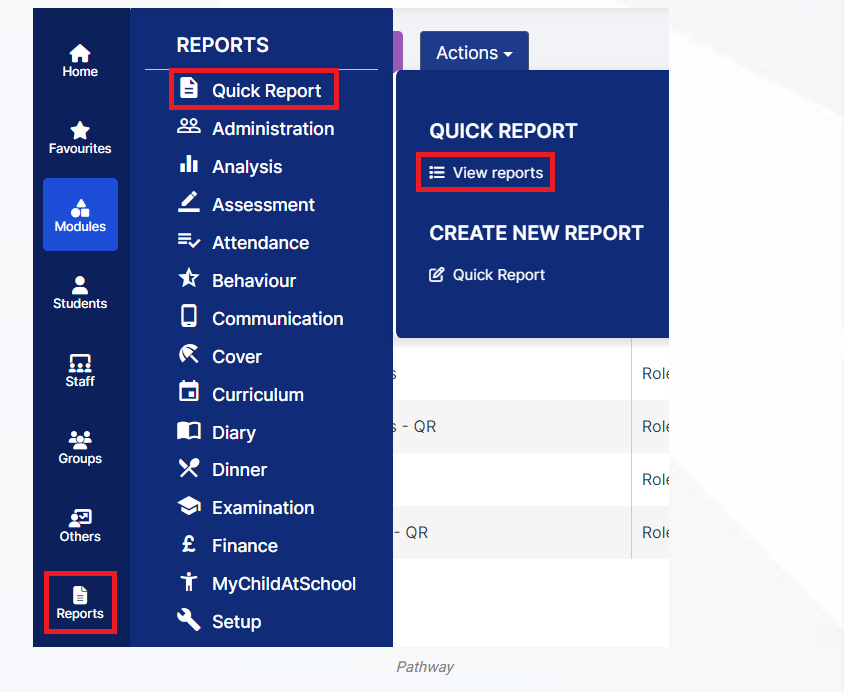
More information can be found here: How to use the Online Report Repository & Import Report Definition – Bromcom – Documentation Centre

How useful was this article?

Click on a star to rate it!

Average rating / 5. Vote count:

No votes so far! Be the first to rate this post.

Similar Posts

  • End of Year Procedures 2025

    This FAQ lists the latest information regarding the End of Year procedures within Arbor and Bromcom. It contains all guidance notes required to carry out end of year procedures in your school. You must complete these procedures before the start of the new academic year.  Scomis is delivering Bromcom End of Year training on the…

  • Bromcom: How do I add part time schedules for nursery students

    To add Part Time schedules for Nursery students go to Modules > Attendance > Routines > Bulk Attendance Update. You can then select whether you would like to update attendance for individual Students, Class/Groups or Teachers. Then select the Student/s, Class/Group/s or Teacher/s to update by either typing the name in the box or using the Search option by clicking on the Magnifying Glass icon. The Selection List will then…

  • Bromcom Finance : How do I clear a salary commitment ?

    You will need to clear a salary commitment if you have reconciled manually via Individual salary payments or central payments as follows: Browse to Modules> Finance> Homepage> Staffing> Salary Projections. Click the “Actions” button top left > Click “Amend Commitments” Select the staff member & posting period. Click “Clear Commitments” How useful was this article?…