Bromcom: Exam Results import errors
When importing your results files into Bromcom it is possible that you may experience one of two errors.
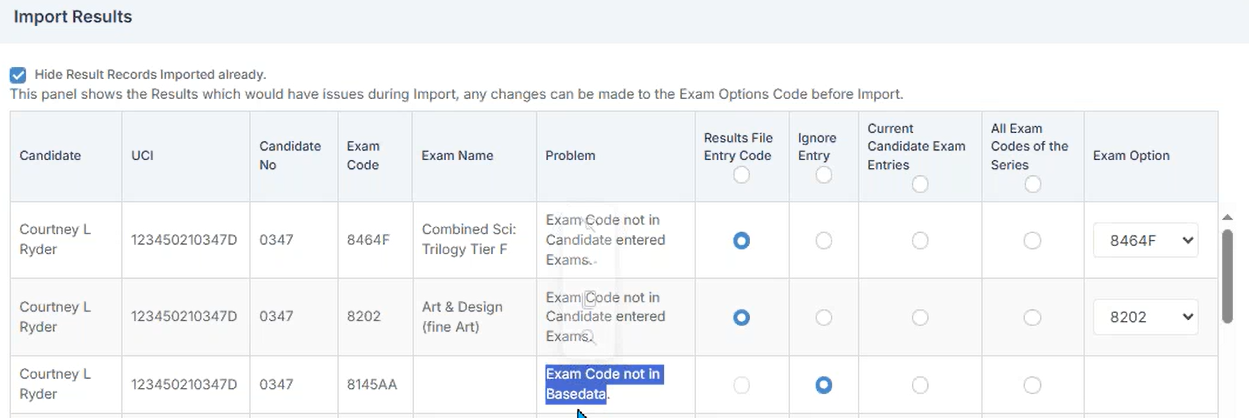
The first error as shown above is “Exam Code not in Candidate entered Exams”. This means that Bromcom cannot find an entry that corresponds with the results Exam Code. To resolve this error move the radio button into the “Results File Entry Code” column and select the relevant code from the “Exam Option” column.
The second error that can be seen above is “Exam Code not in Basedata”. This means that Bromcom cannot find any Basedata relating to the Exam Code. To resolve this you will need to import the relevant Basedata and then re-import the results file.