Bromcom Finance: How do I add an additional allowance?
If you need to add an additional allowance for a staff member, you will first need to add a new version date for the allowance as follows:
- Browse to Config>Administration> Additional allowances
- Click the allowance line E.G if you want to update TL3 – Teaching and learning responsibilities
- Under the “Versions” click add new date e.g starting from 1/4/2025 add the allowance award e.g £1500 as shown the screen shot below.
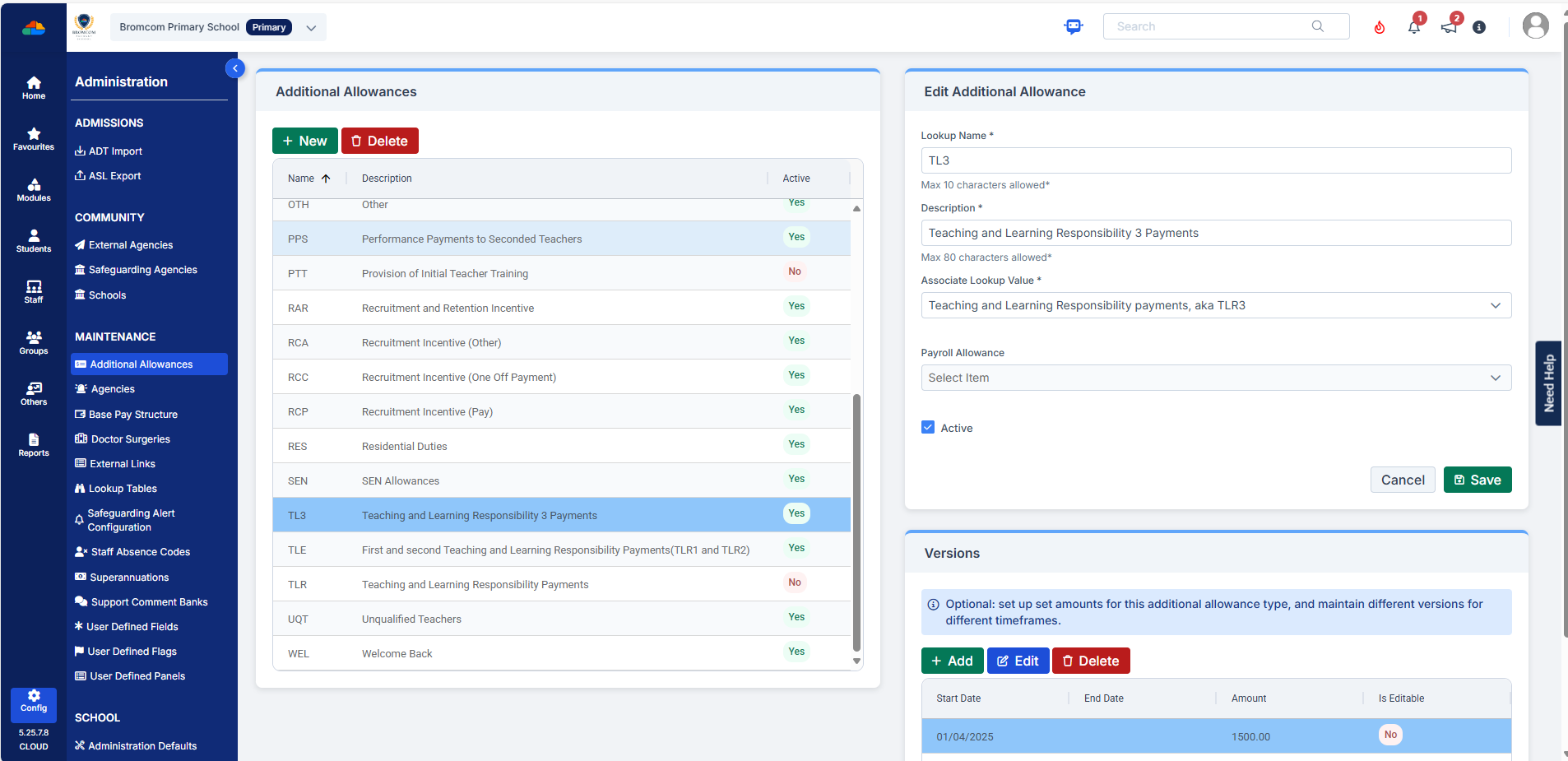
Once you have added the allowance, you will need to update the staff members contract, under the “Pay tab” within the contract with the allowance.
Example:Adding the allowance into the staff members contract under the pay tab.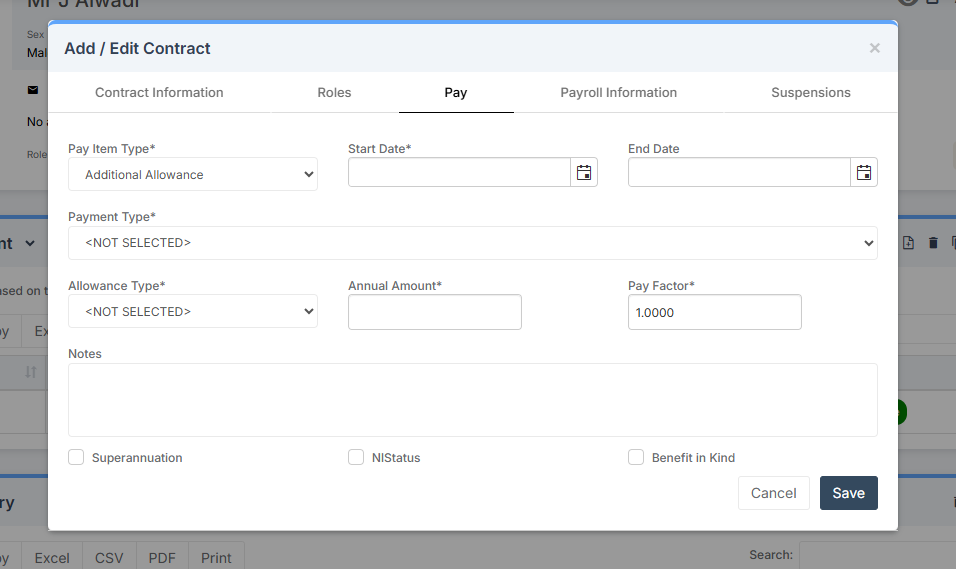
For further information, please also see Administration – Staff: Additional Payments/Allowances – Bromcom