|

Bromcom Finance & Budgets: How do I sort columns in my Budget Variance

Modules> Finance> Homepage> Budgeting> Budget Variances

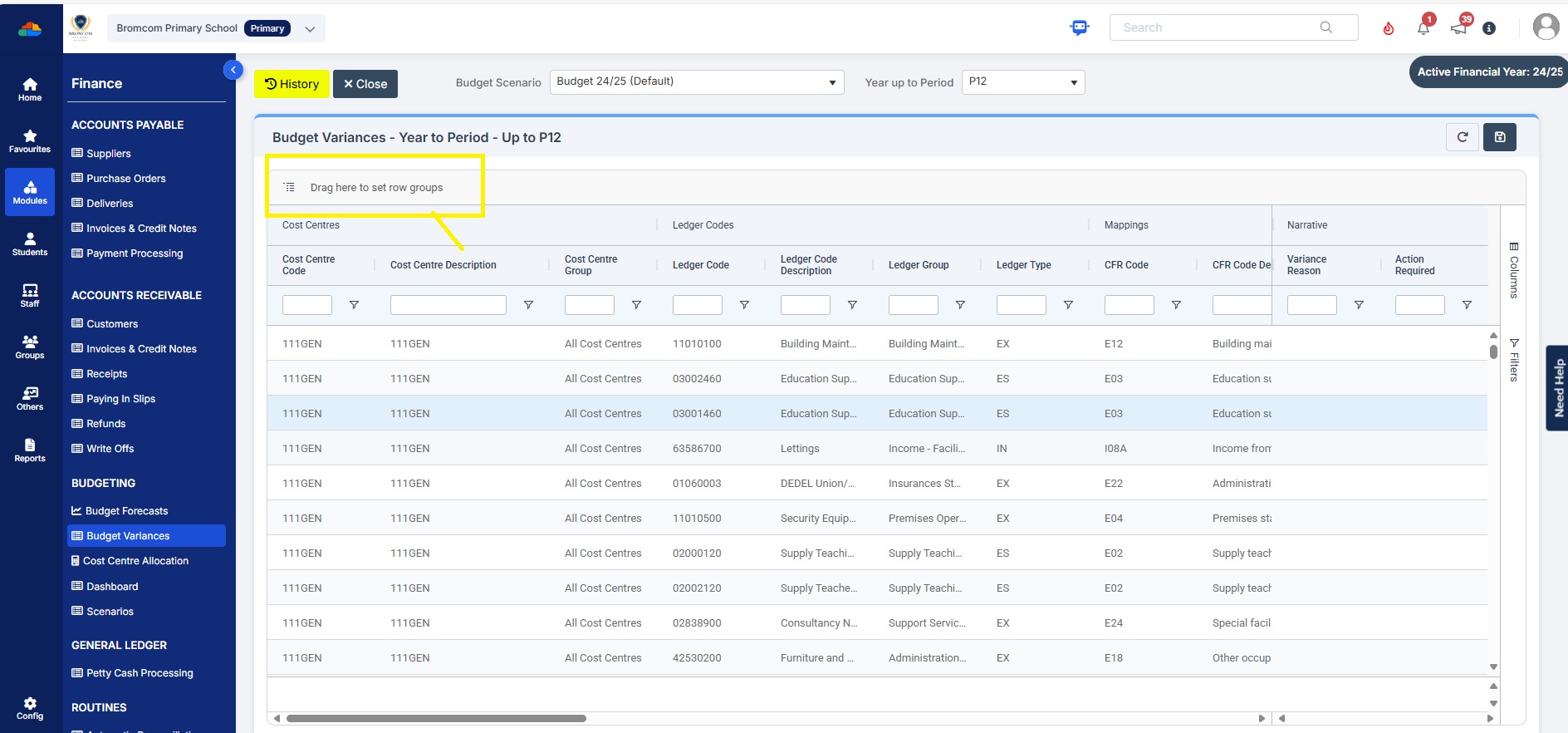
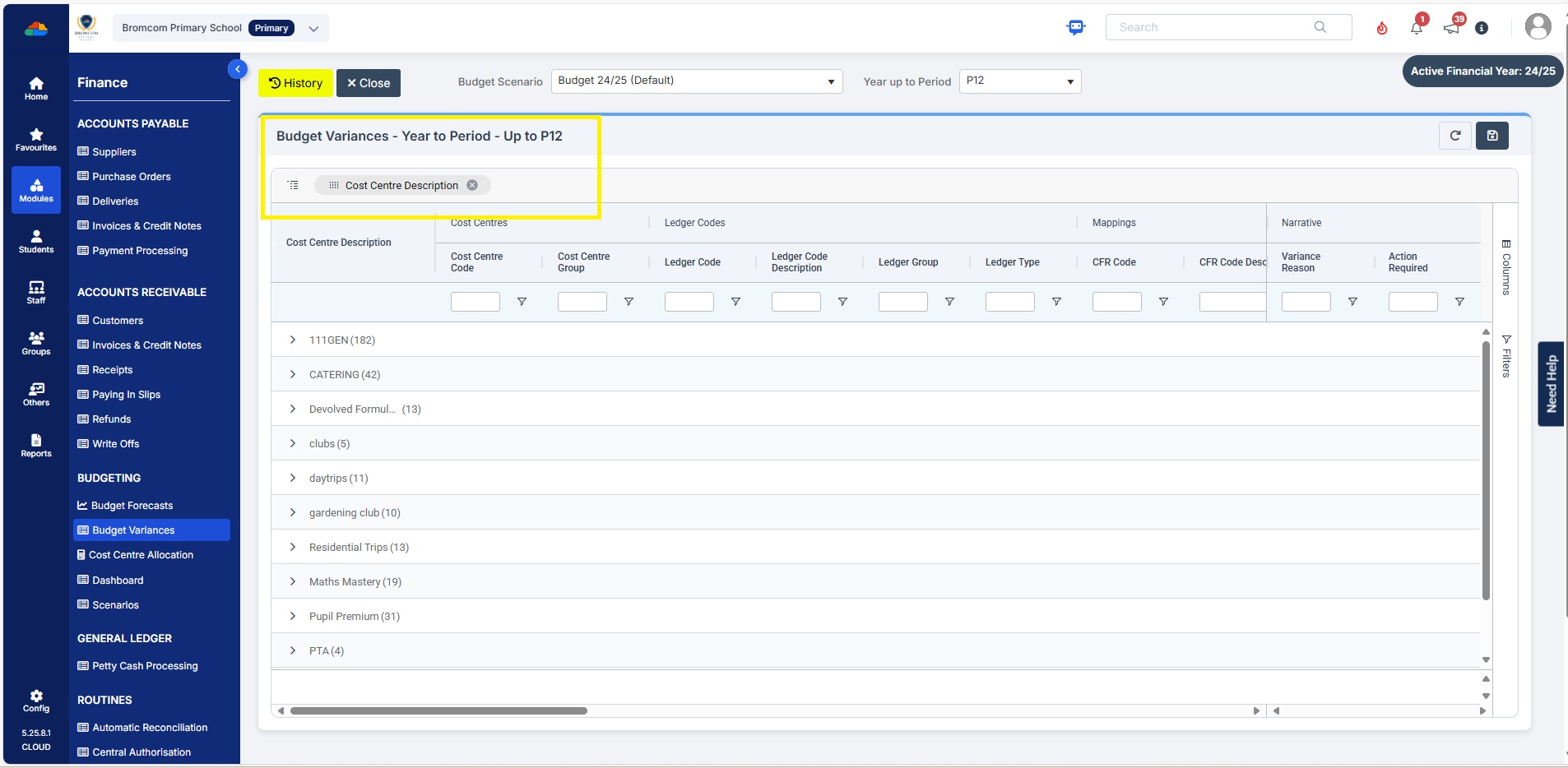
You can click on any the heading e.g  Cost Centre Description and drag to above “Drag here to set row groups”   –  see example below before sorting
Example after sorting to Cost Centre description
Please also see Budget planning user guide


How useful was this article?

Click on a star to rate it!

Average rating / 5. Vote count:

No votes so far! Be the first to rate this post.

Similar Posts

  • Bromcom Finance and DTSApps – Download and Reformat process PLYMOUTH SCHOOLS

    This FAQ is for Plymouth Schools and explains how to reformat your reconciliation file downloaded from DfE S2S to ensure it can be imported into Bromcom Finance. Download your relevant reconciliation files from DfE School to School Unzip your file using 7 zip and your Plymouth credentials (Please ensure that the file size is above…

  • Bromcom Finance: Year End Procedures

    Please find the following guides for Bromcom Finance Year End Procedures: 1)   Part 1 Guide  Preparing for the year end 2) Part 2 Guide Setting up the new year 3)   Part 3 Guide – Closing the Financial year   How useful was this article? Click on a star to rate it! Submit Rating Average rating /…

  • Bromcom Finance: Unable to search on Cost Centre & Ledger Code fields

    When adding purchase orders it isn’t possible to use any of the accounting search fields. If this is happening please check that your browser and the PC display itself are not on more than 100% on zoom, as well as no half screen or stretched mode etc. If this does not resolve the issue please…

  • Bromcom Finance: Base Pay mapping FAQs

    Please see this guide for commonly asked questions around “Base Pay Mapping” If you need assistance with setting up mapping please see the following FAQ How to add Base Pay Mapping Scenario 1 – I have staff with the role of “Teaching assistants ” that need to be mapped to multiple cost centres In Bromcom…

  • Bromcom Finance: How do I enter my budget into the new year ?

    Modules> Finance> Homepage>Budgeting> Cost Centre allocation. Top tip: When in Cost centre allocation, you can click “Edit Mode” located top right of screen, which opens all cost centres and ledger codes in one area for you to add your budget allocations. Please also see the following guide:Bromcom Finance guide – How to Enter Budgets  …