Bromcom: Exam result not importing into assessment template

https://docs.bromcom.com/knowledge-base/how-to-include-exam-results-in-assessments-sheets/

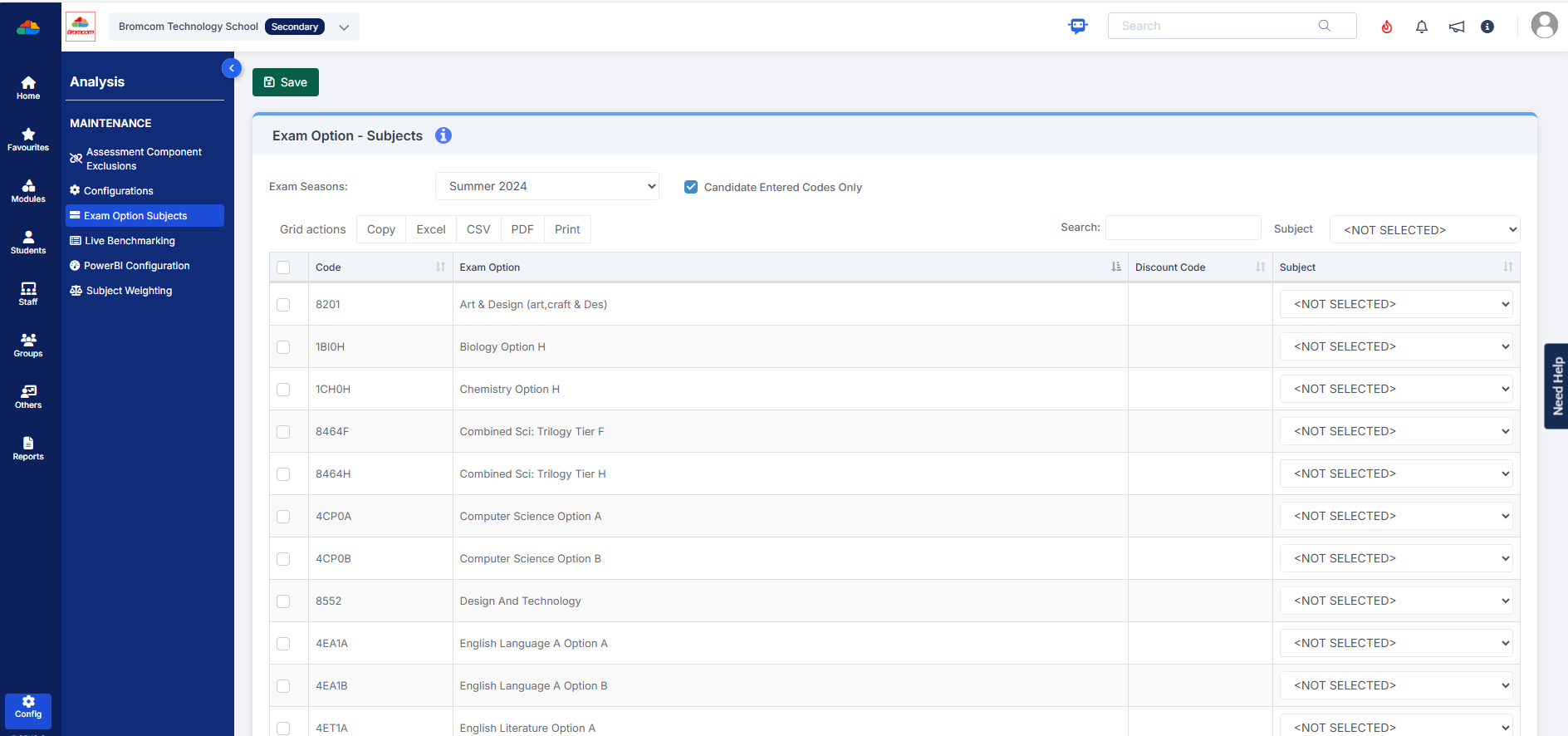
As outlined in the referenced article, you may find that after completing the routine, the expected results do not appear. If this occurs, please verify that your internal subject names are correctly mapped to the exam name. This can be done by navigating to:

Config > Analysis > Exam Options Subjects

For detailed guidance, please refer to the documentation:

How to use Exam Option Subjects – Bromcom – Documentation Centre)
How useful was this article?

Click on a star to rate it!

Average rating / 5. Vote count:

No votes so far! Be the first to rate this post.

Similar Posts

  • Bromcom Finance: How can I print my imported “Automatic Reconciliation file”

    Once in Modules > Finance> Homepage>Routines> Automatic reconciliation, please right click in the listing and then click export as shown in the screen shot  below.  This will then allow you to export to excel or csv and print as required.   How useful was this article? Click on a star to rate it! Submit Rating…

  • Bromcom: Taking PM marks in different periods

    Question: Is it possible to have the PM mark taken at different periods through the week? I.E. P5 the majority of the week but P4 on a Wednesday Answer: This can be setup within Config > Attendance > Registration Update Parameters. If you wanted a different period for each day this would have to be…

  • Windows 7 Device and Printer window is blank

    When looking in the Devices and Printers section of the Control Panel (or from the Start Menu) the page takes a long time to load and shows 0 items.