DEVON ONLY – Amending & Importing Period 13 reconciliation files to Period 12
Devon Payments have sent down reconciliation files for period 13. Unfortunately it is not possible to import files into Bromcom for Period 13 as this period is only for adjustments.
If you have not already downloaded the files from DTSApps please see DEVON ONLY: DTSApps account code changes – Frequently Asked Questions for guidance on how to do this for 2025.
Once you have downloaded the files you will need to manually amend each file to Period 12.
This can be done by opening the files in notepad and changing the figures shown highlighted below from 13 to 12. If it does not look like the below screen please go to View and select Word wrap.
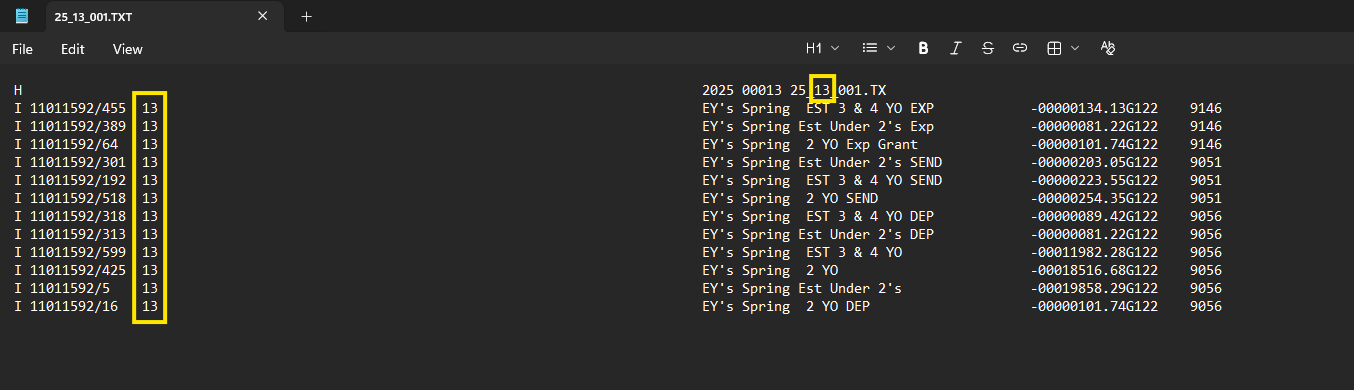
Once all figures have been changed you will need to go to File > Save As and change the file name from 25_13_XX to “25_12_XX Period 13”.
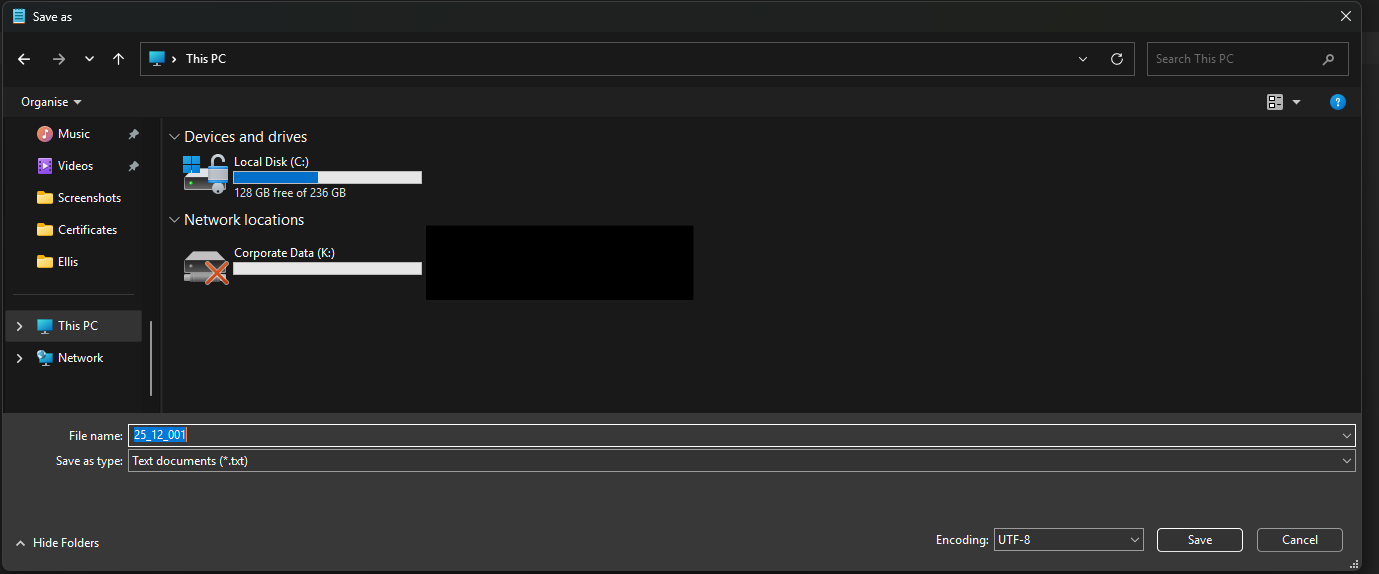
You can then import the files into the 2025 financial year in Bromcom through Automatic Reconciliation. This can be done even if Period 12 has been closed in Bromcom.
These files will fail Automatic Reconciliation so please refer to Closedown 2025/26 Update for Maintained Schools – Support for schools and settings for guidance on how to deal with this.