|

Bromcom Finance: How do I create a Trial balance report and compare in DTSApps ? – Devon schools

Your local authority will give you access to a power BI monthly budget report in a CSV format, this report is used to compare what has been recorded in Bromcom finance accounts.

To compare the Local Authority Power BI report you need to take the following steps:

  1. Create Trial balance report in Bromcom Finance – Modules> Finance> Homepage>Reports> Trial Balance by ledger code
  2. Select your dates.
  3. Click Preview
  4. Click Export
  5. Tick save local copy and select from drop down CSV
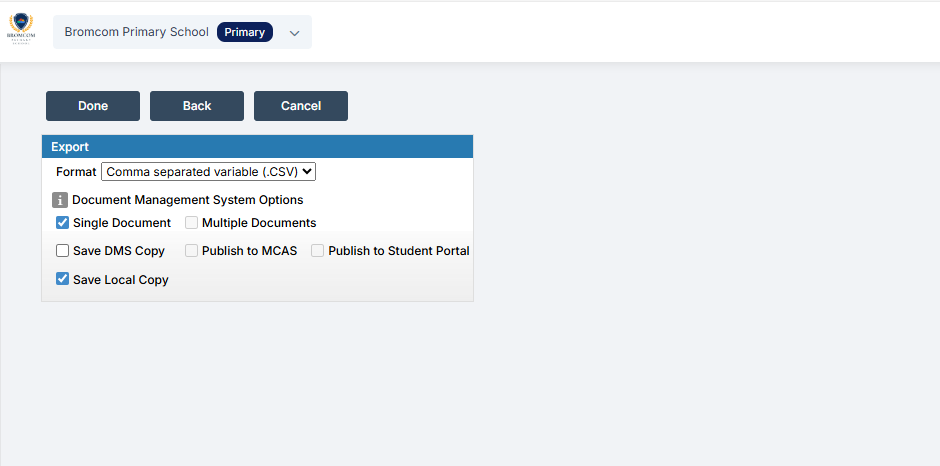
5. Click done

6. Log into – DTSApps

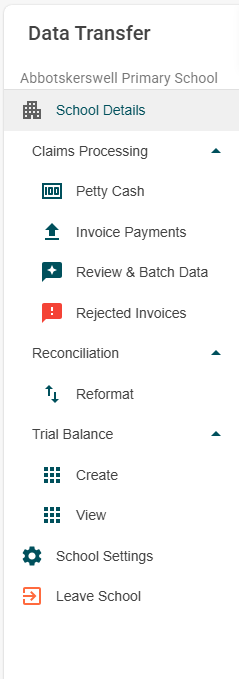
7.Select Trial Balance from the menu
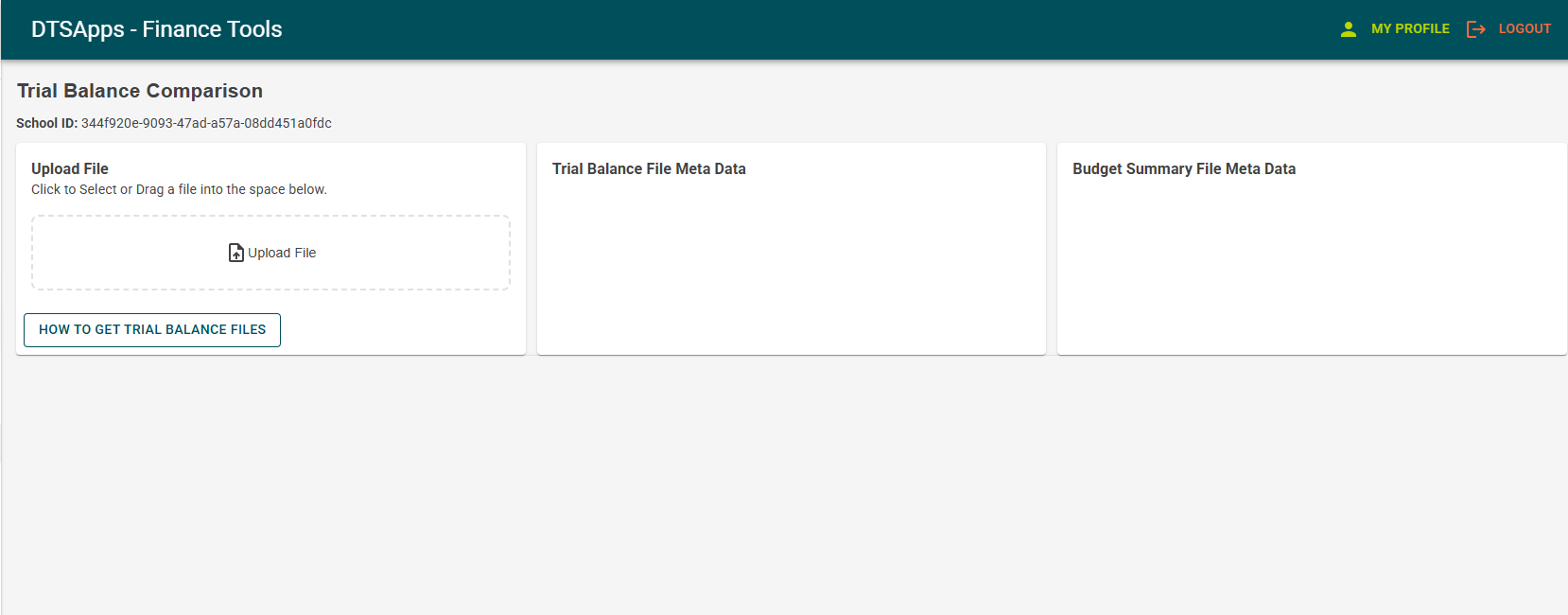
8. Load your Trial balance report from Bromcom and then your Power BI report from your Local Authority. If unsure about downloading the power BI, Please speak with your Schools finance contact/officer for advice and instructions on downloading the power BI report, as the power BI report is produced by DCC.
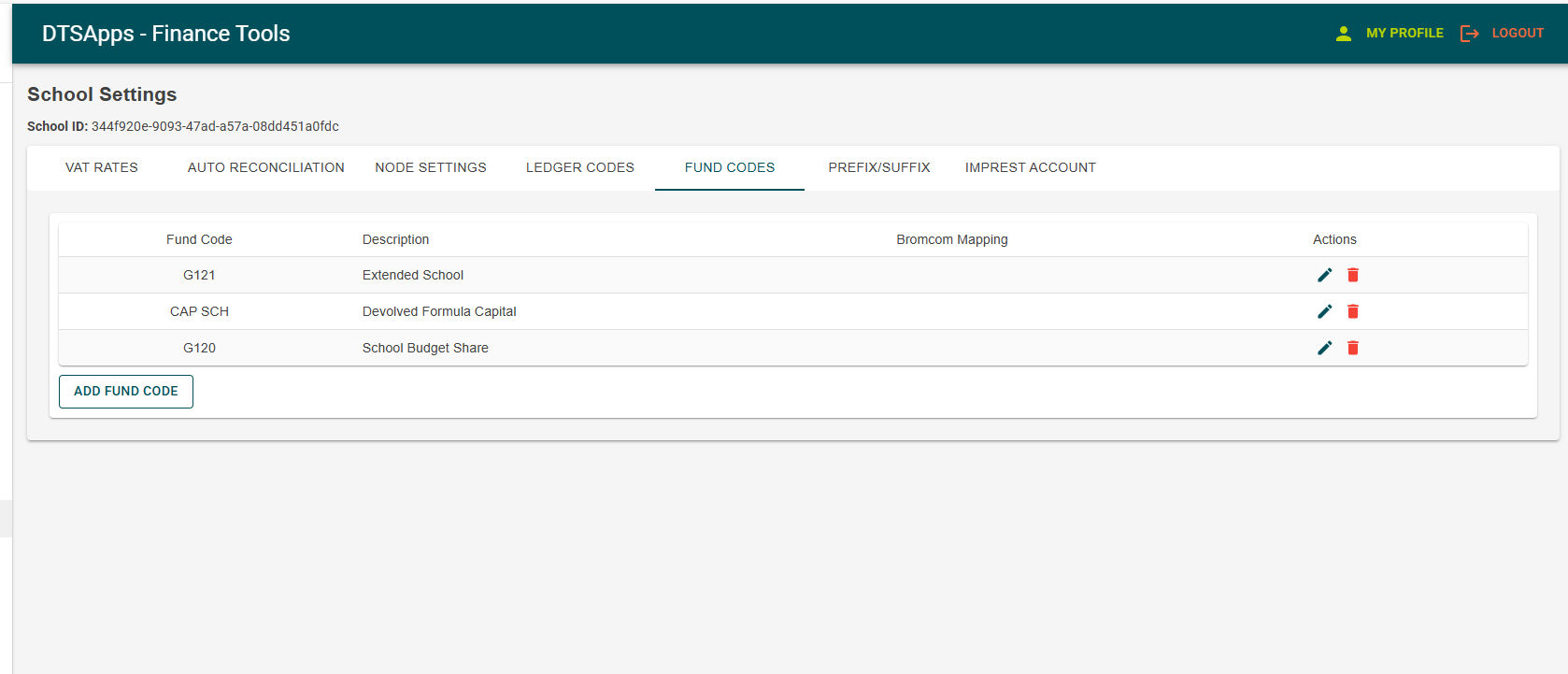
9) Please note you can exclude funds if you wish in schools settings if you wish.
 

How useful was this article?

Click on a star to rate it!

Average rating / 5. Vote count:

No votes so far! Be the first to rate this post.

Similar Posts

  • Bromcom: How to update Parental Responsibility

    To update Parental Responsibility click on the pencil icon for the Contact in the Linked Students tab Then you can choose Parental Responsibility If you make any changes, make sure to press Save.     How useful was this article? Click on a star to rate it! Submit Rating Average rating / 5. Vote count: No votes so far! Be the first to rate this…

  • BROMCOM: Which Marksheet to Enter Phonics Results

    In Bromcom via Modules > Assessment > Assessment Sheet List, the Phonics is Entered in the Marksheet named KS1-2025-01 for Year 1 Pupils. For Year 2 Phonics Retakes – This is entered in KS1-2025-02  The marks are entered in the Phonics Screening Check Mark This takes you through how to Enter in Marks How useful…

  • Bromcom: How to view Year 2’s Phonics results from when they were in Year 1

    If you need to view your current Year 2’s Phonics results from the previous year, you can do so using a report. Go to Reports on the left hand side menu, then Assessment and then Results by Pupil Use the find button to select all of your current Year 2 pupils Now select KS1 from…