|

Recording Club Attendance in Bromcom

In Bromcom it’s possible to record attendance for Clubs, in this KB we’ll show you how this is done.

Navigating to the Clubs Homepage

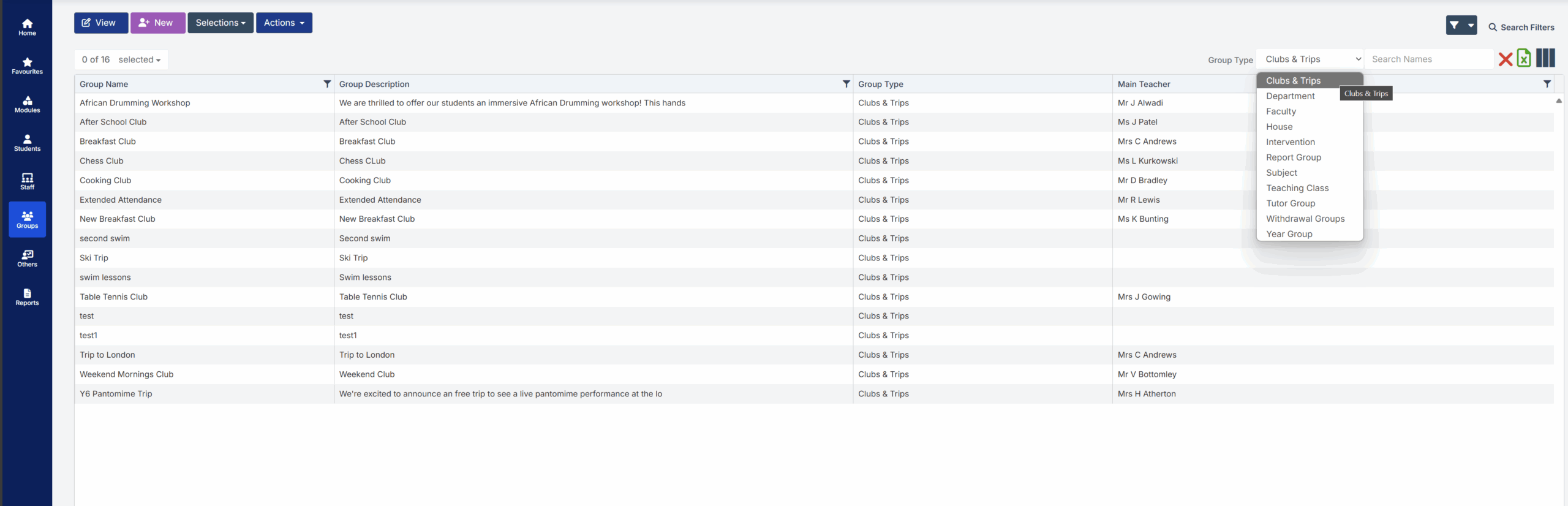
In Bromcom, click the Groups button, this will default either to Tutor or Class. In the top right corner of the screen change the Group Type to Clubs
Recording Attendance

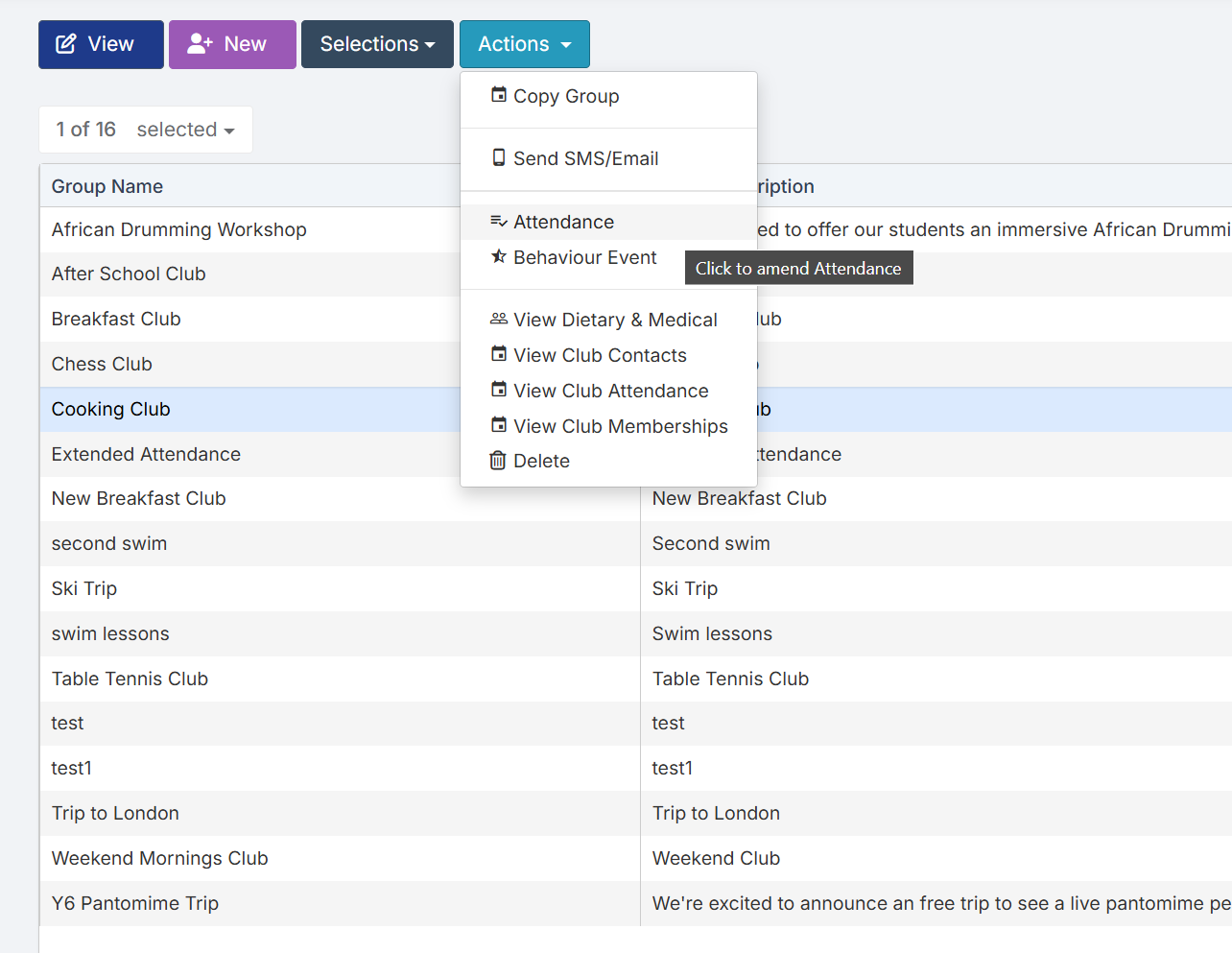
Select the Club(s) that you want to take the register for, then use the Actions menu to select the Attendance option
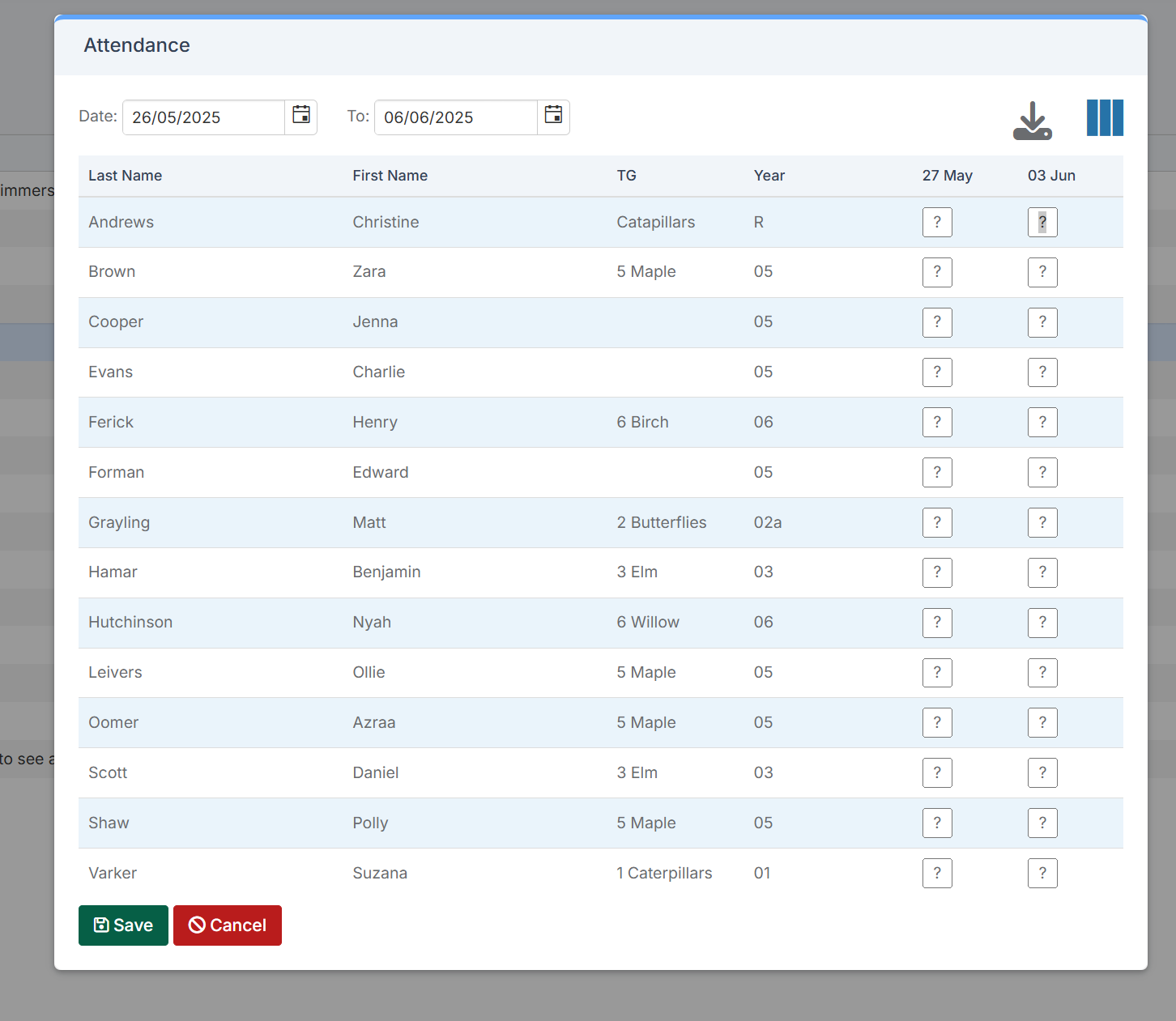
When you open the Attendance window it will default to the current week, using the dates at the top of the window you’ll be able to show both previous or future sessions.
Reporting on Club Attendance

It’s possible to report on club attendance via the Quick Reports area in Bromcom.

How useful was this article?

Click on a star to rate it!

Average rating / 5. Vote count:

No votes so far! Be the first to rate this post.

Similar Posts

  • BROMCOM: How can I transfer a Dinner Balance to a Running Balance Club Balance?

    Modules>MCAS.View>View Balances.  Select the student and then click on “Transfer” and enter the transfer details.         How useful was this article? Click on a star to rate it! Submit Rating Average rating / 5. Vote count: No votes so far! Be the first to rate this post.

  • BROMCOM: Phonics Screening Check 2025

    This FAQ is for the users in school who need to carry out the Phonics Screening Check. The collection of the Phonics Screening Data Check is for Key Stage 1 All Pupils in Year 1 and Year 2 Pupils who didn’t meet the threshold last academic year.  For further guides please see the following Scomis Bulletin-…

  • Bromcom Finance: How do I add a Petty Cash into the new year

    If you have not run preliminary close in the old year and need money in Petty cash  “Cash In hand” you can add a temporary reimbursement as follows: Modules> Finance> Homepage>General ledger> Petty cash processing Click “Add Reimbursement” as show below and add your details on the right of the example screen shot. Please note:…

  • Key Stage 2 Comparative report- BROMCOM

    The national statistics for the Bromcom Comparative report found under Reports>Assessment>Comparative Report is not currently available Scomis has created a Word web merge template for you to use for KS2 results See the below that Scomis has made for you You can edit the wording, header and footer as well as the columns to suit…

  • DEVON SCHOOLS ONLY – Submitting Claims through iTrent

    The employee is able to do this through self-service and you can then approve the claim once the system is available, or your administrators can input the claim on behalf of the employee via fast input, from a paper form. If you have administrators who are inputting from the paper process, please note the forms…

  • Bromcom: MCAS User Activity

    You may be starting to roll out MCAS and have been sending links out to parents. In Bromcom, you can run a report that shows you which students parents have not activated their account. You can run the User Accounts Report under Reports>MCAS>Account Report.  Here you will be able to run a report of all…