| |

Bromcom Finance & Budgeting : How do I enter a Variance reason in Budget Variances

Modules> Finance> Homepage> Budgeting> Budget Variances

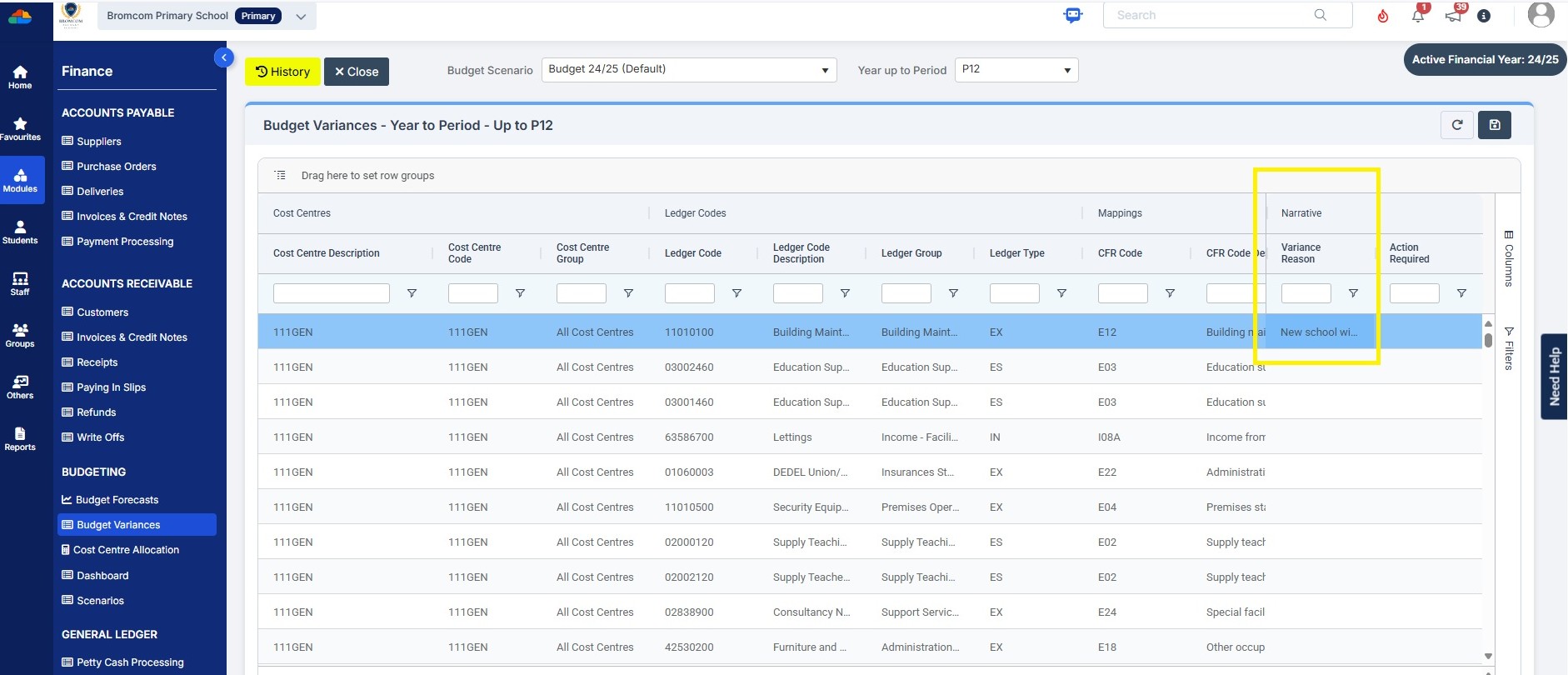
In the budget variances you can add a budget variance reason against e.g a Cost centre as shown in this example below:

Note: Any Variance reason needs to be added before you sort your columns – see sorting columns FAQ – Bromcom Finance & Budgets: How do I sort columns in my Budget Variance – Frequently Asked Questions

Click into the cell as shown in the screen shot below to add your variance reason
How useful was this article?

Click on a star to rate it!

Average rating / 5. Vote count:

No votes so far! Be the first to rate this post.

Similar Posts

  • Bromcom Finance: What do the different status’s mean when processing invoices

    Authorised – This means the Invoice has been “Authorised” and the user would have clicked “Authorise” within the invoice, ready to centrally authorised. Passed for Pay – This means the Invoice has been processed through “Central Authorisation” and print and exported the batch to create a file to upload to the “Local Authority” Paid – This…

  • Bromcom: Exams Embargo – Formula Visibility in Assessment Sheets

    The Exams Embargo only applies to the Exams Module. However, if formulas are used in Assessment Sheets to reference embargoed results, they can become visible to staff with certain Assessment permissions. To maintain the security of results and uphold the embargo, Bromcom have introduced a toggle setting to disable formulas from exposing embargoed exam results…

  • BROMCOM: Phonics Screening Check 2025

    This FAQ is for the users in school who need to carry out the Phonics Screening Check. The collection of the Phonics Screening Data Check is for Key Stage 1 All Pupils in Year 1 and Year 2 Pupils who didn’t meet the threshold last academic year.  For further guides please see the following Scomis Bulletin-…