|

Bromcom: MCAS menu not showing

If your MCAS menu is not showing for certain pupils go to Config > Dinner  > Dinner Menus and open the current menu.
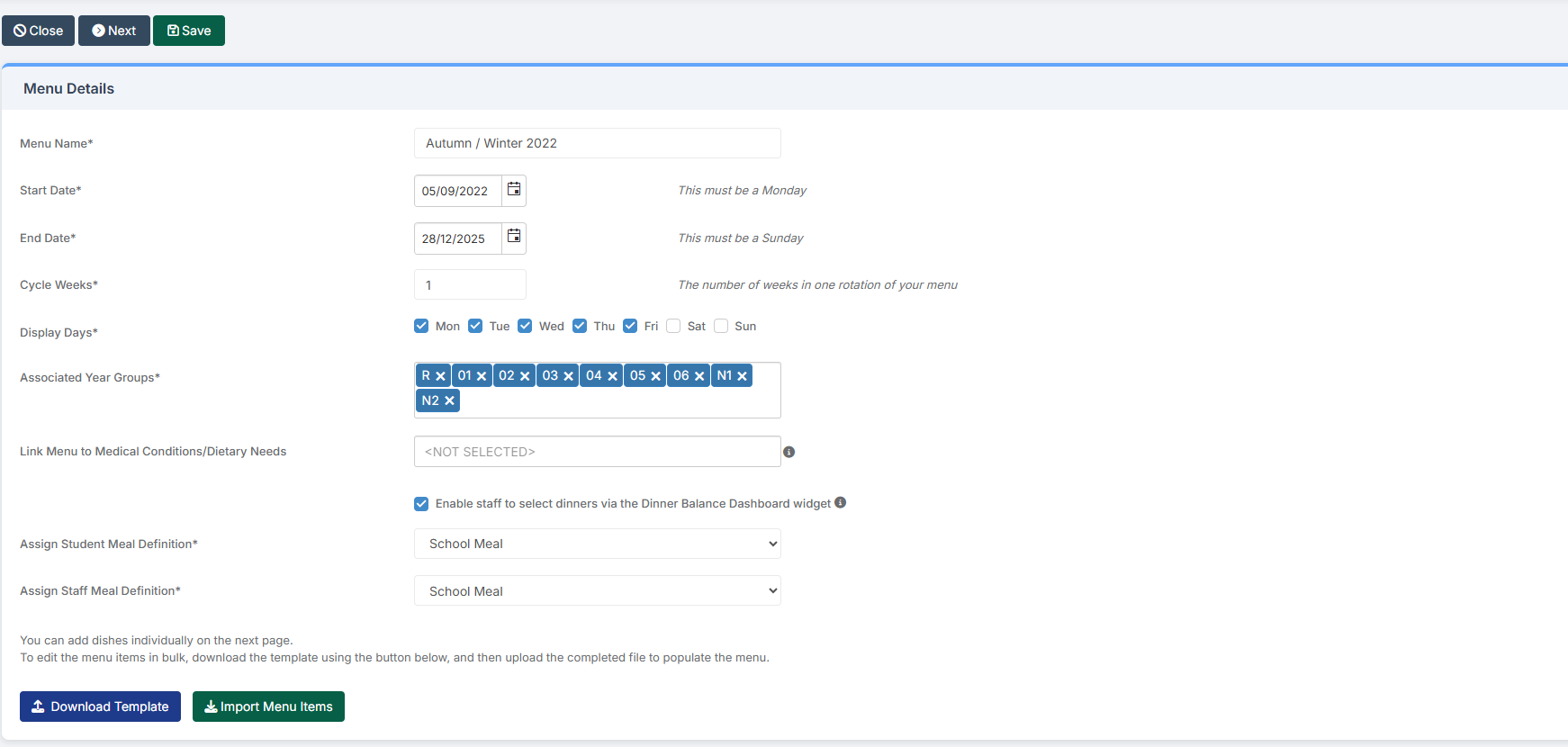
If any Medical Conditions/Dietary Needs have been added the menu will then only show for students with those Medial Conditions/Dietary Needs. To resolve this remove the links.

How useful was this article?

Click on a star to rate it!

Average rating / 5. Vote count:

No votes so far! Be the first to rate this post.

Similar Posts

  • Bromcom: Exams – Common FAQ’s

    Please see the document attached for some common Bromcom Exam questions Exams – common FAQ’s How useful was this article? Click on a star to rate it! Submit Rating Average rating / 5. Vote count: No votes so far! Be the first to rate this post.

  • Key Stage Bulletin 2025

    This FAQ contains the latest information and guides regarding the Key Stage Return 2025.  Please see below for further guidance DFE information can be found here- School curriculum – GOV.UK KS1 is still Optional. Please see the following article from the DFE –  Changes to KS1 Important Dates Phonics Threshold mark release date- 23rd June…

  • Bromcom: How to show just statutory columns in a Key Stage Assessment marksheet

    If you want your Key Stage marksheet to show only the statutory marks, you can filter this in some marksheets. Go to Modules>Assessment>Assessment Sheets List Browse to your chosen Key Stage marksheet, in this example we’ve chosen the Year 1 Phonics marksheet KS1-2025-01 In the top right of this marksheet click on the cog icon…

  • Bromcom Finance & Budgeting : How do I enter a Variance reason in Budget Variances

    Modules> Finance> Homepage> Budgeting> Budget Variances In the budget variances you can add a budget variance reason against e.g a Cost centre as shown in this example below: Note: Any Variance reason needs to be added before you sort your columns – see sorting columns FAQ – Bromcom Finance & Budgets: How do I sort…

  • MCAS – What is included and how do I get started?

    My Child at School is a useful communication tool for schools to use with parents which can be configured to give applicable  in the following areas:   Assessment Attendance Behaviour Class Lists Clubs and Trips Dinner Money Online payments Exams and exam timetables Homework On Report Parents Evening Reports Timetable Academic calendar School shop Parental…

  • End of Year Procedures 2025

    This FAQ lists the latest information regarding the End of Year procedures within Arbor and Bromcom. It contains all guidance notes required to carry out end of year procedures in your school. You must complete these procedures before the start of the new academic year.  Scomis is delivering Bromcom End of Year training on the…