|

Bromcom Finance & Budgets: How can I export my Budget Variance Report?

Modules> Finance> Budgeting> Budget Variances

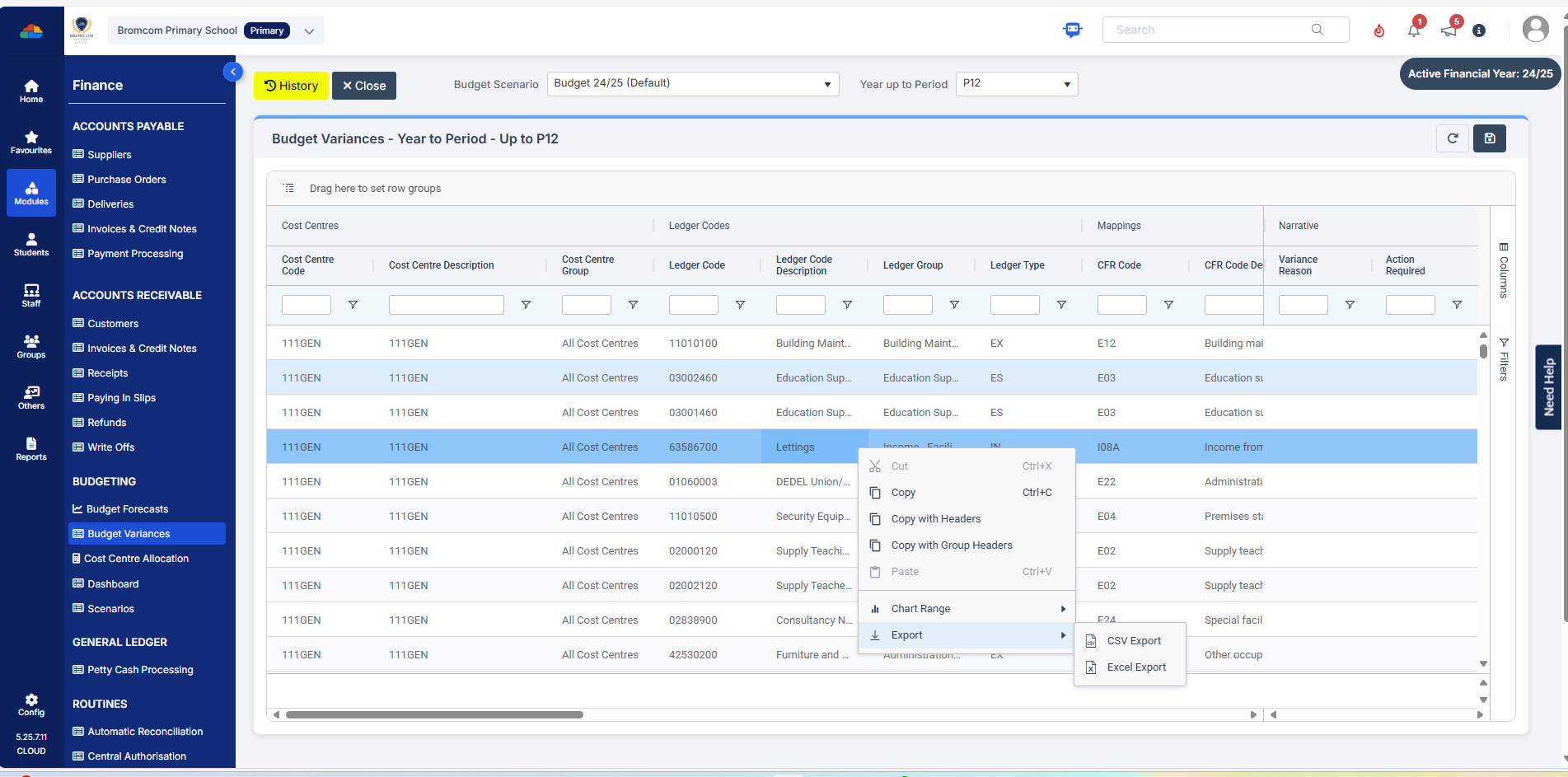
You can export your budget variances report by clicking into any of the budget lines and then right click, select “Export” to CSV or Excel, as shown in the below screen shot:


How useful was this article?

Click on a star to rate it!

Average rating / 5. Vote count:

No votes so far! Be the first to rate this post.

Similar Posts

  • Bromcom Finance: How to cancel “Passed for Pay” Invoices

    There are a couple of reasons you might need to cancel your raised “Passed for Pay” Invoices: If you have lost your “Print and export” text file that is required for processing through DTSApps, you will need to cancel your invoices and re-raise them.  If you have raised an invoice and now no longer require…

  • Bromcom Finance – How to hide and unhide cost centre ledger links

    In Bromcom Finance it is possible to hide cost centre-ledger links that you do not want to use. From the finance home page in the Maintenance area please select the ‘Cost Centre Ledger Links’ box You can then manually select the links you would like to hide by clicking on the tick box to the…

  • Bromcom Finance: How do I add a pay award ?

    Please note: This method is recommended for confirmed pay awards, if adding a projected pay award, please follow step 5  Browse to Config>Administration>Base Pay Structures>double click the required Base Pay structure, e.g JK – Job Evaluation Hours Per Annum, JE – Job Evaluation All Year Round,  JL – Job Evaluation > HPA 5 yrs, Teachers…

  • Bromcom Finance: How can I print my imported “Automatic Reconciliation file”

    Once in Modules > Finance> Homepage>Routines> Automatic reconciliation, please right click in the listing and then click export as shown in the screen shot  below.  This will then allow you to export to excel or csv and print as required.   How useful was this article? Click on a star to rate it! Submit Rating…

  • Bromcom Finance & DTSApps – DEVON SCHOOLS

    Bromcom Finance: How to process your invoices, in Central Authorisation and “Print & Export” Bromcom Finance: Raising orders on suppliers websites for example: YPO & Amazon Bromcom Finance: How to cancel “Passed for Pay” Invoices Bromcom Finance: I have clicked print and not print and export Bromcom Finance and DTSApps: How to process your invoice…