Bromcom: How to update Parental Responsibility
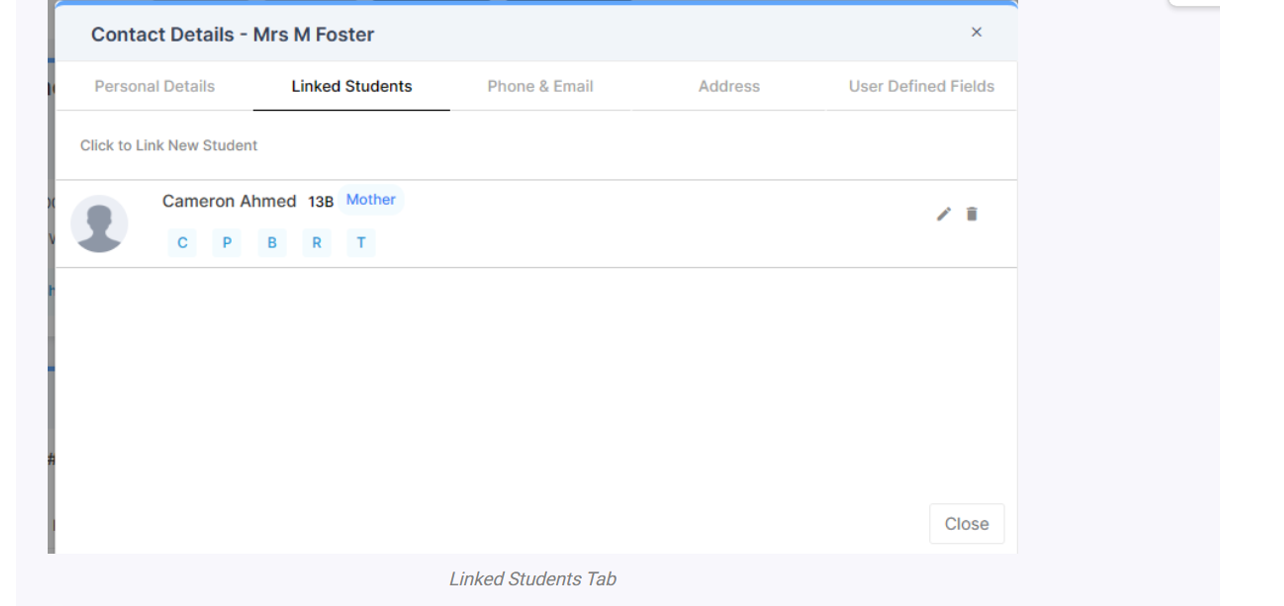
To update Parental Responsibility click on the pencil icon for the Contact in the Linked Students tab
Then you can choose Parental Responsibility
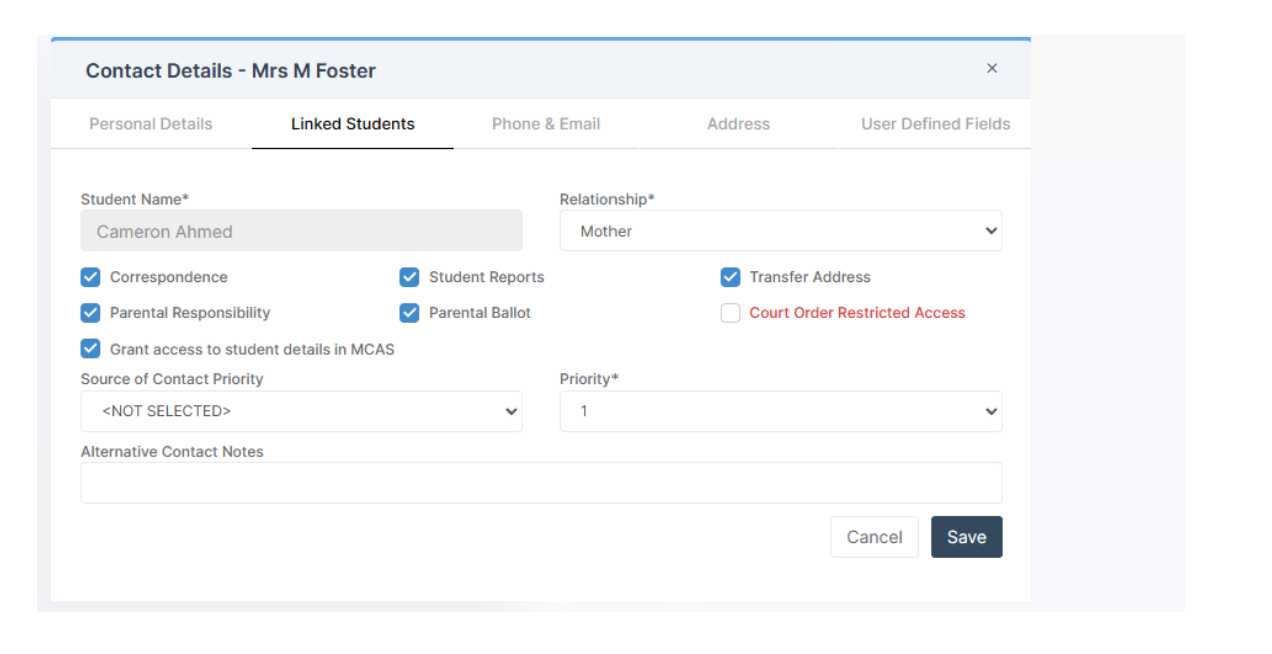
If you make any changes, make sure to press Save.
To update Parental Responsibility click on the pencil icon for the Contact in the Linked Students tab
Then you can choose Parental Responsibility
If you make any changes, make sure to press Save.
How useful was this article?
Click on a star to rate it!
Average rating / 5. Vote count:
No votes so far! Be the first to rate this post.
The Exams Embargo only applies to the Exams Module. However, if formulas are used in Assessment Sheets to reference embargoed results, they can become visible to staff with certain Assessment permissions. To maintain the security of results and uphold the embargo, Bromcom have introduced a toggle setting to disable formulas from exposing embargoed exam results…
The easiest way to do this is to copy the timetable from another student. Highlight the student you want to copy from in the Student List and go to Actions>Class Assignment. Select all of the classes you want to add to the new student and then click on the Copy button. The next box asks…
For Key Stage Assessments after you have access via BROMCOM: How to add ‘Configurations’ to a Role for Key Stage – Frequently Asked Questions Go to Config > Assessment > Configurations and put the tick in Enable Sheet Users. You can then tick which Staff Roles will require access to the marksheets…
You will need to clear a salary commitment if you have reconciled manually via Individual salary payments or central payments as follows: Browse to Modules> Finance> Homepage> Staffing> Salary Projections. Click the “Actions” button top left > Click “Amend Commitments” Select the staff member & posting period. Click “Clear Commitments” How useful was this article?…
You have two options on how you record Non-Invoiced income as follows: Navigate to Modules > Finance > Accounts Receivable (Note: you will need to setup a receipt book and paying in book if not already done so for accounts receivable via Modules> Finance> Maintenance > Books) To record a receipt, click the “non-inv receipt”…
This FAQ lists the latest information regarding the School Census. For Schools wanting the latest documentation for Census and using Bromcom – Click here to jump to the relevant section. For Schools wanting the latest documentation for Census and using Arbor – Click here to jump to the relevant section. For information preparation for the upcoming Census…