| |

How to get a Google Chromebook’s MAC Address

Some managed networks require that your wireless device’s MAC Address ( a unique identifying code) be added to a list of devices that have permission to join the network.

To obtain the MAC address of your Google Chromebook…

 1:  Start the Chromebook up.

 2:  Click on the Network Icon in the corner of the screen.
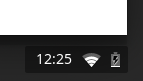
 

3:  Click on the name of the network you are connected to.
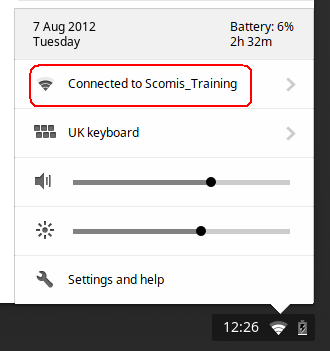
4: Then, click on the  Information icon to display the MAC Address as below:
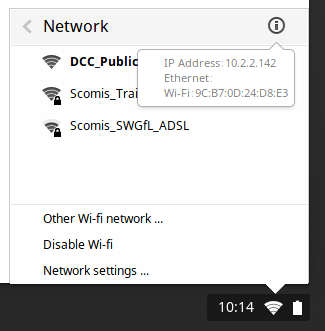
5: Please provide your system Administrator with this number before you connect to the Managed network for the first time.

Reviewed 12/01/2026


How useful was this article?

Click on a star to rate it!

Average rating / 5. Vote count:

No votes so far! Be the first to rate this post.

Similar Posts

  • How to tell what version of OS X is on your Apple Mac Computer.

      The Apple Operating System, called OS X, is regularly updated incrementally, rather than by a few major releases like Microsoft Windows. The most recent versions are: 10.6.x = Snow Leopard 10.7.x = Lion 10.8.x  = Mountain Lion   To tell which version you have: 1: Click on the Apple Icon in the top left…

  • How to add a new Windows user – Windows

    The following steps explain how to create a new user on a Windows operating system: Note: The images used in this article are from a previous version of Windows, however the process is the same in modern versions of Windows. Press Start, right hand mouse click on Computer and click on Manage. You will then…

  • How to Add a Network Printer in Windows 10 and Windows 11

    To add a network printer go to the start menu and click on printers and faxes.

    On the printers and faxes screen right click on an empty part of the window and choose Add Printer and then click next.
    Click on Network printer or a printer attached to……